
HypeShare
HypeShare is the essential secure file transfer platform you need for fast, encrypted transfers up to 10GB with no signup required.
Visit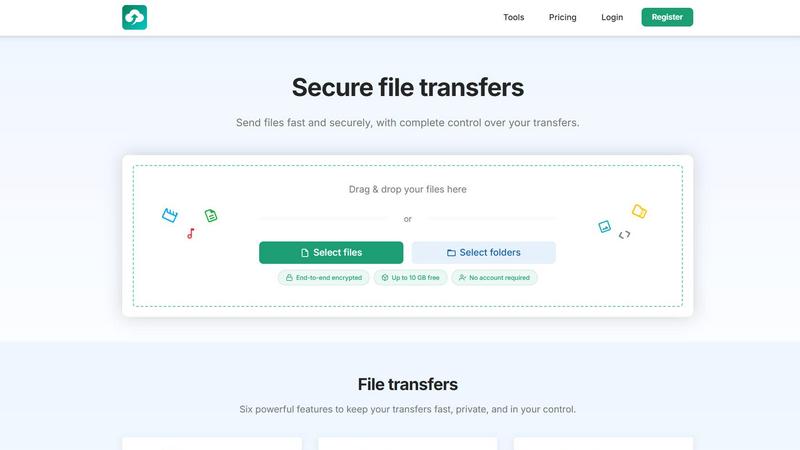
About HypeShare
HypeShare is a secure file transfer platform built for speed and privacy. It is an essential tool for freelancers, agencies, and teams who need a fast, no-friction alternative to bloated file-sharing tools. The platform allows you to send files up to 10GB without creating an account, or you can sign up free for 20GB of storage. Every transfer is protected with end-to-end encryption, ensuring your data remains private and secure. You gain complete control over your transfers with features like custom expiry links, password protection, and download limits. A critical capability is the File Requests feature, which lets you create a personal upload page. You share a custom link, and anyone can upload files directly to you without needing an account on their end. This removes the biggest barrier to receiving files from clients and collaborators. For power users, Pro plans unlock larger transfers, unlimited storage, download notifications, and priority support. Whether you need to send a large video file to a client or collect project assets from a team, HypeShare provides the speed, security, and simplicity you need to get the job done without any unnecessary complexity.
Features of HypeShare
End-to-End Encryption
Every file you transfer on HypeShare is protected with end-to-end encryption. This means your files are encrypted on your device before they are uploaded and can only be decrypted by the intended recipient. This is a must-have feature for anyone handling sensitive client data, legal documents, or proprietary business information. You can be confident that your files are never accessible to anyone else, including HypeShare, during transit or while stored on our servers.
File Requests
This is a game-changing feature for professionals who need to receive files from others. You create a custom, shareable link that directs to your personal upload page. Anyone with this link can upload files directly to your HypeShare dashboard, and they do not need to create an account or log in. This eliminates the friction of asking clients to sign up for a service just to send you a file. You can set an expiration date for each request and get email notifications every time a new file is uploaded.
Custom Expiry and Download Limits
You have complete control over the lifespan of your transfers. You can set an automatic expiration date for every link you create, ensuring that access is automatically revoked after a specific time. This is essential for time-sensitive projects. Additionally, you can define exactly how many times a transfer can be downloaded. Once that limit is reached, the link becomes inactive. These controls are critical for maintaining security and preventing unauthorized access to your files.
Password Protection
Add an extra layer of security to your most important transfers by requiring a password for access. This feature is a necessity when sending confidential files like contracts, financial reports, or legal documents. You can set a unique password for each transfer and share it separately with your intended recipient via a secure channel. This ensures that even if someone gets hold of your transfer link, they cannot access the files without the correct password.
Use Cases of HypeShare
Sending Large Creative Assets to Clients
Freelance photographers, videographers, and graphic designers often need to send massive files to clients. HypeShare allows you to send files up to 10GB for free, with no account required for the client. You can set a custom expiry date and password for security. The client simply clicks the link and downloads the finished work, making the process fast and professional without any complicated user interfaces.
Collecting Project Assets from a Remote Team
Project managers and team leads can use the File Requests feature to collect assets from a distributed team. You create a single request link and share it with your team. Everyone can upload their files directly to your dashboard without needing to sign up. You get email notifications as files arrive, and you can set an expiration date for the request. This streamlines the entire asset collection process and keeps everything organized in one place.
Securely Sharing Legal or Financial Documents
Lawyers, accountants, and financial advisors must handle sensitive documents with the highest level of security. HypeShare provides end-to-end encryption and password protection, which are essential for compliance and client trust. You can send contracts, tax forms, and financial statements securely, knowing that only the intended recipient can access them. The ability to set download limits and expiry dates adds an extra layer of control.
Sending Large Files Without a User Account
For a quick, one-time transfer, you do not need to create an account. This is a must-have for situations where you need to send a file immediately. You can drag and drop a file up to 10GB, get a secure link, and share it. This is perfect for sending a large presentation to a colleague, sharing a video with a family member, or providing a client with a final deliverable without any setup or sign-up friction.
Frequently Asked Questions
Do I need to create an account to send a file?
No, an account is not required to send files. You can use the Guest feature to send up to 5 transfers per month with files up to 10GB each, no account needed. This is perfect for one-off or occasional file sharing. For more frequent use and additional features like storage and file requests, you can register for a free account.
How is my data protected during transfer and storage?
All transfers on HypeShare are protected with end-to-end encryption. Your files are encrypted on your device before they are uploaded and can only be decrypted by the recipient. This applies to both transfer and storage, meaning your data is secure at all times. You can also add an extra layer of security by setting a password for each transfer.
How do File Requests work for the person uploading?
The person uploading files does not need to create an account or log in. You simply share your unique request link with them. They click the link, select their files, and upload them directly to your dashboard. They will see a confirmation that their upload was successful. This removes all barriers for clients and collaborators who need to send you files.
What happens to my files after the expiry date?
When a transfer or file request reaches its expiration date, the link becomes inactive. The files are automatically deleted from HypeShare's servers after the data retention period. For free accounts, data is retained for 30 days, and for Pro accounts, data retention is unlimited. This automatic cleanup helps you manage your storage and ensures that old files are not left accessible.
Similar to HypeShare

Whop Trends
Spot trending products first to scale your income with essential market intelligence.

Blueberry
Blueberry seamlessly integrates your editor, terminal, and browser for a unified workspace to build and ship web apps.
Shrinkpad
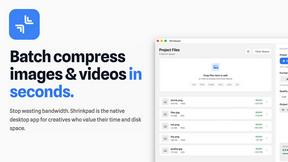
Shrinkpad compresses images and videos in bulk on your Mac, saving space and optimizing performance effortlessly.

Skene
Skene transforms your codebase into a PLG engine, driving seamless onboarding and retention through automated growth.

Yellow Systems
Yellow Systems delivers custom AI and software solutions that drive growth and innovation for startups and enterprises.

MVPable
MVPable turns your ideas into actionable MVP plans with tailored tools and expert guidance to save time and budget.

Agenta
Agenta centralizes LLM development, enabling teams to build reliable AI apps with streamlined collaboration and.