Blueberry
Blueberry seamlessly integrates your editor, terminal, and browser for a unified workspace to build and ship web apps.
Visit
About Blueberry
Blueberry is a revolutionary macOS application designed specifically for modern product builders who seek efficiency and focus in their development workflow. By integrating your code editor, terminal, and browser into a single cohesive workspace, Blueberry eliminates the hassle of juggling multiple applications and windows. This AI-native platform provides the unique ability to connect with advanced models like Claude, Gemini, and Codex through its built-in MCP (Multi-Context Platform), allowing them to access your files, terminal output, and live previews simultaneously. The main value proposition of Blueberry lies in its seamless integration, which fosters a more streamlined and productive environment for web app development. Whether you are a seasoned developer or just starting, Blueberry empowers you to build and ship applications that truly delight users, all within a contextually rich workspace.
Features of Blueberry
Integrated Workspace
Blueberry combines a terminal, code editor, and preview browser into one unified interface, eliminating the need for constant app-switching. This integration allows developers to focus solely on their projects without losing context or productivity.
Multi-Context Platform (MCP)
The built-in MCP server enhances your development experience by providing AI models with full context of your workspace. This means they can see open files, terminal output, and even your preview browser, allowing for more accurate and relevant assistance.
Live Preview Functionality
Developers can instantly view their app across different devices, including desktop, tablet, and mobile. This feature ensures that you can see exactly what users experience without leaving the Blueberry environment, making it easier to fine-tune designs and functionality.
Pinned Apps and Collaboration
Blueberry allows you to dock essential tools like GitHub, Linear, and Figma right within your workspace. These pinned apps maintain a live connection with your projects, ensuring that your AI assistant has all the necessary context for effective collaboration.
Use Cases of Blueberry
Streamlined Web Development
With Blueberry, developers can work on their web applications without the constant distraction of switching between different tools. The integrated workspace allows for a more focused and efficient coding experience.
Enhanced AI Collaboration
By using the MCP to connect with AI models, developers can leverage advanced coding assistance directly within the terminal. This interaction leads to quicker problem-solving and a more intuitive coding workflow.
Real-Time Design Feedback
The live preview feature enables designers and developers to see changes in real-time across various devices. This immediate feedback loop is crucial for creating responsive and user-friendly web applications.
Efficient Product Management
Pinned apps within Blueberry allow teams to keep track of project management tools without leaving the workspace. This promotes collaboration and ensures that everyone stays updated on project progress and changes.
Frequently Asked Questions
What operating systems does Blueberry support?
Blueberry is exclusively available for macOS users, providing a tailored experience for Mac environments.
Is Blueberry free during the beta phase?
Yes, Blueberry is currently 100% free during its beta phase, allowing users to explore its features without any financial commitment.
How does Blueberry enhance AI interaction?
Blueberry's Multi-Context Platform (MCP) allows AI models to access your entire workspace, including files and terminal output, leading to more contextual and relevant responses.
Can I use Blueberry for team projects?
Absolutely! Blueberry's pinned apps and collaborative features make it an ideal tool for teams working on shared projects, ensuring everyone has access to the necessary context and tools.
Explore more in this category:
Similar to Blueberry
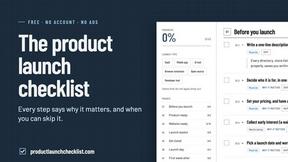
Product Launch Checklist
A free launch checklist for SaaS, apps, AI tools and more. Every step says why it matters and when you can skip it.
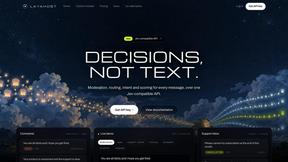
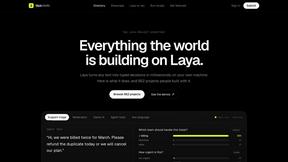
laya.tools
A free directory of 950+ projects built on Laya, the open-source decision model. Updated daily.
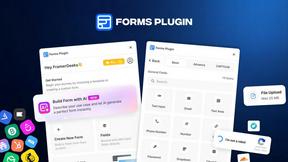
Forms Plugin
The #1 Native Form Builder Plugin for Framer - No Code, No Embeds, No External Platforms.