

Alternatives to Shrinkpad
Shrinkpad compresses images and videos in bulk on your Mac, saving space and optimizing performance effortlessly.
20 alternatives found
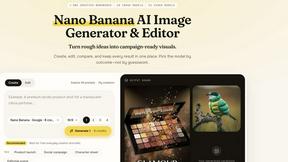
Nano AI
Create and edit AI images, generate videos, and compare models in one creative workbench.

Screen Issues
Free Online Screen Test Tool - Instantly diagnose dead pixels, lines, color issues, and flickering. Multiple test modes, no download needed.

Tip Toe AI
Upload a Dancer photo and a Partner photo and get your own AI Tip Toe barn-dance video. Free 5s preview, 12s HD from $4.90. No subscription.


ImageGenerator
Create and edit AI images online with multiple models, text-to-image, image-to-image, background removal, and upscaling.
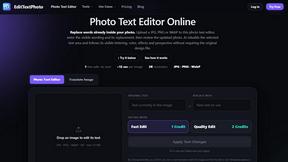
EditTextPhoto
AI-powered image text editor to edit, replace, fix, or translate text in images while preserving the original font, color, size, and style.
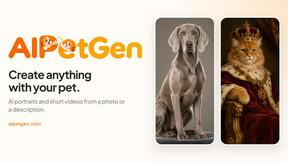
AIPetGen
AIPetGen turns a photo of your dog, cat, or other pet, or a written description, into a new picture or a short animation.
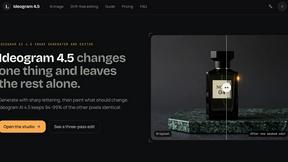
ideogram-45
AI image generation and editing with sharp typography, native 2K output, and localized visual edits.


IsThisAIImage
Free AI image checker: upload a photo for AI-generated and deepfake scores, a clear verdict, and optional generator hints.

StopScroll
StopScroll is an AI thumbnail maker that generates YouTube thumbnail concepts from a URL, title, or prompt.

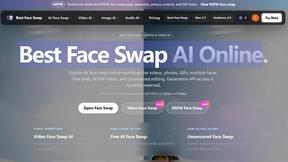
Best Face Swap
The essential AI tool for flawless face swaps in photos and videos, with dedicated workflows for video, free trials, and NSFW content.
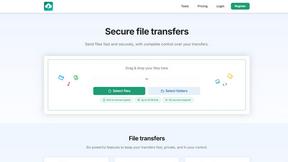
HypeShare
HypeShare is the essential secure file transfer platform you need for fast, encrypted transfers up to 10GB with no signup required.

ComicsMaker
ComicsMaker is the essential AI tool you need to turn prompts into structured comic strips, manga panels, and export-ready drafts.

Art & See Custom Oil Painting Portraits
Transform cherished photos into stunning custom oil painting portraits, perfect for honoring loved ones with timeless art.

Nano Banana
Nano Banana is the essential AI tool that creates and edits stunning images through simple conversation.

SparkPix
SparkPix is the essential AI photo editor that transforms any image instantly by simply typing your request.

RemoveTexts
RemoveTexts is the essential AI tool that instantly erases any text from your images without needing Photoshop.
About Shrinkpad Alternatives
Shrinkpad is an essential tool for Mac users, designed specifically for batch compressing images and videos. By utilizing local processing on macOS, it enables users to efficiently save space without compromising privacy or quality. As users become more aware of their storage needs, they often seek alternatives due to factors such as pricing, desired features, or compatibility with different platforms. When searching for an alternative to Shrinkpad, it is crucial to consider aspects like local processing capabilities, batch compression efficiency, file format support, and user privacy. A solution that prioritizes these elements will ensure that users maintain control over their media files while optimizing their workflows.
FAQs about Shrinkpad Alternatives
What is Shrinkpad?
Shrinkpad is a native macOS application that instantly compresses batches of images and videos locally to save space and time.
Who is Shrinkpad for?
Shrinkpad is ideal for photographers, designers, content creators, and developers who need to manage oversized media files efficiently.
Is Shrinkpad free?
Shrinkpad offers a powerful set of features, but users should check the official website for pricing details.
What are the main features of Shrinkpad?
Shrinkpad features local processing, intelligent batch and folder compression, support for over 50 formats, and a simple drag-and-drop interface.