
LinkedInPro
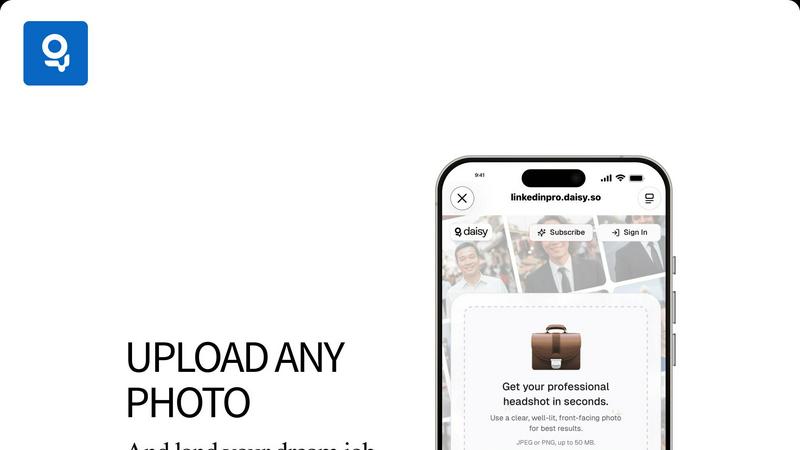
Elevate your LinkedIn profile instantly with professional headshots created from your casual photos using our AI tool.
VisitPublished on:
October 21, 2025
Pricing:
About LinkedInPro
LinkedInPro is an innovative AI-driven tool specifically designed to convert everyday photos into exceptional studio-quality professional headshots in just seconds. Perfectly tailored for job seekers, entrepreneurs, and professionals, LinkedInPro offers a cost-effective alternative to traditional photography. Users can simply upload a clear, well-lit, front-facing image, and the platform expertly transforms it into a polished headshot that reflects their professionalism and unique personality. The core value proposition of LinkedInPro lies in its ability to provide authentic and visually appealing images that help users stand out in a highly competitive job market. Whether you are applying for jobs or expanding your professional network, LinkedInPro is more than a photo editor; it is an essential tool for creating a lasting impression that resonates with recruiters and peers alike.
Features of LinkedInPro
AI-Powered Enhancement
LinkedInPro utilizes advanced artificial intelligence algorithms to analyze and enhance the uploaded images, ensuring that users receive the best possible results. This feature not only improves image quality but also highlights professional traits, making the headshot more appealing and engaging.
Quick Turnaround Time
With LinkedInPro, users can expect their professional headshots in mere seconds. This rapid processing time allows busy professionals to update their profiles quickly, making it ideal for those who need to make a swift impact in their careers or networking opportunities.
User-Friendly Interface
The platform boasts an intuitive and user-friendly design that simplifies the headshot creation process. Users can easily navigate through the upload and editing steps, ensuring a seamless experience, even for those who may not be tech-savvy.
High-Quality Output
LinkedInPro guarantees high-resolution images in JPEG or PNG formats, with a file size limit of up to 50 MB. This ensures that the headshots maintain their quality across different platforms and uses, from online profiles to printed materials.
Use Cases of LinkedInPro
Job Seekers
For job seekers, having a compelling professional headshot can significantly enhance their profiles on platforms like LinkedIn. A polished image can make a strong first impression on recruiters and increase the chances of landing interviews.
Entrepreneurs
Entrepreneurs looking to establish their personal brand can benefit immensely from LinkedInPro. A professional headshot can help convey credibility and trustworthiness, essential traits for attracting clients and investors.
Networking Events
Professionals attending networking events can use LinkedInPro to quickly generate high-quality headshots to share on business cards or social media. This ensures they present themselves in the best light, enhancing their networking opportunities.
Social Media Presence
In an era where personal branding is crucial, LinkedInPro allows users to create standout images for various social media platforms. A professional headshot can help differentiate individuals in crowded fields, further establishing their online presence.
Frequently Asked Questions
How do I use LinkedInPro?
To use LinkedInPro, simply upload a clear and well-lit front-facing photograph. The AI will process the image and return a professionally enhanced headshot within seconds.
What file formats can I upload?
You can upload images in either JPEG or PNG formats, with a maximum file size of 50 MB. This allows for flexibility and ensures high-quality output.
Is there a limit to how many headshots I can create?
LinkedInPro does not specify a limit on the number of headshots you can create. Users can upload and enhance as many images as they need for their professional endeavors.
Is my data safe with LinkedInPro?
Yes, LinkedInPro prioritizes user privacy and security. All uploaded images are treated with strict confidentiality, ensuring that your personal data remains protected throughout the process.
Explore more in this category:
Similar to LinkedInPro

AI Object Remover
Browser-based AI photo cleanup: brush over people, objects, text or watermarks and AI rebuilds the background.
ButterShare
Realtime peer-to-peer file transfer in the browser. Send files directly between devices, no account and no upload to a server.
Adobe Alternatives
Explore open-source creative software by workflow, platform and development stage, with comparisons and official project links.
ImageAgent
Create and edit AI images through conversation, using text or reference images and refining results in chat.
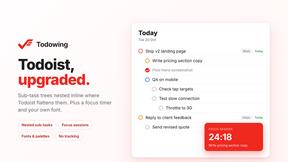
Todowing
Chrome extension that nests Todoist sub-tasks inline in Today, Upcoming, Filter and Label views. Free tier, $19.99 one-time unlock.
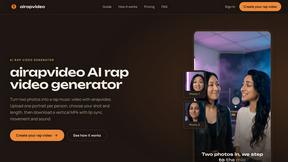
airapvideo
airapvideo is an AI rap video generator that transforms two portraits into a short vertical music video with lip-synced performance, movement, and sou
LightScreen
Free fullscreen light screen tool online. Turn any display into a flashlight, ambient light, or solid-color screen. No download or sign-up.
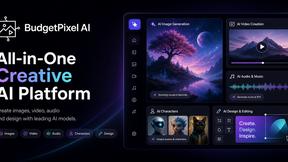
Budgetpixel AI
Create AI images, videos, music, and designs in one workspace with multiple models, powerful editing tools, and API access.