
EditTextImage
EditTextImage is the essential tool to seamlessly replace text in images online, keeping fonts and style intact without Photoshop.
Visit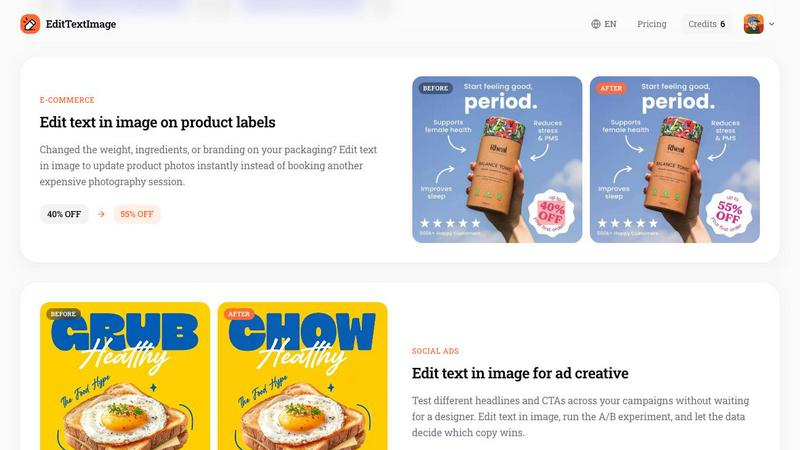
About EditTextImage
EditTextImage is an essential AI-powered online tool that eliminates the need for complex software like Photoshop or expensive subscriptions when you need to modify text within an image. This tool is designed for anyone who has ever needed to change a single word on a finished poster, a screenshot, a product photo, or a document but has lost the original design file. The core value proposition is its ability to replace text in an image while perfectly preserving the original font, color, size, perspective, drop shadow, and background. You simply upload the image, type the existing text and the replacement, and the AI samples the typography directly from the pixels. This means even paid fonts or hand-lettering that you do not have installed on your system are handled flawlessly. The process takes approximately 10 seconds and outputs a high-resolution 2K image. This tool is a necessity for marketers, designers, business owners, and anyone who needs to make quick, accurate text edits to images without any design skill or software. It is the fastest and most reliable way to edit text in an image online, providing a pixel-perfect result every time.
Features of EditTextImage
Pixel-Perfect AI Text Replacement
This is the most critical feature of EditTextImage. The AI does not simply overlay new text; it samples the typeface, color, lighting, and perspective directly from the pixels of the original image. This ensures that the new text matches the original font, size, color, and any effects like drop shadows or perspective warps. You do not need to own the font file or have any design expertise. The result is a seamless edit that looks as if it was part of the original design, making it an indispensable tool for maintaining visual consistency.
Blazing Fast Processing Speed
The tool is engineered for speed and efficiency, processing an edit in approximately 10 to 12 seconds on average. This is a game-changer for professionals who need to make quick updates to marketing materials, social media ads, or documents. There is no waiting for a designer or struggling with complex software. This rapid turnaround makes it a vital tool for agile workflows, allowing you to fix a typo, update a date, or A/B test a headline in under a minute and get back to your core tasks.
High-Resolution 2K Output
Every edit performed with EditTextImage is rendered at a crisp 2K resolution. This ensures that the final image maintains its quality and is suitable for professional use, whether it is for print, web, or social media. You do not have to worry about pixelation or a loss of clarity after the edit. This high-output standard is a non-negotiable feature for anyone who requires professional-grade results from their image editing tool, making it a reliable solution for production workflows.
Zero Software and Subscription Requirements
EditTextImage is a fully online tool that requires no downloads, installations, or complex setup. There is no need for a Photoshop license or a Canva subscription. You get one free edit with no credit card required to start, and subsequent edits are available through a simple one-time purchase of credits. This makes it an accessible and cost-effective necessity for freelancers, small businesses, and anyone who needs to edit text in an image without committing to a recurring monthly fee.
Use Cases of EditTextImage
Fixing Typos in Documents and Contracts
When you have a final scan or screenshot of a contract, invoice, or official document and discover a typo in a name, date, or number, EditTextImage is the only tool you need. Instead of recreating the entire document from scratch, you can upload the image, type the incorrect text and the correction, and the AI will flawlessly replace it while keeping the original font and layout. This is an essential use case for legal professionals, administrators, and anyone who needs to correct errors in finalized digital documents without access to the source file.
Updating Posters and Event Flyers
Event details often change after a flyer or poster has been finalized. A date moves, a speaker drops out, or a venue changes. Without the original design file, this used to mean a costly redesign. With EditTextImage, you can instantly update the text on the finished image. This is a vital tool for event planners, marketing teams, and designers who need to make last-minute changes to promotional materials without starting from scratch, saving both time and money.
Localizing App Screenshots for International Markets
App developers and marketers frequently need to provide screenshots in multiple languages for different app stores. Instead of recreating every UI mockup for each language, EditTextImage allows you to swap the text on an existing screenshot. The AI perfectly preserves the look and feel of the user interface. This is an indispensable use case for localization teams and product managers who need to efficiently scale their app’s presence across global markets with pixel-perfect accuracy.
A/B Testing Headlines for Social Media Ads
Marketers constantly need to test different headlines and calls-to-action (CTAs) to optimize ad performance. Waiting for a designer to create multiple versions of an ad is slow and expensive. With EditTextImage, you can take one finished ad creative and quickly swap the text to create multiple variations for A/B testing. This feature is a necessity for social media managers and growth marketers who rely on data-driven decisions to improve campaign ROI, enabling rapid experimentation without any design bottlenecks.
Frequently Asked Questions
What file formats and sizes does EditTextImage support?
EditTextImage supports the most common image formats, including PNG, JPEG, and WebP. The maximum file size for upload is 10 MB. This covers the vast majority of use cases for posters, screenshots, documents, and product photos, making it a versatile tool for most standard image editing needs.
Is my data and image secure when using this tool?
Yes, security and privacy are taken seriously. The tool has a strict Acceptable Use Policy. It does not process IDs, passports, bank statements, or tampered receipts. Violations of these policies result in account termination, and request logs may be shared with law enforcement. Users must confirm they own or are licensed to edit the image and that the edit is not intended to deceive a third party.
Can I use EditTextImage for commercial projects?
Absolutely. Commercial use is included in all credit purchases. This means you can use the edited images for your business, marketing campaigns, product labels, and any other commercial application without any additional licensing fees. This makes it a highly valuable and cost-effective tool for businesses of all sizes.
What happens if the AI cannot perfectly match the original font?
The AI is designed to sample the typeface, color, and perspective directly from the pixels of the image. It is highly effective at matching a wide variety of fonts, including paid and hand-lettered styles. However, if the text is extremely small, heavily distorted, or partially obscured, the result may be less than perfect. The tool provides a free credit to test the quality on your specific image before making a purchase.
Pricing of EditTextImage
EditTextImage operates on a simple, no-subscription pricing model. You receive 1 free credit to start editing immediately, with no credit card required. After your free edit, you can purchase a one-time pack of 30 credits for $9.90. These credits never expire, so you can use them at your own pace. This straightforward pricing is a necessity for users who want to avoid recurring subscription fees and only pay for what they need.
Similar to EditTextImage

Vismuse
Create polished AI images and videos from prompts or references for social posts, ads, flyers, album covers, and campaigns.
IsThisAIImage
Free AI image checker: upload a photo for AI-generated and deepfake scores, a clear verdict, and optional generator hints.
StopScroll
StopScroll is an AI thumbnail maker that generates YouTube thumbnail concepts from a URL, title, or prompt.
HubVanta AI
HubVanta AI helps creators generate images and videos with advanced AI tools for visual content workflows.
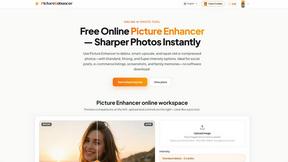
Picture Enhancer
Picture Enhancer: free AI photo deblur, upscale, and restore in your browser. Guest tries, then credits—no software install.
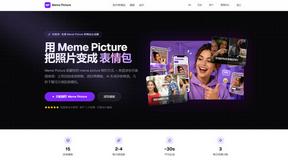
Meme Picture
Meme Picture is the essential AI tool for instantly turning selfies and pet photos into hilarious classic memes with no login required.
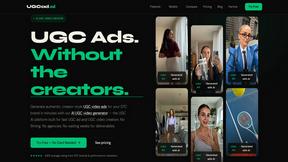
UGCad AI
UGCad AI is the essential platform for DTC brands to instantly generate authentic AI UGC video ads from a URL without creators or agencies.