
archmaster
Archmaster is the essential AI tool you must have for transforming any room or building photo into a photorealistic redesign in seconds without.
Visit
About archmaster
Archmaster is an essential AI-powered interior design and architectural rendering platform that eliminates the need for expensive designers, complex 3D modeling software, or CAD files. This tool is a must-have for anyone looking to visualize a redesigned space instantly. Simply upload a photo of any room, building exterior, or outdoor area, select one of 20 professionally curated style presets, and receive a photorealistic, designer-quality render in under 60 seconds. The platform is built for homeowners planning critical renovations, renters visualizing non-permanent changes, real estate agents needing virtual staging, interior designers generating early-stage client concepts, and architects creating visualizations. With no software to learn and no designer to hire, Archmaster prioritizes speed and accessibility. It offers six core capabilities: interior redesign, exterior redesign, sketch-to-image conversion, AI render enhancement, architecture video generation, and targeted AI inpainting. Free tools like a room size calculator, paint calculator, renovation cost estimator, and color palette generator further support your planning process. Over 800 designers and homeowners already trust Archmaster to transform their spaces, making it the priority solution for anyone serious about visualizing property changes before committing time or money.
Features of archmaster
Interior AI Design
This feature is a priority for anyone looking to redesign living rooms, bedrooms, bathrooms, and kitchens. With 20 style presets ranging from Scandinavian minimalist to Cyberpunk, you can upload a photo of a real room and instantly see a photorealistic transformation. The drag-and-drop before/after slider allows you to compare the original space with the redesigned version, making it essential for visualizing changes to furniture, color schemes, and layouts without any manual effort.
Exterior and Facade Design
Transforming building exteriors, front yards, and outdoor spaces is a must-have capability for homeowners and real estate professionals. This feature allows you to upload a photo of any house or building facade and apply a style preset to see how it would look with new colors, materials, or architectural details. It is essential for planning curb appeal improvements, renovation projects, or virtual staging for property listings, all without needing to physically alter the structure.
Sketch to Render
Converting architectural sketches into photorealistic images is a critical feature for architects and designers. This tool takes hand-drawn drafts or rough concept sketches and instantly generates a high-quality, realistic visual representation. It is a priority for bridging the gap between initial ideas and client presentations, saving hours of manual rendering work and ensuring that concepts are communicated clearly and effectively.
Edit and Modify
Targeted AI inpainting allows you to refine specific areas of any generated design. This feature is essential for making precise adjustments, such as changing a countertop material, swapping out a piece of furniture, or altering a wall color in an existing render. It gives you complete control over the final output, ensuring that every detail meets your exact requirements without having to regenerate the entire image.
Use Cases of archmaster
Homeowners Planning Renovations
For homeowners, Archmaster is a must-have tool before starting any renovation project. By uploading a photo of a current room or exterior, you can test different styles like Modern, Rustic, or Mediterranean to see exactly how the final result will look. This eliminates the guesswork and risk of costly mistakes, allowing you to prioritize design choices and confidently communicate your vision to contractors.
Interior Designers Presenting Concepts
Interior designers can use Archmaster as an essential part of their client workflow. Instead of spending hours creating manual mood boards or expensive 3D renderings, designers can upload a photo of a client's space and generate multiple style options in seconds. This capability is a priority for presenting early-stage concepts, getting client approval faster, and iterating on designs without additional cost or time.
Real Estate Agents for Virtual Staging
Real estate agents need Archmaster to create compelling property listings. By virtually staging empty rooms or updating dated exteriors, agents can help buyers visualize a home's potential. This feature is critical for increasing property appeal, reducing time on market, and justifying higher listing prices, all without the expense of physical staging or professional photography.
Architects for Client Visualizations
Architects benefit from the Sketch to Render feature as a priority tool for client communication. By converting hand-drawn sketches into photorealistic images, architects can present design concepts in a way that is immediately understandable to clients. This accelerates the approval process and ensures that everyone is aligned on the final design, making it an essential part of the architectural workflow.
Frequently Asked Questions
What is a credit?
A credit is the unit of usage on Archmaster. One credit is required for each single generation, upscale, or edit. Multi-view generation costs 3 credits, and architecture video generation costs 5 credits. Credits are auto-renewed each week with your subscription plan.
What photo formats are supported?
Archmaster supports standard photo formats for upload. You can upload images of any room, exterior, or outdoor space. The platform is designed to work with common file types, ensuring that you can easily use photos from your phone, camera, or computer without needing to convert files.
Can it redesign building exteriors?
Yes, Archmaster is specifically built to redesign building exteriors and facades. You can upload a photo of any house or building, choose a style preset, and receive a photorealistic render of the transformed exterior. This is a critical feature for homeowners planning curb appeal upgrades or real estate agents staging property listings.
Are my uploaded photos used to train AI?
Archmaster prioritizes user privacy. Your uploaded photos are not used to train the AI models. The platform is designed to process your images solely for the purpose of generating your requested renders, ensuring that your personal property data remains confidential and secure.
Can I cancel any time?
Yes, you can cancel your subscription at any time. Archmaster offers a simple weekly plan with no hidden fees or long-term commitments. Once you cancel, you will retain access to your credits until the end of the current billing period.
Pricing of archmaster
Archmaster offers a simple, single pricing plan with no hidden fees. The weekly plan costs $9.99 per week and provides 30 credits that auto-renew each week. One credit covers a single generation, upscale, or edit. Multi-view generation requires 3 credits, and architecture video generation requires 5 credits. This straightforward pricing structure ensures you only pay for what you need, making it an essential and cost-effective tool for any design project.
Similar to archmaster
SimpleDraw
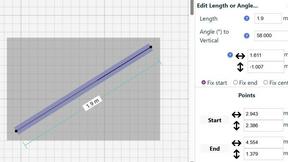
Create precise floor plans and scale drawings easily online with SimpleDraw's intuitive and powerful web tool.