
AI Formatter
AI Formatter instantly transforms your raw text and files into professional documents with ease and precision.
VisitPublished on:
October 14, 2025
Pricing:
About AI Formatter
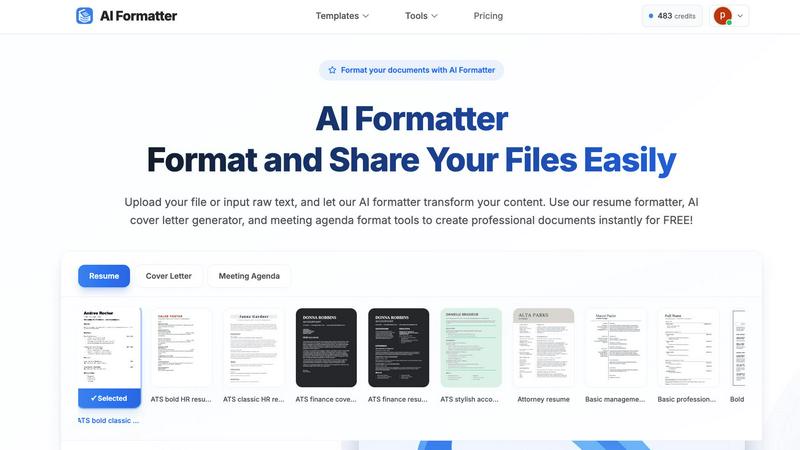
AI Formatter is a cutting-edge, cloud-based SaaS platform designed to streamline the often cumbersome task of document formatting. This innovative tool harnesses the power of advanced artificial intelligence to transform raw, unstructured text or uploaded files into impeccably formatted documents in mere seconds. It is an essential resource for job seekers, professionals, businesses, and academics, ensuring that they can produce polished and visually appealing documents efficiently. With a library of over 100 ATS-optimized templates for resumes, cover letters, meeting agendas, invoices, and more, AI Formatter addresses a critical need for users aiming to enhance their communication and presentation. The platform boasts an impressive 95%+ pass rate on Applicant Tracking Systems, making it indispensable for anyone looking to advance their career. AI Formatter not only saves users a verified 2+ hours per document but also provides a real-time editor for complete customization and multi-format export options. This combination of efficiency, quality, and flexibility makes AI Formatter a must-have tool for anyone serious about professional documentation.
Features of AI Formatter
AI-Powered Formatting
The AI Formatter utilizes advanced algorithms to automatically format your documents, preserving the integrity of your content while applying professional styles and structures. This ensures that your documents are not only visually appealing but also meet industry standards.
Diverse Template Library
With over 162 professional templates available, users can choose from an extensive selection tailored to various document types. Each template is optimized for Applicant Tracking Systems, ensuring that your resumes and cover letters stand out during the hiring process.
Intuitive Customization Editor
The platform includes a user-friendly editor that allows for comprehensive customization of formatted documents. After the AI processes your content, you can easily make adjustments, ensuring your document reflects your personal style and professional needs.
Multi-Format Export and Secure Sharing
AI Formatter supports export in multiple formats, including Word and PDF, allowing seamless integration into any workflow. This feature, coupled with secure sharing options, ensures that your professionally formatted documents can be easily distributed and accessed.
Use Cases of AI Formatter
Job Seekers
For job seekers, AI Formatter is a game-changer. It helps create ATS-optimized resumes and cover letters that enhance the chances of passing automated screening systems, ultimately increasing the likelihood of landing interviews.
Professionals
Busy professionals can leverage AI Formatter to generate polished meeting agendas, reports, and business documents. This tool minimizes time spent on formatting, enabling users to focus on content quality and strategic objectives.
Academics
Academics can benefit from AI Formatter by quickly formatting research papers, presentations, and study materials in a professional manner. The platform's ability to maintain formatting consistency helps in adhering to academic standards.
Businesses
Businesses can utilize AI Formatter for creating invoices, contracts, and official documents that need a professional touch. By automating the formatting process, companies can ensure uniformity in their business communications while saving valuable time.
Frequently Asked Questions
How does AI Formatter work?
AI Formatter allows users to upload raw text or existing documents, which the AI then processes and formats according to the selected template. This automated process significantly reduces the time and effort required for manual formatting.
What types of documents can I create with AI Formatter?
Users can create a variety of documents, including resumes, cover letters, meeting agendas, invoices, and more. The platform supports multiple file formats, making it versatile for different needs.
Is there a free version of AI Formatter?
Yes, AI Formatter offers free credits for users to start formatting their documents without any initial investment. This allows users to experience the power of AI formatting before committing to a paid plan.
How can I ensure my document is ATS-optimized?
By selecting one of the ATS-optimized templates from AI Formatter's extensive library, users can be confident that their documents will pass through Applicant Tracking Systems effectively. The platform's design focuses on meeting the criteria set by these systems.
Similar to AI Formatter
ButterShare
Realtime peer-to-peer file transfer in the browser. Send files directly between devices, no account and no upload to a server.
Todowing
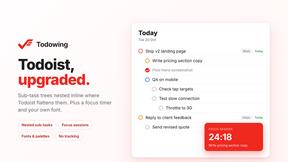
Chrome extension that nests Todoist sub-tasks inline in Today, Upcoming, Filter and Label views. Free tier, $19.99 one-time unlock.

LightScreen
Free fullscreen light screen tool online. Turn any display into a flashlight, ambient light, or solid-color screen. No download or sign-up.
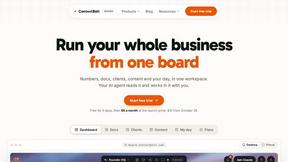
Context Board
Context Board brings your numbers, docs, clients, content and day into one workspace that Claude and Codex can read and update.

@fuck.it - email with attitude
Private email. Pure. Secure. Exclusive. No ads, no tracking, no data selling. GDPR compliant, EU-hosted.
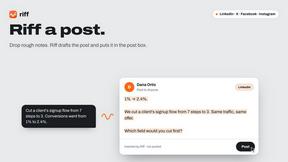
Riff
Free Chrome extension. Paste your rough point and Chrome's built-in AI writes a fresh reply for that post on X, LinkedIn, Facebook or Instagram.
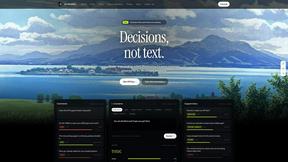
JevModel
Bilingual Jev decision workbench with original guides for structured, AI-assisted decisions.