ScopeSnap vs SupaSidebar
Side-by-side comparison to help you choose the right tool.

ScopeSnap
ScopeSnap instantly turns your discovery notes into client-ready proposals and accurate project scopes.
Last updated: March 18, 2026

SupaSidebar
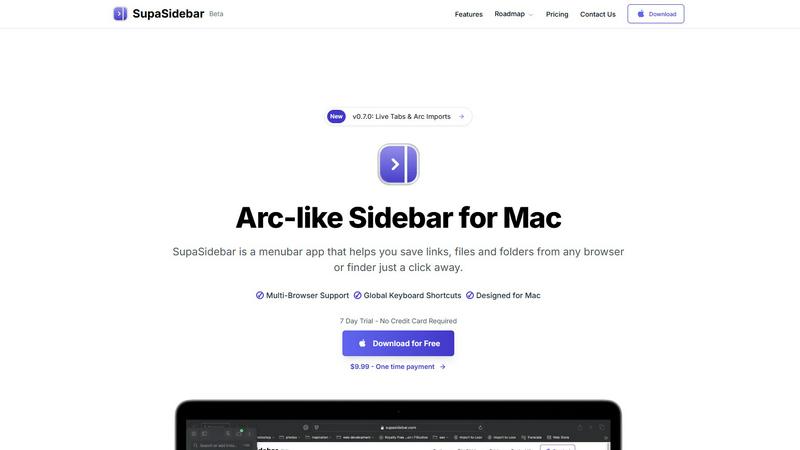
SupaSidebar enhances your Mac by giving you instant access to links, files, and folders with simple keyboard shortcuts.
Last updated: February 28, 2026
Visual Comparison
ScopeSnap

SupaSidebar
Feature Comparison
ScopeSnap
AI-Powered Scope Generation
This is the foundational feature. You simply paste in raw materials from your discovery process, such as meeting transcripts, email threads, or bullet-point notes. ScopeSnap's AI then analyzes this text to automatically identify and break down the project into structured epics and detailed scope items. It intelligently surfaces critical open questions and flags underlying assumptions that need client clarification, ensuring nothing important is missed from the very beginning.
Interactive Scope Refinement & Estimation Board
The generated scope is not a static document. It is presented in an interactive, kanban-style board where you can review, edit, and organize every item. This is where you take control: you can assign roles (e.g., front-end, back-end), set time or cost estimates for each task, and directly resolve the open questions flagged by the AI. This collaborative refinement process is essential for achieving a confident and accurate final estimate.
Automated Proposal & SOW Creation
Once your scope is refined and estimated, ScopeSnap eliminates the final manual hurdle. With one click, it automatically generates a professional, polished Proposal or Statement of Work document. This client-ready deliverable is formatted for clarity and includes your defined scope, estimates, assumptions, and terms, saving you hours of drafting, formatting, and writing from scratch.
Centralized Project Scoping Workspace
ScopeSnap provides a single, unified workspace for the entire pre-project lifecycle. From ingesting initial discovery notes, through structuring the backlog and estimating, to generating the final proposal, everything is contained in one platform. This centralization is crucial for maintaining organization, ensuring consistency across projects, and having a clear audit trail of how scope and estimates were derived.
SupaSidebar
Instant Access to Links, Files, and Folders
With SupaSidebar, saving and accessing essential links, files, and folders is simplified. Users can save URLs or files with just a click or a keyboard shortcut, making it incredibly efficient for those who often juggle multiple resources.
Recents Tracking
The Recents feature automatically tracks every website you've visited in the last 48 hours. This allows users to find their work instantly without having to sift through endless browser tabs, making it easier to pick up right where you left off.
Quick Search Functionality
SupaSidebar offers a powerful search capability. By pressing CMD CTRL K, users can quickly search for any file, folder, website, or app. This feature drastically reduces the time spent searching, thereby enhancing overall productivity.
Pinned Items for Easy Access
Users can pin their favorite links and files at the top of the sidebar for quick access. This ensures that important resources are always readily available, eliminating the frustration of repeatedly searching for the same items.
Use Cases
ScopeSnap
For Freelance Developers Closing New Clients
A solo developer can use ScopeSnap to quickly turn a post-call jumble of ideas into a structured, professional proposal. This demonstrates competence and thoroughness to potential clients, significantly increasing win rates. It prevents under-scoping and gives the freelancer a clear, defendable plan and price for the project, which is essential for managing their time and income effectively.
For Software Agencies Standardizing Sales Processes
Agencies can implement ScopeSnap to create a consistent, repeatable scoping methodology across their entire sales team. It ensures every project estimate follows the same rigorous process, improving accuracy and protecting profit margins. It also drastically reduces the time senior developers or project managers spend on sales support, freeing them for billable work.
For Consultants Defining Project Boundaries
Management or technical consultants who define project requirements for clients can use ScopeSnap to structure their recommendations. The tool helps ensure all aspects of a solution are considered and documented. The automatically generated SOW becomes a perfect handoff document to a development team, with clear, actionable items and estimates.
For Handling Vague or Complex Project Requests
When a client approaches with a large, complex, or poorly defined idea (e.g., "build an app like Uber"), ScopeSnap is indispensable. The AI helps break down the monolithic concept into core epics and features. The iterative refinement process, guided by surfaced questions, forces clarity and allows for phased, estimable project planning, de-risking the engagement for both parties.
SupaSidebar
Efficient Research Management
For researchers who need to access numerous articles, papers, and resources quickly, SupaSidebar allows for the organization of links and files in a manner that boosts efficiency. This ensures that critical information is easily retrievable at any time.
Content Creation Workflow
Content creators can take advantage of SupaSidebar to manage resources, links to inspirational content, and drafts. By keeping everything organized in one accessible sidebar, creators can focus on their work without the hassle of searching through various applications.
Project Management
Project managers can utilize SupaSidebar to keep track of important project files, relevant links, and team resources. The ability to pin crucial items and quickly search for documents facilitates smoother project execution.
Multitasking Made Easy
For multitaskers juggling various tasks and applications, SupaSidebar serves as a vital tool to keep everything organized. With features like quick access to recent work and efficient search capabilities, users can maintain focus on their tasks without unnecessary distractions.
Overview
About ScopeSnap
ScopeSnap is an essential AI-powered platform designed specifically for freelance developers, consultants, and software agencies. It solves the critical, time-consuming, and risky problem of project scoping and estimation. The tool transforms the chaotic aftermath of client discovery calls-scattered notes, vague requirements, and rough ideas-into a structured, actionable, and client-ready proposal. Its core value proposition is eliminating the guesswork and manual drudgery from the pre-project phase. By using AI to analyze input like call transcripts and notes, ScopeSnap automatically generates a detailed project backlog, surfaces assumptions and open questions, and provides a framework for accurate estimation. This structured process is non-negotiable for professionals who need to deliver reliable quotes, protect their margins, and build client trust. Finally, it compiles everything into a polished Statement of Work or proposal, turning hours of tedious work into a process that takes minutes. For anyone delivering custom software, ScopeSnap is not a luxury; it's a fundamental tool for operational clarity and business sustainability.
About SupaSidebar
SupaSidebar is an essential productivity tool designed exclusively for Mac users, featuring a sleek and intuitive sidebar inspired by the popular Arc browser. This innovative application serves as a centralized hub for all your links, files, and folders, allowing for instant access and enhanced browsing efficiency across all major browsers, including Safari, Chrome, Firefox, Brave, and Arc. Its primary value proposition lies in its ability to streamline workflows and minimize digital clutter, which is crucial for anyone who frequently navigates multiple tabs, applications, and documents. SupaSidebar is not merely a tool; it is a productivity enhancer tailored for researchers, creators, and multitaskers. With a clean design that integrates seamlessly with macOS, and intuitive keyboard shortcuts, SupaSidebar ensures that you remain focused and in flow without distractions. Experience the future of productivity with a tool that keeps everything you need right at your fingertips.
Frequently Asked Questions
ScopeSnap FAQ
What kind of input does ScopeSnap need to work?
ScopeSnap is designed to work with the unstructured text you already have from discovery. The most effective inputs are verbatim transcripts from discovery calls or meetings (from tools like Otter.ai or Rev), detailed notes you've taken, or email chains discussing requirements. The more context you provide, the more accurate and comprehensive the initial scope breakdown will be.
How accurate are the AI-generated estimates?
ScopeSnap's AI is designed to structure scope and surface questions, not to provide final estimates. The initial breakdown gives you a framework, but the accuracy comes from you, the expert. You review each generated task, assign your own estimates based on your experience and team velocity, and refine the scope. The AI ensures completeness; you provide the precision.
Can I customize the generated proposals?
Yes, absolutely. The proposals and Statements of Work generated by ScopeSnap are fully customizable. You can edit all text, adjust formatting, add your company logo and branding, and modify terms and conditions before sending them to your client. The automation creates a complete, professional first draft for you to finalize.
Is ScopeSnap suitable for very small or fixed-price projects?
Yes, it is essential for these project types. For small projects, it ensures you don't overlook details that could turn a quick job into a loss leader. For fixed-price projects, a precise, well-defined scope is non-negotiable to avoid scope creep and protect your profitability. ScopeSnap provides the structured process needed to define the exact boundaries of a fixed-price agreement.
SupaSidebar FAQ
Is SupaSidebar a browser extension?
No, SupaSidebar is a standalone menubar app designed for Mac, providing a universal sidebar for accessing links, files, and folders across all major browsers.
Which browsers does SupaSidebar work with?
SupaSidebar is compatible with all major browsers, including Safari, Chrome, Firefox, Brave, and Arc, ensuring seamless integration with your preferred browsing experience.
What macOS version do I need?
To use SupaSidebar, you will need macOS 13 or later. This compatibility ensures that users can take full advantage of the app's features in a modern macOS environment.
Where is my data stored?
SupaSidebar guarantees that your data remains private and secure on your Mac. All information and links saved are stored locally, ensuring that nothing leaves your device without your consent.
Alternatives
ScopeSnap Alternatives
ScopeSnap is a productivity and project management tool that uses AI to help freelance developers and agencies transform initial project ideas into structured scopes, estimates, and client-ready proposals. It addresses the common pain points of slow, risky estimation and vague project requirements that plague custom software development. Users often explore alternatives for various reasons, such as budget constraints, the need for different feature sets, or integration with a specific existing platform. The search for the right tool is driven by the necessity to find a solution that aligns perfectly with their operational workflow and business model. When evaluating alternatives, it is essential to prioritize tools that offer clarity in breaking down complex projects, provide reliable estimation frameworks, and streamline the proposal generation process. The right choice must eliminate ambiguity and reduce the administrative overhead of project scoping, which is a non-negotiable requirement for profitable and sustainable client work.
SupaSidebar Alternatives
SupaSidebar is a powerful productivity tool designed exclusively for Mac users, offering an elegant sidebar that provides instant access to links, files, and folders. It fits within the productivity and management category, enhancing the overall browsing experience across various platforms like Safari, Chrome, Firefox, Brave, and Arc. Users often seek alternatives to SupaSidebar for various reasons, such as pricing concerns, the need for additional features, or compatibility with different operating systems. When selecting an alternative, it’s essential to consider factors like usability, integration capabilities, and the specific features that align with your workflow needs. Many users want a solution that not only meets their organizational requirements but also seamlessly integrates into their existing systems. Features such as real-time tab visibility, enhanced navigation, and efficient recall of visited sites are key aspects that can significantly impact your productivity. Ultimately, the right alternative should streamline your processes, reduce clutter, and keep essential resources at your fingertips, just like SupaSidebar does.