
Mailopoly vs SupaSidebar
Side-by-side comparison to help you choose the right tool.

Mailopoly
Mailopoly is your AI email assistant that organizes your inbox, prioritizes what matters, and drafts replies in your.
Last updated: February 28, 2026

SupaSidebar
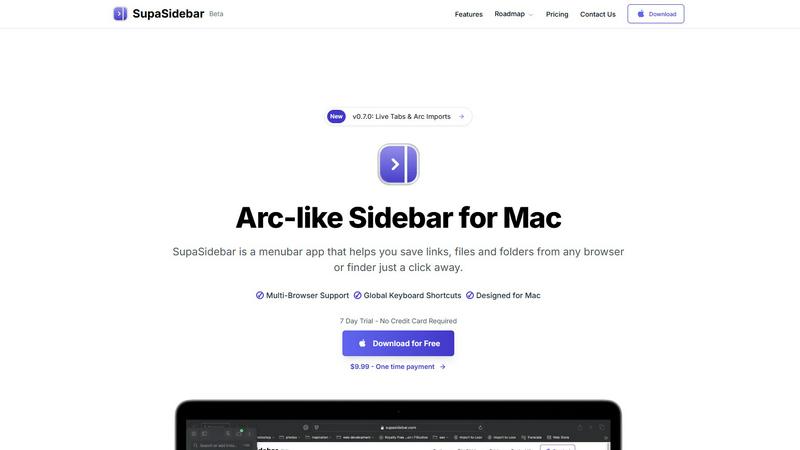
SupaSidebar enhances your Mac by giving you instant access to links, files, and folders with simple keyboard shortcuts.
Last updated: February 28, 2026
Visual Comparison
Mailopoly

SupaSidebar
Feature Comparison
Mailopoly
Cleanbox
Mailopoly's Cleanbox feature ensures you only see the emails that matter. By intelligently sorting through your messages, it surfaces important communications while quietly managing the noise. This means you can focus on priorities without feeling overwhelmed by irrelevant notifications.
Instant Information Extraction
With Mailopoly, you gain instant access to essential details from your emails without needing to open them. This feature automatically pulls out vital information such as invoice amounts, booking details, meeting schedules, and delivery updates, allowing for a quick glance at what needs your attention.
AI-Driven Reply Drafting
Forget about the hassle of typing replies. Mailopoly’s AI-driven reply drafting feature writes emails in your unique voice, capturing your style and tone. You receive multiple suggestions to choose from, ensuring your responses are personal and authentic, all while saving you time.
Poly, Your AI Life Assistant
Poly is Mailopoly's built-in AI assistant, tailored to help manage your life admin tasks. Whether you need to summarize emails, track upcoming flights, or draft replies, Poly has you covered. Its ability to understand your preferences and schedule makes it an indispensable tool for efficient living.
SupaSidebar
Instant Access to Links, Files, and Folders
With SupaSidebar, saving and accessing essential links, files, and folders is simplified. Users can save URLs or files with just a click or a keyboard shortcut, making it incredibly efficient for those who often juggle multiple resources.
Recents Tracking
The Recents feature automatically tracks every website you've visited in the last 48 hours. This allows users to find their work instantly without having to sift through endless browser tabs, making it easier to pick up right where you left off.
Quick Search Functionality
SupaSidebar offers a powerful search capability. By pressing CMD CTRL K, users can quickly search for any file, folder, website, or app. This feature drastically reduces the time spent searching, thereby enhancing overall productivity.
Pinned Items for Easy Access
Users can pin their favorite links and files at the top of the sidebar for quick access. This ensures that important resources are always readily available, eliminating the frustration of repeatedly searching for the same items.
Use Cases
Mailopoly
Managing Multiple Email Accounts
Mailopoly excels in integrating various email accounts seamlessly. If you juggle multiple addresses such as Gmail, Outlook, and Yahoo, Mailopoly consolidates them into one easy-to-use platform, ensuring you never miss an important message.
Streamlining Event Planning
Whether organizing a meeting or hosting an event, Mailopoly simplifies the process. With its event management feature, you can send out invitations, track responses, and manage your schedule efficiently, reducing the stress of planning.
Keeping Finances Organized
Mailopoly helps you stay on top of your personal finances by extracting relevant information from invoices and payment reminders. You can quickly see what bills are due and manage your expenses without sifting through countless emails.
Enhancing Productivity in Side Hustles
For those managing side hustles alongside a full-time job, Mailopoly provides a reliable way to ensure important communications are never overlooked. Its intelligent sorting and task management features help you stay organized and focused on growing your side projects.
SupaSidebar
Efficient Research Management
For researchers who need to access numerous articles, papers, and resources quickly, SupaSidebar allows for the organization of links and files in a manner that boosts efficiency. This ensures that critical information is easily retrievable at any time.
Content Creation Workflow
Content creators can take advantage of SupaSidebar to manage resources, links to inspirational content, and drafts. By keeping everything organized in one accessible sidebar, creators can focus on their work without the hassle of searching through various applications.
Project Management
Project managers can utilize SupaSidebar to keep track of important project files, relevant links, and team resources. The ability to pin crucial items and quickly search for documents facilitates smoother project execution.
Multitasking Made Easy
For multitaskers juggling various tasks and applications, SupaSidebar serves as a vital tool to keep everything organized. With features like quick access to recent work and efficient search capabilities, users can maintain focus on their tasks without unnecessary distractions.
Overview
About Mailopoly
Mailopoly is a revolutionary email client designed to transform the way you handle your inbox. It employs advanced AI technology to automatically extract crucial information from your emails, allowing you to spend less time reading and managing messages. By significantly reducing notifications and shrinking your inbox size by over half, Mailopoly helps you maintain focus on what truly matters. This tool is ideal for busy professionals, multitaskers, and anyone overwhelmed by the clutter of traditional email systems. Beyond just email management, Mailopoly features an integrated AI chatbot, known as Poly, which assists with personal finance management, event scheduling, and shipment tracking. Mailopoly not only simplifies your email experience but also acts as a personal command center for your life, ensuring you stay organized and efficient without the stress of constant email overload.
About SupaSidebar
SupaSidebar is an essential productivity tool designed exclusively for Mac users, featuring a sleek and intuitive sidebar inspired by the popular Arc browser. This innovative application serves as a centralized hub for all your links, files, and folders, allowing for instant access and enhanced browsing efficiency across all major browsers, including Safari, Chrome, Firefox, Brave, and Arc. Its primary value proposition lies in its ability to streamline workflows and minimize digital clutter, which is crucial for anyone who frequently navigates multiple tabs, applications, and documents. SupaSidebar is not merely a tool; it is a productivity enhancer tailored for researchers, creators, and multitaskers. With a clean design that integrates seamlessly with macOS, and intuitive keyboard shortcuts, SupaSidebar ensures that you remain focused and in flow without distractions. Experience the future of productivity with a tool that keeps everything you need right at your fingertips.
Frequently Asked Questions
Mailopoly FAQ
How does Mailopoly manage notifications?
Mailopoly intelligently reduces notifications by filtering out irrelevant emails, ensuring you only receive alerts for messages that matter to you. This helps maintain your focus and reduces distractions throughout the day.
Can I use Mailopoly with my existing email accounts?
Yes, Mailopoly supports multiple email providers, including Gmail, Outlook, Yahoo, and any IMAP account. This means you can seamlessly integrate all your existing accounts without any hassle.
What kind of information can Mailopoly extract from my emails?
Mailopoly automatically extracts critical information such as invoice amounts, booking details, meeting schedules, delivery updates, and more. This allows you to access essential details at a glance without opening each email.
Is my data secure with Mailopoly?
Absolutely. Mailopoly is designed with security in mind, being SOC 2 certified and prioritizing user privacy. You can trust that your data is handled securely and with the utmost care.
SupaSidebar FAQ
Is SupaSidebar a browser extension?
No, SupaSidebar is a standalone menubar app designed for Mac, providing a universal sidebar for accessing links, files, and folders across all major browsers.
Which browsers does SupaSidebar work with?
SupaSidebar is compatible with all major browsers, including Safari, Chrome, Firefox, Brave, and Arc, ensuring seamless integration with your preferred browsing experience.
What macOS version do I need?
To use SupaSidebar, you will need macOS 13 or later. This compatibility ensures that users can take full advantage of the app's features in a modern macOS environment.
Where is my data stored?
SupaSidebar guarantees that your data remains private and secure on your Mac. All information and links saved are stored locally, ensuring that nothing leaves your device without your consent.
Alternatives
Mailopoly Alternatives
Mailopoly is an innovative AI-powered email client designed to revolutionize how you manage your inbox. By automatically extracting essential information from your emails, it significantly reduces the clutter and notifications, transforming your email experience into a streamlined personal command center. This product falls within the productivity and management category, catering to users seeking enhanced efficiency in email communication and task management. Users often seek alternatives to Mailopoly for various reasons, including pricing concerns, specific feature requirements, or compatibility with different platforms. When evaluating alternatives, it’s crucial to consider factors such as ease of use, integration capabilities, and the overall functionality that meets your unique needs. A suitable alternative should not only provide similar features but also enhance your productivity without adding unnecessary complexity.
SupaSidebar Alternatives
SupaSidebar is a powerful productivity tool designed exclusively for Mac users, offering an elegant sidebar that provides instant access to links, files, and folders. It fits within the productivity and management category, enhancing the overall browsing experience across various platforms like Safari, Chrome, Firefox, Brave, and Arc. Users often seek alternatives to SupaSidebar for various reasons, such as pricing concerns, the need for additional features, or compatibility with different operating systems. When selecting an alternative, it’s essential to consider factors like usability, integration capabilities, and the specific features that align with your workflow needs. Many users want a solution that not only meets their organizational requirements but also seamlessly integrates into their existing systems. Features such as real-time tab visibility, enhanced navigation, and efficient recall of visited sites are key aspects that can significantly impact your productivity. Ultimately, the right alternative should streamline your processes, reduce clutter, and keep essential resources at your fingertips, just like SupaSidebar does.