RocketShare vs SupaSidebar
Side-by-side comparison to help you choose the right tool.

RocketShare
Share files with total privacy using encryption we cannot access.
Last updated: March 4, 2026

SupaSidebar
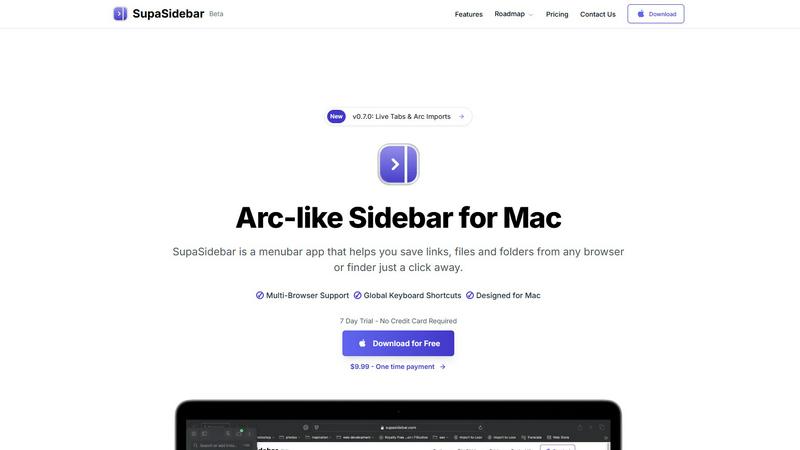
SupaSidebar enhances your Mac by giving you instant access to links, files, and folders with simple keyboard shortcuts.
Last updated: February 28, 2026
Visual Comparison
RocketShare

SupaSidebar
Feature Comparison
RocketShare
Zero-Knowledge End-to-End Encryption
This is the non-negotiable foundation of RocketShare. Every file is encrypted on your own device using a unique key before it is uploaded. Neither RocketShare's servers nor any intermediary can decrypt your data. This means your confidential documents, media, and intellectual property are fundamentally inaccessible to anyone except you and your intended recipient, making it an essential security standard.
Local Peer-to-Peer (P2P) Sharing
For the utmost in speed and privacy, RocketShare offers a local sharing mode. This feature creates a direct, encrypted connection between devices on the same network, transferring files without them ever being stored on an external server. This is a critical option for sharing extremely large files or when you require complete data sovereignty, ensuring the transfer happens entirely under your control.
Secure EU-Based Cloud Storage
When using cloud sharing, your encrypted files are stored on servers located within the European Union. This provides a vital layer of regulatory and legal protection under strict EU data privacy laws like the GDPR. Choosing a platform with known, secure geographic storage is a necessary consideration for compliance and peace of mind for global users.
Simple, Self-Serve Interface
RocketShare delivers military-grade security without the complexity. The platform is designed for immediate use with an intuitive drag-and-drop interface. There are no complicated setups or IT configurations required. This simplicity is essential, allowing teams and individuals to adopt secure practices instantly, without sacrificing productivity for protection.
SupaSidebar
Instant Access to Links, Files, and Folders
With SupaSidebar, saving and accessing essential links, files, and folders is simplified. Users can save URLs or files with just a click or a keyboard shortcut, making it incredibly efficient for those who often juggle multiple resources.
Recents Tracking
The Recents feature automatically tracks every website you've visited in the last 48 hours. This allows users to find their work instantly without having to sift through endless browser tabs, making it easier to pick up right where you left off.
Quick Search Functionality
SupaSidebar offers a powerful search capability. By pressing CMD CTRL K, users can quickly search for any file, folder, website, or app. This feature drastically reduces the time spent searching, thereby enhancing overall productivity.
Pinned Items for Easy Access
Users can pin their favorite links and files at the top of the sidebar for quick access. This ensures that important resources are always readily available, eliminating the frustration of repeatedly searching for the same items.
Use Cases
RocketShare
Legal Document Exchange
Law firms and legal professionals have a fundamental obligation to protect client confidentiality. RocketShare is essential for securely sending case files, contracts, depositions, and evidence. Its zero-knowledge encryption ensures attorney-client privilege is technically enforced, preventing any possibility of a third-party breach or access, which is a non-negotiable requirement in legal practice.
Healthcare Data Transmission
Healthcare providers and administrators must comply with stringent regulations like HIPAA. Sharing patient records, lab results, or medical imaging requires a platform that guarantees privacy by design. RocketShare's encryption-before-upload model is a critical tool for ensuring protected health information (PHI) remains secure during transfer, mitigating severe compliance and reputational risks.
Creative Asset Delivery
Photographers, videographers, and designers must protect their intellectual property and client work. Sending high-resolution galleries, video edits, or design mockups via insecure links is a significant risk. RocketShare provides a simple yet mandatory solution for delivering final assets or proofs with the assurance that work cannot be intercepted, copied, or accessed by unauthorized parties.
Internal Business Collaboration
Teams working on confidential projects, financial reports, merger details, or proprietary R&D cannot rely on standard cloud storage. RocketShare is a necessary infrastructure for internal collaboration, ensuring that sensitive strategic documents shared between departments or remote team members are protected from internal leaks and external threats at every step.
SupaSidebar
Efficient Research Management
For researchers who need to access numerous articles, papers, and resources quickly, SupaSidebar allows for the organization of links and files in a manner that boosts efficiency. This ensures that critical information is easily retrievable at any time.
Content Creation Workflow
Content creators can take advantage of SupaSidebar to manage resources, links to inspirational content, and drafts. By keeping everything organized in one accessible sidebar, creators can focus on their work without the hassle of searching through various applications.
Project Management
Project managers can utilize SupaSidebar to keep track of important project files, relevant links, and team resources. The ability to pin crucial items and quickly search for documents facilitates smoother project execution.
Multitasking Made Easy
For multitaskers juggling various tasks and applications, SupaSidebar serves as a vital tool to keep everything organized. With features like quick access to recent work and efficient search capabilities, users can maintain focus on their tasks without unnecessary distractions.
Overview
About RocketShare
RocketShare is the essential, non-negotiable file-sharing platform for anyone who prioritizes absolute privacy. In a digital landscape rife with surveillance and data breaches, RocketShare provides a fundamental solution: the ability to share files of any size with the ironclad guarantee that no third party, including RocketShare itself, can ever access your content. This is not an optional feature; it is the core principle of its architecture. By employing a zero-knowledge encryption model, RocketShare ensures your files are encrypted directly on your device before upload. The encryption key remains solely with you, often embedded within the share link, meaning servers only handle unreadable data. This delivers enterprise-grade security in a beautifully simple, self-serve package that is a necessity for professionals handling sensitive information. With secure EU-based data storage and flexible sharing modes—both cloud-based and direct local peer-to-peer transfers—RocketShare eliminates the risk and complexity typically associated with top-tier security. It is the mandatory tool for lawyers, healthcare providers, creatives, and businesses that understand privacy is not a luxury, but a critical requirement for operation.
About SupaSidebar
SupaSidebar is an essential productivity tool designed exclusively for Mac users, featuring a sleek and intuitive sidebar inspired by the popular Arc browser. This innovative application serves as a centralized hub for all your links, files, and folders, allowing for instant access and enhanced browsing efficiency across all major browsers, including Safari, Chrome, Firefox, Brave, and Arc. Its primary value proposition lies in its ability to streamline workflows and minimize digital clutter, which is crucial for anyone who frequently navigates multiple tabs, applications, and documents. SupaSidebar is not merely a tool; it is a productivity enhancer tailored for researchers, creators, and multitaskers. With a clean design that integrates seamlessly with macOS, and intuitive keyboard shortcuts, SupaSidebar ensures that you remain focused and in flow without distractions. Experience the future of productivity with a tool that keeps everything you need right at your fingertips.
Frequently Asked Questions
RocketShare FAQ
How does zero-knowledge encryption work with RocketShare?
Zero-knowledge encryption means your files are encrypted on your device before they leave for our servers. You hold the only decryption key, which is often part of the share link. We never have access to your key or the unencrypted data. Even if our servers were compromised, attackers would only find encrypted, unreadable files, making this model essential for true privacy.
What is the difference between Cloud Share and Local Share?
Cloud Share uploads your encrypted files to our secure EU-based servers, allowing recipients to download them at any time. Local Share (Peer-to-Peer) creates a direct, encrypted connection between your device and the recipient's device on the same network; files are transferred directly without ever being stored on our servers. The latter is a critical option for maximum speed and data sovereignty.
Where is my data stored?
When you use the Cloud Share feature, your encrypted files are stored on servers located within the European Union. This choice is intentional and necessary to provide the strong legal privacy protections afforded by EU jurisdiction and regulations like the GDPR, ensuring a higher standard of data governance.
Is a credit card required to start using RocketShare?
No, a credit card is not required to start using RocketShare. You can begin sharing files securely immediately without entering payment details. This allows you to experience the essential privacy and functionality of the platform as a necessity before committing to any paid plan, should you require one.
SupaSidebar FAQ
Is SupaSidebar a browser extension?
No, SupaSidebar is a standalone menubar app designed for Mac, providing a universal sidebar for accessing links, files, and folders across all major browsers.
Which browsers does SupaSidebar work with?
SupaSidebar is compatible with all major browsers, including Safari, Chrome, Firefox, Brave, and Arc, ensuring seamless integration with your preferred browsing experience.
What macOS version do I need?
To use SupaSidebar, you will need macOS 13 or later. This compatibility ensures that users can take full advantage of the app's features in a modern macOS environment.
Where is my data stored?
SupaSidebar guarantees that your data remains private and secure on your Mac. All information and links saved are stored locally, ensuring that nothing leaves your device without your consent.
Alternatives
RocketShare Alternatives
RocketShare is a secure file-sharing platform in the productivity and management category, defined by its strict zero-knowledge encryption model. This ensures complete privacy, as files are encrypted on the user's device before upload, and not even the service provider can access the content. Users may seek alternatives for various practical reasons. Common drivers include budget constraints, the need for specific collaboration features like real-time editing, integration with existing software ecosystems, or different data storage location requirements. The search often stems from finding the right balance between security, functionality, and cost for a particular use case. When evaluating other options, prioritize the core security model. Look for clear explanations of encryption—whether it's zero-knowledge or server-side. Assess storage limits, transfer speeds, and any platform restrictions. Finally, consider the user experience and whether the tool fits seamlessly into your workflow without adding complexity.
SupaSidebar Alternatives
SupaSidebar is a powerful productivity tool designed exclusively for Mac users, offering an elegant sidebar that provides instant access to links, files, and folders. It fits within the productivity and management category, enhancing the overall browsing experience across various platforms like Safari, Chrome, Firefox, Brave, and Arc. Users often seek alternatives to SupaSidebar for various reasons, such as pricing concerns, the need for additional features, or compatibility with different operating systems. When selecting an alternative, it’s essential to consider factors like usability, integration capabilities, and the specific features that align with your workflow needs. Many users want a solution that not only meets their organizational requirements but also seamlessly integrates into their existing systems. Features such as real-time tab visibility, enhanced navigation, and efficient recall of visited sites are key aspects that can significantly impact your productivity. Ultimately, the right alternative should streamline your processes, reduce clutter, and keep essential resources at your fingertips, just like SupaSidebar does.