Learniverse vs Perkoon
Side-by-side comparison to help you choose the right tool.

Learniverse
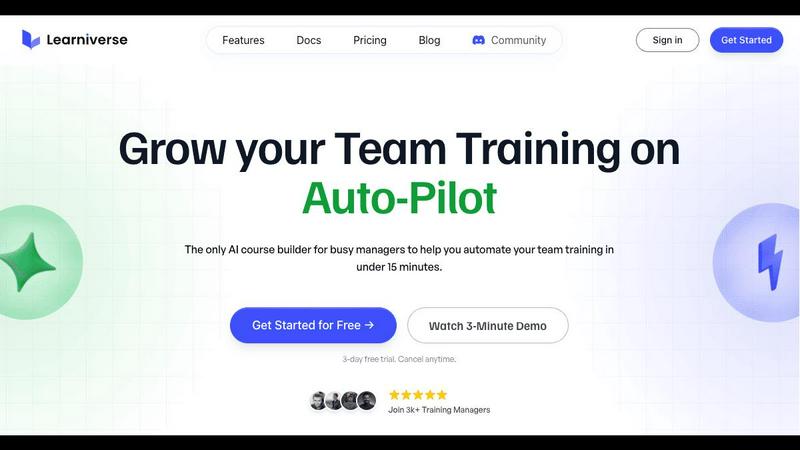
Learniverse instantly transforms your scattered documents into automated, effective training courses.
Last updated: February 28, 2026

Perkoon enables free, unlimited peer-to-peer file transfers without signup, ensuring your files stay private and secure.
Last updated: March 4, 2026
Visual Comparison
Learniverse
Perkoon

Feature Comparison
Learniverse
AI-Powered Course Creation
This is the cornerstone feature that makes Learniverse a must-have. Simply upload your existing content—PDFs, videos, recordings, or documents—and the AI assistant automatically transforms it into structured, interactive courses. It builds comprehensive learning paths complete with lessons, quizzes, and progress tracking, eliminating weeks of manual work. You can even chat with the AI to build or modify courses on the fly by describing what you need, turning last week's meeting recording into actionable training in moments.
Branded Academy Deployment
Your training portal must reflect your company's professionalism. Learniverse enables you to launch a fully branded academy in minutes, not weeks. Customize the portal with your company colors, logo, and even your own domain to provide a polished, cohesive learning experience. This eliminates the generic, cheap look of outdated platforms and ensures your team engages with training that feels integral to your brand, boosting credibility and completion rates.
Automated Progress & Analytics Dashboard
You need visibility without the spreadsheet nightmares. Learniverse provides a centralized dashboard to track crucial training metrics effortlessly. Monitor overall progress, see who has completed what, identify where learners are getting stuck, and manage overdue assignments across teams or the entire organization. This data is essential for measuring the real impact of your training programs and making informed decisions to improve them.
Integrated Community & Collaboration
Training is not just about content delivery; it's about connection and support. Learniverse includes built-in community functionalities that foster collaboration and peer-to-peer learning within your branded academy. This feature keeps knowledge from becoming siloed and allows teams to ask questions, share insights, and learn from each other directly within the training environment, creating a more dynamic and supportive learning culture.
Perkoon
Peer-to-Peer File Transfer
Perkoon’s flagship feature allows users to transfer files directly between browsers with no size limits and without creating accounts. This P2P method ensures that data privacy is maintained, as files do not pass through a central server, making file sharing seamless and secure.
Encrypted Cloud Storage
When sending files to offline recipients, Perkoon provides an encrypted cloud storage option. This feature is essential for securing your data while it is temporarily held until the recipient can access it, ensuring that privacy and security are never compromised.
Built-in Automation Tools
Designed for the modern user, Perkoon includes native automation tools that enable AI agents to interact with the service directly. This eliminates the need for screen-scraping and enhances the efficiency of file transfers, making it a powerful tool for tech-savvy users.
User-Friendly CLI Tool
Perkoon offers a simple command-line interface (CLI) tool that allows advanced users and developers to interact with the service effortlessly. This feature is perfect for those who prefer a more technical approach to file transfers, enhancing customization and control over the transfer process.
Use Cases
Learniverse
Streamlining Employee Onboarding
Onboarding new hires is a critical yet time-intensive process that often fails when information is scattered. Learniverse is essential for creating a consistent, engaging, and automated onboarding pathway. Upload your handbook, compliance docs, and welcome videos, and instantly deploy a structured academy that guides every new employee through the same comprehensive experience, ensuring they become productive team members faster without overwhelming managers.
Centralizing Operational Knowledge & SOPs
When standard operating procedures (SOPs) are trapped in shared drives, Google Docs, and old emails, consistency and quality suffer. Learniverse is the necessary solution to centralize all operational knowledge. Transform those scattered PDFs and manuals into searchable, interactive courses. This ensures every team member, from new hires to veterans, accesses the single source of truth, reducing errors and maintaining high standards.
Enabling Continuous Skill Development
For teams to stay competitive, continuous learning is non-negotiable. Learniverse empowers organizations to easily launch upskilling and reskilling programs. Whether it's new software training, leadership development, or compliance updates, you can quickly build and update courses. The platform's tracking features are vital for managers to verify skill acquisition and ensure the entire team is evolving with the company's needs.
Automating Client & Partner Training
Extending training to clients, franchisees, or external partners requires a professional and scalable approach. Learniverse provides the necessary tools to create a branded external academy. Automate the delivery of product tutorials, certification programs, or partner onboarding materials. This not only enhances the client experience but also frees your internal team from repetitive training tasks, allowing them to focus on higher-value relationships.
Perkoon
Everyday File Sharing
Perkoon is ideal for everyday users who need to send files quickly to friends or colleagues without the hassle of signing up for accounts. Whether it’s sharing vacation photos or work documents, Perkoon simplifies the process.
Large File Transfers
For professionals working with large files, such as designers or videographers, Perkoon’s P2P service allows for the transfer of hefty files without worries about size restrictions or costs, making it a reliable choice for creative industries.
Secure Business Communications
Businesses can utilize Perkoon for secure file transfers, ensuring that sensitive documents are sent privately and efficiently. The encrypted cloud storage feature provides an extra layer of security for important data.
Integration with AI Systems
Developers can leverage Perkoon’s built-in automation tools to integrate file transfer capabilities directly into their AI systems. This allows for streamlined workflows and enhances the productivity of AI-driven applications.
Overview
About Learniverse
Learniverse is the essential, zero-effort training platform engineered for busy teams that cannot afford to waste time on manual, chaotic training processes. It is an AI-powered Learning Management System (LMS) that transforms scattered company knowledge—like documents, PDFs, videos, and SOPs—into a complete, automated, and branded training academy in mere minutes. This platform is a necessity for training managers, HR professionals, and organizations of all sizes who are overwhelmed by juggling multiple tools and outdated methods. Learniverse eliminates the complex setup and design work traditionally required, allowing teams to focus on their core jobs instead of building training from scratch. Its core value proposition is undeniable: stop losing sleep over inconsistent training and employee onboarding. By providing a single hub to automate your entire training workflow with built-in AI, custom branding, and detailed analytics, Learniverse ensures your team receives engaging, consistent, and effective learning experiences that actually work and drive measurable impact.
About Perkoon
Perkoon is a revolutionary file transfer service designed to simplify your digital life by providing a straightforward way to move files from one point to another without unnecessary complications. It is tailored for individuals and businesses alike who are weary of cumbersome restrictions, obligatory sign-ups, and services that commoditize personal data. At the heart of Perkoon are two fundamental methods for file transfer: a free peer-to-peer (P2P) system that enables users to send files directly between browsers in real time, and a secure cloud storage option for offline transfers. The P2P feature ensures that there are no size limitations and no need for accounts, making it a hassle-free experience. Your data remains private, as it never touches a central server, allowing Perkoon to operate at no cost to users. For offline recipients, the paid cloud storage service provides necessary encryption to keep your files secure. Perkoon is uniquely positioned for the AI age, featuring built-in automation tools and a simple command-line interface, making it an ideal solution for both everyday users and AI systems.
Frequently Asked Questions
Learniverse FAQ
What types of content can I upload to Learniverse?
Learniverse is designed to work with the content you already have. You can upload a wide variety of file types including documents (like Word files), PDFs, PowerPoint presentations, video files, and screen recordings. The platform's AI is built to ingest this content and intelligently structure it into cohesive lessons and learning modules automatically.
How does the AI actually build a course from my documents?
When you upload your content, Learniverse's AI analyzes the text, structure, and key concepts within your files. It then automatically segments the information into logical lessons, generates summaries, suggests key learning points, and can even create quiz questions to reinforce comprehension. You maintain full control to edit and refine the AI's output, but the heavy lifting of initial structuring is done for you.
Can I customize the look of the training portal for my brand?
Absolutely. Custom branding is a core, essential feature of Learniverse. You can fully customize your academy's appearance by adding your company logo, selecting your brand colors, and applying your fonts. For a fully professional presence, you can even use your own custom domain (e.g., training.yourcompany.com) so the academy feels like a seamless extension of your brand.
Is Learniverse suitable for a small team or a large enterprise?
Yes, Learniverse is built to be a necessity for organizations of all sizes. Its intuitive, zero-effort setup makes it immediately valuable for small teams and startups that lack dedicated training staff. Simultaneously, its robust features like detailed analytics, user management, and scalable academy deployment make it a powerful and essential solution for large enterprises needing to train hundreds or thousands of employees efficiently.
Perkoon FAQ
Why is Perkoon free?
Perkoon operates its P2P transfer service free of charge because it incurs minimal costs. The cloud storage option, which is a paid feature, covers the necessary expenses for server maintenance, ensuring users can enjoy free transfers without hidden fees.
Can I transfer files if the recipient is offline?
Yes, Perkoon holds files for offline recipients using its encrypted cloud storage service. This allows users to send files even when the recipient is not currently available, ensuring that file transfers are convenient and flexible.
What browsers are compatible with Perkoon?
Perkoon works seamlessly with Chrome, Edge, and Brave browsers, which support unlimited file transfers. However, users of Firefox and Safari may experience certain restrictions due to browser limitations, so using a compatible browser is recommended for the best experience.
How does Perkoon ensure my privacy?
Perkoon prioritizes user privacy by employing a P2P model where files do not pass through central servers. In addition, the cloud storage service encrypts files, ensuring that even the company cannot see the contents of your transfers. Your data remains yours at all times.
Alternatives
Learniverse Alternatives
Learniverse is an AI-powered Learning Management System (LMS) in the productivity and management category. It transforms scattered documents and videos into automated training courses, helping teams streamline onboarding and skill development quickly. Users often seek alternatives for various reasons. Common factors include budget constraints, the need for more specialized features, or a requirement for a platform that integrates deeply with their existing tech stack. The search for the right tool is driven by finding the perfect balance of automation, control, and scalability. When evaluating an alternative, prioritize solutions that directly address your core pain points. Essential considerations are the platform's ability to automate content creation, support for custom branding to maintain a professional image, and the depth of analytics to measure training impact. The necessity is a system that eliminates manual work without sacrificing oversight or team engagement.
Perkoon Alternatives
Perkoon is a pioneering file transfer service that embraces simplicity and user-centric design in the realm of productivity and management. It allows individuals to send files directly between browsers using peer-to-peer technology, eliminating the need for signups and bypassing artificial limitations. This straightforward approach appeals to users frustrated with conventional file transfer services that impose restrictions or treat user data as a commodity. Many users seek alternatives to Perkoon due to various reasons, including pricing, specific feature sets, and compatibility with different platforms. When evaluating alternatives, it’s essential to consider factors such as data privacy, ease of use, transfer speeds, and the presence of essential functionalities that meet your unique needs. The right alternative should prioritize user experience while ensuring robust security and reliability.