
Imgezy vs Shrinkpad
Side-by-side comparison to help you choose the right tool.

Imgezy
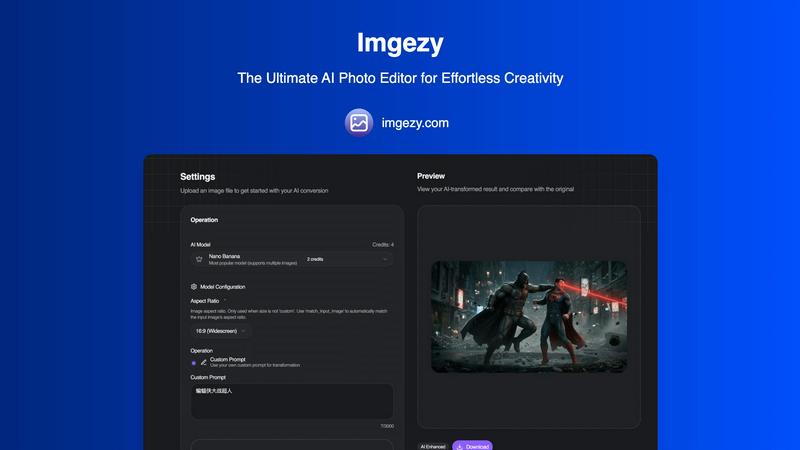
Imgezy is the must-have AI photo editor that transforms images instantly, removing objects and changing backgrounds.
Last updated: February 28, 2026

Shrinkpad
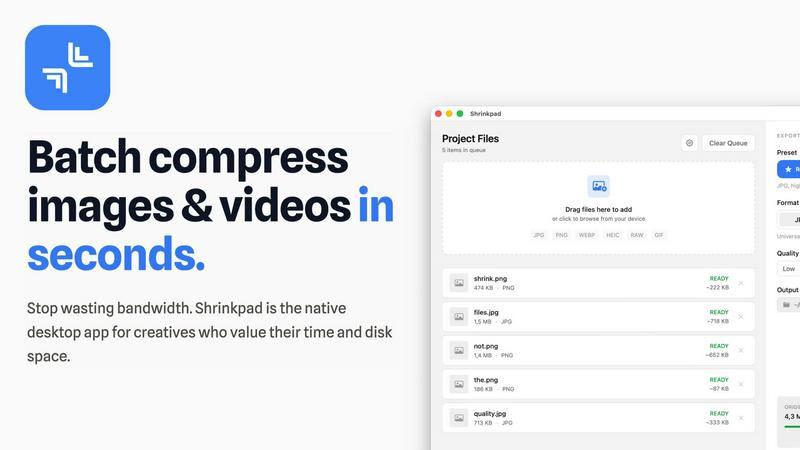
Shrinkpad compresses images and videos in bulk on your Mac, saving space and optimizing performance effortlessly.
Last updated: February 28, 2026
Visual Comparison
Imgezy
Shrinkpad
Feature Comparison
Imgezy
Object Removal
Imgezy's object removal feature allows users to eliminate unwanted elements from their photos with pixel-perfect accuracy. Whether it's distracting tourists, power lines, or photobombers, the AI intelligently identifies these objects and reconstructs the background seamlessly, leaving no trace behind.
Background Replacement
With the background replacement feature, users can instantly change the backdrop of their images. Whether you want to switch to a stunning landscape or a simple solid color, Imgezy makes it easy to create the perfect visual environment for your photos.
Photo Enhancement
Imgezy automatically enhances your photos by improving colors, lighting, and sharpness. This feature ensures that your images pop and look their best, making them more appealing for social media, marketing, or personal use.
Batch Processing
For those working with multiple images, Imgezy offers batch processing capabilities. This feature allows users to edit several photos simultaneously, significantly saving time and making it an essential tool for professionals handling large projects.
Shrinkpad
Batch Compression
Shrinkpad allows users to batch compress images and videos simultaneously, processing thousands of files in seconds. This feature is particularly beneficial for creatives who need to optimize large libraries efficiently without the hassle of manual exports.
Intelligent Quality Preservation
The application automatically analyzes the visual complexity of each file to apply the optimal compression ratio, ensuring high-quality results without artifacts. This means you can trust Shrinkpad to maintain the integrity of your visuals while achieving significant size reductions.
Folder Mode
With Shrinkpad's Folder Mode, users can simply drag and drop entire folders containing media files for compression. The app automatically detects and processes all supported files within that folder, saving time and effort by eliminating the need to select files individually.
Privacy-First Approach
Shrinkpad prioritizes user privacy by performing all processing locally on the user's device. Unlike web-based tools, there are no cloud uploads, ensuring your sensitive files remain on your Mac, thus protecting your creative assets from potential exposure.
Use Cases
Imgezy
E-commerce Photography
Imgezy is perfect for e-commerce sellers who need high-quality images of their products. By removing distracting backgrounds or objects, users can create clean, professional images that highlight the product, improving sales and customer engagement.
Travel Photography
Travel enthusiasts can use Imgezy to enhance their photos from various locations. Whether it's changing the background to a more picturesque setting or removing unwanted elements, the tool helps create stunning visuals that capture the essence of their travels.
Social Media Content Creation
Content creators on platforms like Instagram and Facebook can leverage Imgezy to produce eye-catching images. By quickly editing photos to improve their appeal, users can maintain a consistent and attractive aesthetic in their social media feeds.
Personal Projects
Whether creating family albums, gifts, or personal art, Imgezy is an invaluable tool for personal projects. Its ease of use allows anyone to edit photos and create beautiful memories without needing professional design skills.
Shrinkpad
Photographers Optimizing Portfolios
Photographers can utilize Shrinkpad to compress and optimize their portfolios, reducing file sizes significantly without sacrificing quality. This ensures faster loading times for online galleries, making their work more accessible to potential clients.
Designers Preparing Assets
Graphic designers can streamline their workflow by using Shrinkpad to batch process images and graphics before final export. By compressing assets for web use, designers can ensure that their projects load quickly and efficiently without compromising on visual fidelity.
Content Creators Managing Media Libraries
Content creators who manage extensive video libraries can benefit from Shrinkpad’s ability to compress large video files. This not only saves storage space but also enhances upload speeds to platforms, allowing for quicker content dissemination.
Developers Reducing App Bundle Sizes
Software developers can leverage Shrinkpad to minimize app bundle sizes by compressing images and videos used in applications. This not only improves application performance but also enhances user experience by reducing download times.
Overview
About Imgezy
Imgezy is the ultimate AI-powered photo editing tool designed for everyone, from casual users to seasoned professionals. This innovative software harnesses advanced artificial intelligence technology to allow users to transform their images effortlessly. With Imgezy, no extensive design experience is required; all you need is your creativity and a few simple words to describe the edits you desire. Whether you want to remove unwanted objects, change backgrounds, or enhance the overall quality of your photos, Imgezy delivers professional-grade results in mere seconds. Trusted by over 200,000 creators, it is ideal for various applications, including e-commerce, travel photography, and social media content. Experience the future of photo editing today and unleash your creativity like never before with Imgezy, where powerful AI meets user-friendly design.
About Shrinkpad
Shrinkpad is the essential tool for Mac users grappling with oversized media files. This powerful native macOS application is engineered to batch compress images and videos quickly and efficiently, allowing users to reclaim precious storage space without compromising on quality. Whether you're a photographer, designer, content creator, or developer, Shrinkpad streamlines your workflow by enabling the processing of hundreds or even thousands of files in mere seconds. Its core value proposition centers on privacy; all operations are performed locally on your device, meaning your files never leave your Mac. This eliminates reliance on internet connections or cloud services, ensuring your sensitive assets remain secure. Supporting over 50 formats and featuring intelligent quality preservation, Shrinkpad helps you reduce file sizes by up to 90% while maintaining the visual integrity crucial for your projects.
Frequently Asked Questions
Imgezy FAQ
How does Imgezy utilize AI in photo editing?
Imgezy employs advanced AI technology to automate the editing process. By understanding user instructions, the AI can accurately remove objects, change backgrounds, and enhance images, providing professional results without the need for complex software skills.
What types of images can I upload to Imgezy?
Imgezy supports all major image formats, including JPG, PNG, and WebP. Users can easily drag and drop their photos or select files from their devices to get started with editing.
Can I use Imgezy for commercial purposes?
Yes, Imgezy offers plans that include a commercial license, allowing users to leverage their edited images for business and marketing purposes. This makes it a valuable tool for professionals in various industries.
Is there a limit to how many images I can edit with Imgezy?
Yes, the number of images you can edit depends on the chosen subscription plan. Each plan offers a specific number of credits, which determines how many images you can process per month, making it easy to select a plan that fits your needs.
Shrinkpad FAQ
Can I use Shrinkpad for free?
Yes, Shrinkpad offers a Free Starter plan that includes essential tools for casual use, allowing you to process up to 10 files per batch with standard compression.
What file formats does Shrinkpad support?
Shrinkpad supports a wide range of formats, including JPG, PNG, WEBP, AVIF, MP4, MOV, and various other native formats, making it a versatile tool for all your media compression needs.
Does Shrinkpad support video compression?
Absolutely. Shrinkpad not only compresses images but also efficiently handles video files, allowing users to optimize their entire media library in a single batch process.
How many files can I process at once?
With Shrinkpad, users can process thousands of files in one go, making it an ideal solution for those with large volumes of media to optimize quickly and efficiently.
Alternatives
Imgezy Alternatives
Imgezy is an essential AI-powered photo editor that stands out in the image and photo category, providing users with professional-quality results through simple text commands. While many users appreciate Imgezy's innovative features, they often seek alternatives due to factors such as pricing, specific editing capabilities, or platform compatibility that better suits their individual needs. It is essential to consider factors like user-friendliness, feature sets, and cost when evaluating alternatives, ensuring that the chosen tool aligns with your editing style and requirements.
Shrinkpad Alternatives
Shrinkpad is an essential tool for Mac users, designed specifically for batch compressing images and videos. By utilizing local processing on macOS, it enables users to efficiently save space without compromising privacy or quality. As users become more aware of their storage needs, they often seek alternatives due to factors such as pricing, desired features, or compatibility with different platforms. When searching for an alternative to Shrinkpad, it is crucial to consider aspects like local processing capabilities, batch compression efficiency, file format support, and user privacy. A solution that prioritizes these elements will ensure that users maintain control over their media files while optimizing their workflows.