
Imgezy
Imgezy is the must-have AI photo editor that transforms images instantly, removing objects and changing backgrounds.
Visit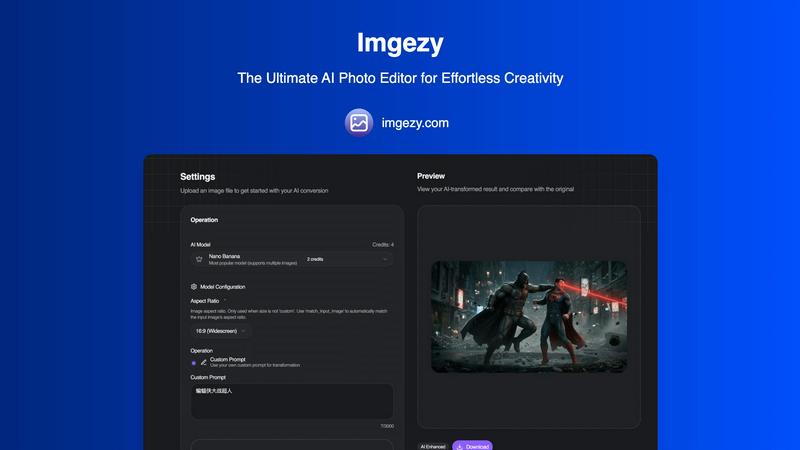
About Imgezy
Imgezy is the ultimate AI-powered photo editing tool designed for everyone, from casual users to seasoned professionals. This innovative software harnesses advanced artificial intelligence technology to allow users to transform their images effortlessly. With Imgezy, no extensive design experience is required; all you need is your creativity and a few simple words to describe the edits you desire. Whether you want to remove unwanted objects, change backgrounds, or enhance the overall quality of your photos, Imgezy delivers professional-grade results in mere seconds. Trusted by over 200,000 creators, it is ideal for various applications, including e-commerce, travel photography, and social media content. Experience the future of photo editing today and unleash your creativity like never before with Imgezy, where powerful AI meets user-friendly design.
Features of Imgezy
Object Removal
Imgezy's object removal feature allows users to eliminate unwanted elements from their photos with pixel-perfect accuracy. Whether it's distracting tourists, power lines, or photobombers, the AI intelligently identifies these objects and reconstructs the background seamlessly, leaving no trace behind.
Background Replacement
With the background replacement feature, users can instantly change the backdrop of their images. Whether you want to switch to a stunning landscape or a simple solid color, Imgezy makes it easy to create the perfect visual environment for your photos.
Photo Enhancement
Imgezy automatically enhances your photos by improving colors, lighting, and sharpness. This feature ensures that your images pop and look their best, making them more appealing for social media, marketing, or personal use.
Batch Processing
For those working with multiple images, Imgezy offers batch processing capabilities. This feature allows users to edit several photos simultaneously, significantly saving time and making it an essential tool for professionals handling large projects.
Use Cases of Imgezy
E-commerce Photography
Imgezy is perfect for e-commerce sellers who need high-quality images of their products. By removing distracting backgrounds or objects, users can create clean, professional images that highlight the product, improving sales and customer engagement.
Travel Photography
Travel enthusiasts can use Imgezy to enhance their photos from various locations. Whether it's changing the background to a more picturesque setting or removing unwanted elements, the tool helps create stunning visuals that capture the essence of their travels.
Social Media Content Creation
Content creators on platforms like Instagram and Facebook can leverage Imgezy to produce eye-catching images. By quickly editing photos to improve their appeal, users can maintain a consistent and attractive aesthetic in their social media feeds.
Personal Projects
Whether creating family albums, gifts, or personal art, Imgezy is an invaluable tool for personal projects. Its ease of use allows anyone to edit photos and create beautiful memories without needing professional design skills.
Frequently Asked Questions
How does Imgezy utilize AI in photo editing?
Imgezy employs advanced AI technology to automate the editing process. By understanding user instructions, the AI can accurately remove objects, change backgrounds, and enhance images, providing professional results without the need for complex software skills.
What types of images can I upload to Imgezy?
Imgezy supports all major image formats, including JPG, PNG, and WebP. Users can easily drag and drop their photos or select files from their devices to get started with editing.
Can I use Imgezy for commercial purposes?
Yes, Imgezy offers plans that include a commercial license, allowing users to leverage their edited images for business and marketing purposes. This makes it a valuable tool for professionals in various industries.
Is there a limit to how many images I can edit with Imgezy?
Yes, the number of images you can edit depends on the chosen subscription plan. Each plan offers a specific number of credits, which determines how many images you can process per month, making it easy to select a plan that fits your needs.
Similar to Imgezy

IsThisAIImage
Free AI image checker: upload a photo for AI-generated and deepfake scores, a clear verdict, and optional generator hints.
StopScroll
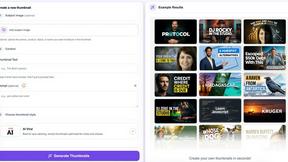
StopScroll is an AI thumbnail maker that generates YouTube thumbnail concepts from a URL, title, or prompt.


Best Face Swap
The essential AI tool for flawless face swaps in photos and videos, with dedicated workflows for video, free trials, and NSFW content.

ComicsMaker
ComicsMaker is the essential AI tool you need to turn prompts into structured comic strips, manga panels, and export-ready drafts.

Art & See Custom Oil Painting Portraits
Transform cherished photos into stunning custom oil painting portraits, perfect for honoring loved ones with timeless art.

Nano Banana
Nano Banana is the essential AI tool that creates and edits stunning images through simple conversation.

SparkPix
SparkPix is the essential AI photo editor that transforms any image instantly by simply typing your request.