Crop Image vs dmaya
Side-by-side comparison to help you choose the right tool.

Crop Image
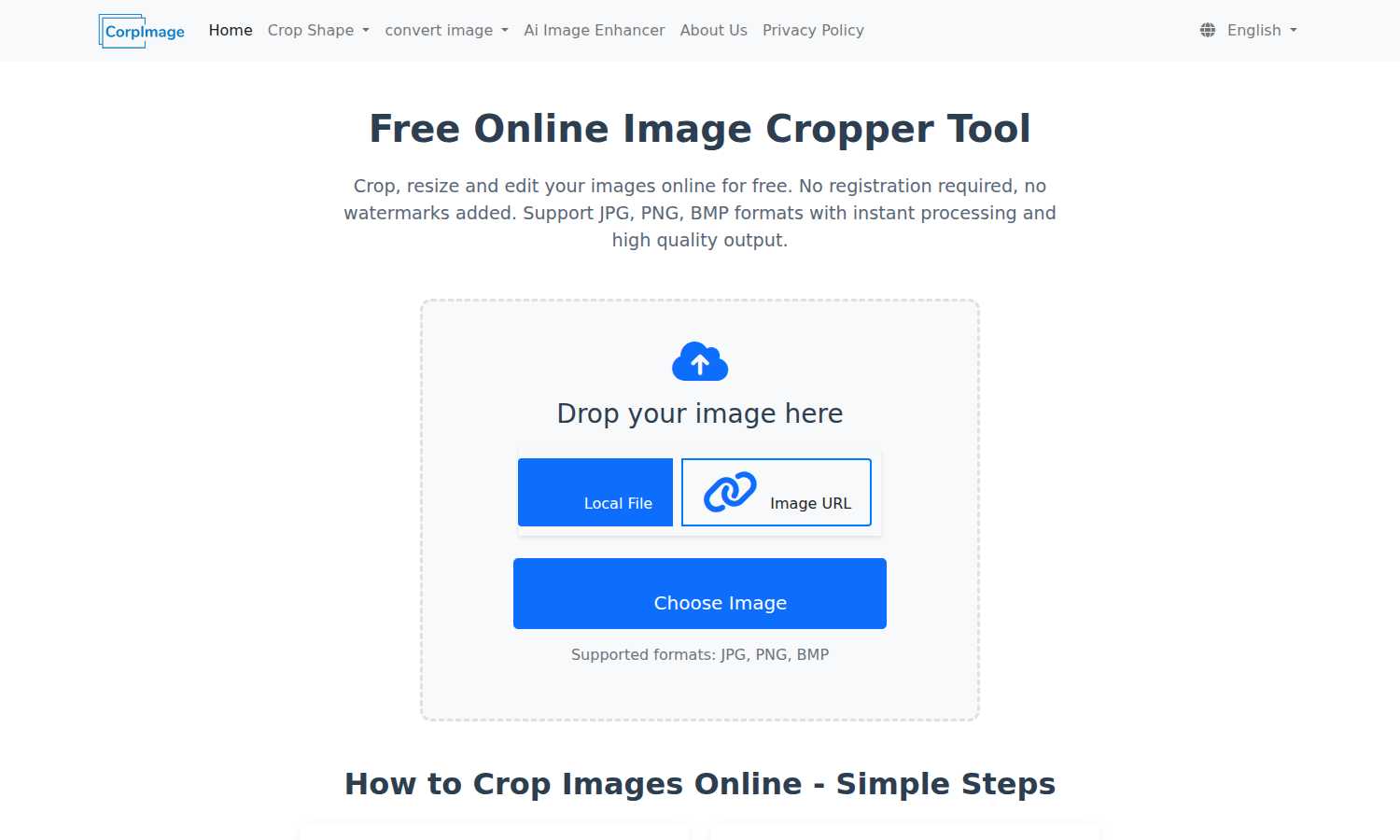
Crop Image is your essential online tool for free, fast, and watermark-free image cropping, resizing, and editing.

dmaya
dMaya is an AI design platform that streamlines UI creation, client collaboration, and code export for agencies and teams.
Last updated: April 13, 2026
Visual Comparison
Crop Image
dmaya
Feature Comparison
Crop Image
No Watermark
Crop Image guarantees that your images will be free from watermarks, ensuring that you receive clean and professional results every time. This feature is crucial for users who want their images to look polished, whether for professional use or personal enjoyment.
Multiple Cropping Shapes
The tool supports various cropping shapes including rectangular, circular, heart-shaped, and hexagonal crops. This flexibility allows users to choose creative formats that best fit their needs, enhancing the personalization of their images.
Intuitive Interface
With an easy-to-navigate design, Crop Image provides an intuitive interface that simplifies the cropping process. Users can effortlessly upload images, adjust crop areas, and fine-tune settings without requiring any technical expertise, making it accessible for everyone.
Local Processing and Privacy Protection
All image processing occurs within your browser, ensuring that your images remain secure and private. Users can crop and edit without the risk of their images being uploaded to external servers, maintaining complete control over their content.
dmaya
AI-Powered Design Generation
dMaya allows users to generate fully responsive, production-ready UI designs in an instant. Simply describe your vision in natural language, and watch as dMaya creates complete layouts and component systems tailored to your specifications, drastically reducing the time spent on initial design.
Multi-Screen Canvas
With dMaya's infinite canvas, you can work simultaneously across desktop and mobile frames. This feature enables designers to zoom, drag, and organize screens as they would in traditional design tools like Figma, but with the advantage of AI-powered assistance to handle the heavy lifting.
Built for Teams & Collaboration
dMaya facilitates seamless collaboration by enabling team members to invite others, share projects, and leave comments in real time. The platform offers role-based access, ensuring that everyone involved can contribute effectively while maintaining clarity and organization throughout the design process.
Client Presentation Mode
This feature allows designers to share interactive, polished previews with clients through a simple link, eliminating the need for clients to create accounts. Feedback can be collected directly within dMaya, allowing for rapid iterations and client approvals without stepping outside the platform.
Use Cases
Crop Image
Social Media Avatars
Crop Image is perfect for creating eye-catching social media avatars. Users can quickly crop their images into the desired shape, ensuring they stand out on platforms like Facebook, Instagram, or Twitter.
Professional Design Projects
For graphic designers, Crop Image offers a straightforward way to edit images for presentations or marketing materials. The ability to crop images to specific dimensions allows for seamless integration into any design project.
Personal Photo Editing
Individuals looking to enhance their personal photos can use Crop Image to trim away unwanted backgrounds or focus on specific subjects. This tool makes it easy to create memorable images for personal albums or gifts.
Creative Artwork
Artists and creators can utilize Crop Image for artistic purposes, such as cropping images into unique shapes for collages or digital artwork. This versatility encourages creativity and innovation in visual projects.
dmaya
Agencies
Agencies can leverage dMaya to accelerate their design process by generating concepts during discovery calls. This tool enables them to present multiple design directions to clients in a fraction of the time it would normally take, enhancing client satisfaction and winning more projects.
Product Teams
Product teams can utilize dMaya to explore various UI directions before committing engineering resources. This platform fosters collaboration across design and engineering teams, allowing them to work together in one space, thus reducing discrepancies between the designed product and the final build.
Freelancers
Freelancers can significantly increase their productivity using dMaya, allowing them to take on more projects without extending their working hours. This tool enables them to deliver high-quality designs quickly, thus allowing them to charge more for their services and maximize their income.
Startups
Startups can benefit from dMaya by quickly generating prototypes that can be presented to stakeholders or investors. The ability to rapidly iterate on designs based on feedback allows startups to refine their product vision, making it easier to secure funding or support.
Overview
About Crop Image
Crop Image is an essential online tool designed to empower users to crop, resize, and edit images with unparalleled ease. This innovative platform is tailored for anyone from casual users to professional designers who require quick and high-quality image processing without the hassle of registration or watermarks. The main value proposition lies in its user-friendly interface, allowing users to access a variety of cropping options and formats, including JPG, PNG, and BMP, all at no cost. With instant processing and high-quality output, Crop Image is the perfect solution for creating social media avatars, enhancing creative designs, or simply editing personal photos. Users can expect seamless functionality, ensuring that every image maintains its original quality while providing a clean and professional finish, making it a must-have tool for anyone working with images.
About dmaya
dMaya is an innovative design platform tailored for agencies, teams, and freelancers who prioritize the design phase before diving into code. Unlike other AI tools that bypass the crucial design process, dMaya enables users to create professional UI designs directly from text descriptions in mere seconds. Whether you are crafting a SaaS dashboard, an e-commerce flow, or a mobile application, dMaya generates polished screens that are ready for review. The platform encourages collaboration through real-time design iterations, where users can effortlessly adjust colors, layouts, and typography via a conversational AI interface. Once designs are finalized and approved, users can export them as clean HTML, CSS, and JS code, ready to be handed off to coding agents like Cursor or Claude Code. dMaya streamlines the entire workflow, allowing teams to present concepts, gather feedback, and ship products with unparalleled confidence and efficiency.
Frequently Asked Questions
Crop Image FAQ
What shapes are available for image cropping?
Crop Image supports a variety of cropping shapes, including rectangular, circular, heart-shaped, and hexagonal. This variety allows users to select different cropping options to suit their creative needs.
What output formats are available for the cropped images?
The cropped images can be saved in several popular formats, including JPG, PNG, and BMP. Users can choose their preferred format based on usage requirements, ensuring compatibility across different platforms.
How do I use different shapes to crop images?
To use different shapes, simply select the desired crop shape from the options available in the tool. You can then adjust the crop area accordingly, allowing for creative and personalized image results.
Why would I need different shaped image crops?
Different shaped image crops allow for more creative expression and customization. Whether for social media, design projects, or personal use, unique shapes can enhance visual appeal and engagement with your images.
dmaya FAQ
How does dMaya improve the design process?
dMaya enhances the design process by allowing users to generate UI designs instantly from text descriptions. This approach saves significant time and ensures that design iterations can occur rapidly, facilitating a smoother workflow.
Can I collaborate with my team in real time?
Yes, dMaya is built for collaboration. You can invite team members, share projects, and leave comments in real time, ensuring everyone is on the same page throughout the design process.
What types of designs can I create with dMaya?
You can create various designs, including SaaS dashboards, e-commerce flows, and mobile applications. The platform is flexible and can generate designs tailored to your specific needs and preferences.
How do I export my designs once they are approved?
Once your designs are approved, dMaya allows you to export them as clean HTML, CSS, and JS code. You can then hand this code off to coding agents like Cursor or Claude Code, or use it in your preferred development framework.