
dmaya
dMaya is an AI design platform that streamlines UI creation, client collaboration, and code export for agencies and teams.
Visit
About dmaya
dMaya is an innovative design platform tailored for agencies, teams, and freelancers who prioritize the design phase before diving into code. Unlike other AI tools that bypass the crucial design process, dMaya enables users to create professional UI designs directly from text descriptions in mere seconds. Whether you are crafting a SaaS dashboard, an e-commerce flow, or a mobile application, dMaya generates polished screens that are ready for review. The platform encourages collaboration through real-time design iterations, where users can effortlessly adjust colors, layouts, and typography via a conversational AI interface. Once designs are finalized and approved, users can export them as clean HTML, CSS, and JS code, ready to be handed off to coding agents like Cursor or Claude Code. dMaya streamlines the entire workflow, allowing teams to present concepts, gather feedback, and ship products with unparalleled confidence and efficiency.
Features of dmaya
AI-Powered Design Generation
dMaya allows users to generate fully responsive, production-ready UI designs in an instant. Simply describe your vision in natural language, and watch as dMaya creates complete layouts and component systems tailored to your specifications, drastically reducing the time spent on initial design.
Multi-Screen Canvas
With dMaya's infinite canvas, you can work simultaneously across desktop and mobile frames. This feature enables designers to zoom, drag, and organize screens as they would in traditional design tools like Figma, but with the advantage of AI-powered assistance to handle the heavy lifting.
Built for Teams & Collaboration
dMaya facilitates seamless collaboration by enabling team members to invite others, share projects, and leave comments in real time. The platform offers role-based access, ensuring that everyone involved can contribute effectively while maintaining clarity and organization throughout the design process.
Client Presentation Mode
This feature allows designers to share interactive, polished previews with clients through a simple link, eliminating the need for clients to create accounts. Feedback can be collected directly within dMaya, allowing for rapid iterations and client approvals without stepping outside the platform.
Use Cases of dmaya
Agencies
Agencies can leverage dMaya to accelerate their design process by generating concepts during discovery calls. This tool enables them to present multiple design directions to clients in a fraction of the time it would normally take, enhancing client satisfaction and winning more projects.
Product Teams
Product teams can utilize dMaya to explore various UI directions before committing engineering resources. This platform fosters collaboration across design and engineering teams, allowing them to work together in one space, thus reducing discrepancies between the designed product and the final build.
Freelancers
Freelancers can significantly increase their productivity using dMaya, allowing them to take on more projects without extending their working hours. This tool enables them to deliver high-quality designs quickly, thus allowing them to charge more for their services and maximize their income.
Startups
Startups can benefit from dMaya by quickly generating prototypes that can be presented to stakeholders or investors. The ability to rapidly iterate on designs based on feedback allows startups to refine their product vision, making it easier to secure funding or support.
Frequently Asked Questions
How does dMaya improve the design process?
dMaya enhances the design process by allowing users to generate UI designs instantly from text descriptions. This approach saves significant time and ensures that design iterations can occur rapidly, facilitating a smoother workflow.
Can I collaborate with my team in real time?
Yes, dMaya is built for collaboration. You can invite team members, share projects, and leave comments in real time, ensuring everyone is on the same page throughout the design process.
What types of designs can I create with dMaya?
You can create various designs, including SaaS dashboards, e-commerce flows, and mobile applications. The platform is flexible and can generate designs tailored to your specific needs and preferences.
How do I export my designs once they are approved?
Once your designs are approved, dMaya allows you to export them as clean HTML, CSS, and JS code. You can then hand this code off to coding agents like Cursor or Claude Code, or use it in your preferred development framework.
Similar to dmaya
Egmatic
No-code editor for 2D games: visual logic, drag-and-drop scenes, one-click export to every platform.


Presentation Intelligence
AI-native presentation and visual content platform that turns prompts, documents, images, videos, and data into polished, shareable decks.



IsThisAIImage
Free AI image checker: upload a photo for AI-generated and deepfake scores, a clear verdict, and optional generator hints.
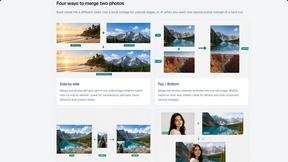
Merge Two Photos
Merge two photos free in your browser: side by side, stacked, overlay, or AI. Download a clean PNG, no watermark.

StopScroll
StopScroll is an AI thumbnail maker that generates YouTube thumbnail concepts from a URL, title, or prompt.