

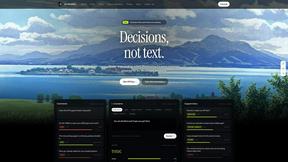
JevModel
Bilingual Jev decision workbench with original guides for structured, AI-assisted decisions.

ftak
Look up any word while you read: meaning, Wikipedia summary and map preview in one tooltip. Free Chrome extension.
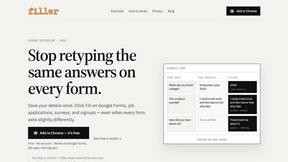
Filler
Chrome extension that fills web forms from your saved profile: Google Forms, job applications, surveys, signups. Free, no account.

Memorable Contact
Memorable Contact helps you remember people, save conversation details, find contacts using AI-powered search, and share digital business cards
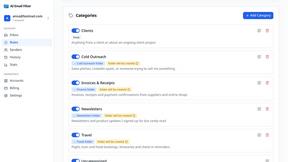
AI Email Filter
AI Email Filter sorts incoming mail into folders using plain-language prompts you write. Works with any IMAP mailbox; bring your own LLM if you want.

Product Launch Checklist
A free launch checklist for SaaS, apps, AI tools and more. Every step says why it matters and when you can skip it.
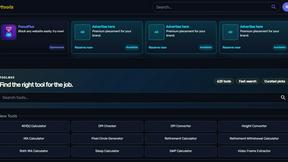
Kody Tools
Free collection of online developer utilities, code formatters, and digital converters designed to streamline your daily workflow.
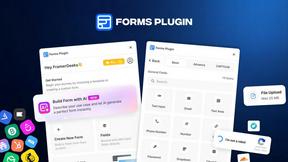
Forms Plugin
The #1 Native Form Builder Plugin for Framer - No Code, No Embeds, No External Platforms.




PerPageFax
PerPageFax lets you send a fax online from any browser for a flat $0.50 per page — no account, no subscription, no fax machine.



Glanced
Follow news, blogs, newsletters, and podcasts in a free RSS reader, with AI summaries, top stories, full-text search, saved searches, and a catalog.



Postqued
Schedule and publish social content across 10 platforms with one dashboard, API, and MCP built for teams and AI agents.

Reassign.ai
Your whole grind on one 24-hour dial. Drag to time-block, lock your deep-work hour, let Claude replan the rest over MCP. For builders. Free, no card.
About Opal Alternatives
Opal is a cutting-edge visual knowledge and project management workspace specifically designed for individuals who thrive in a spatial thinking environment. By offering an infinite digital canvas, Opal allows users to organize their projects and notes in a way that mimics the physical arrangement of a desk, making it easier to locate and manage information. This innovative approach reduces frustration and enhances productivity for solopreneurs, consultants, agency owners, and writers who rely on clarity and organization to keep their workflow uninterrupted. Users often seek alternatives to Opal due to various reasons, including pricing concerns, specific feature requirements, or compatibility with different platforms. When choosing an alternative, it is essential to consider factors such as ease of use, the ability to integrate with existing tools, and the flexibility of the workspace. Additionally, evaluate the visual organization capabilities, as this is a critical aspect for those who prefer a spatial memory approach. The right alternative should not only meet your functional needs but also enhance your productivity by providing a seamless and intuitive experience.
FAQs about Opal Alternatives
What is Opal?
Opal is a visual workspace designed to help users organize their projects and notes in an intuitive manner. It features an infinite digital canvas where users can drag and drop various elements, allowing them to arrange their workspace like a physical desk. This approach is particularly beneficial for individuals who think spatially, as it enhances memory recall and organization.
Who is Opal for?
Opal is ideal for solopreneurs, consultants, agency owners, writers, and anyone who relies on clear organization for their work. It serves those whose business operations depend heavily on managing details, projects, and creative ideas effectively. Opal is especially useful for individuals who prefer a spatial memory method to retrieve information.
Is Opal free?
Opal offers various pricing tiers to accommodate different user needs, including a free version with limited features. Users can explore the functionality of Opal and decide if they want to upgrade to a paid plan for additional features. It’s essential to check the official website for the most current pricing options and any available trials.
What are the main features of Opal?
Opal's main features include an infinite digital canvas for visual organization, drag-and-drop functionality for easy management of notes and files, and a layout that allows users to create a workspace that reflects their thought processes. Additionally, it supports the integration of various documents, links, and files, making it a comprehensive tool for project management and knowledge organization.