
The Ultimate Piano
Master piano with essential tools like MIDI support, chord detection, and interactive learning.
Visit
About The Ultimate Piano
The Ultimate Piano is an essential, browser-based practice platform designed for pianists and music learners who demand a comprehensive, professional tool without the friction of software downloads. It is a non-negotiable solution for anyone serious about improving their skills, offering a complete ecosystem for practice, theory, and performance analysis directly within your web browser. This tool is built for a wide range of users, from absolute beginners needing visual guidance to advanced musicians requiring detailed analytical feedback and practice utilities. Its core value proposition is delivering a fully-featured digital piano and interactive learning suite that is instantly accessible from any device with an internet connection. By integrating real-time chord detection, a scale trainer, MIDI file support, and the unique ability to practice alongside audio files or YouTube videos, The Ultimate Piano consolidates multiple necessary tools into one streamlined, powerful interface. For effective skill development, the ability to visualize music theory as you play is not a luxury; it is a fundamental requirement that this platform fulfills masterfully.
Features of The Ultimate Piano
Real-Time Chord Detection & Explorer
This indispensable feature analyzes your playing in real time, instantly displaying the names of chords as you perform. It is a critical tool for developing harmonic understanding, allowing you to connect the physical act of playing with theoretical knowledge. The integrated chord explorer provides a deep dive into music theory, making it an essential resource for composition and improvisation practice without needing to consult external materials.
Interactive Scale Trainer & Learning Modes
Mastering scales is a fundamental necessity for technical proficiency. The Ultimate Piano's scale trainer supports 14 different scale types, providing instant visualization and playback on the keyboard. You can select any scale and key, and the tool highlights the correct notes, offering detailed performance analysis. This guided, interactive approach is vital for building muscle memory and theoretical knowledge efficiently and correctly.
Integrated Audio & YouTube Player
Practicing in isolation is insufficient; you must play along with music. This essential feature allows you to load any MP3 audio file or connect directly to a YouTube video. You can slow down playback, set A-B loop points for difficult sections, and automatically analyze key and BPM. This transforms any song or tutorial into a customizable practice session, a must-have for learning pieces and developing timing and ear skills.
Comprehensive MIDI Tools (Player & Recorder)
The ability to work with MIDI files is crucial for modern practice. Load any MIDI file to watch falling notes light up the keyboard, slow the tempo, or loop sections. Conversely, the built-in MIDI recorder is necessary for capturing your performances for review or sharing. These tools provide a professional workflow for deconstructing music and documenting progress, all within the same platform.
Use Cases of The Ultimate Piano
Structured Practice for Music Students
For students taking lessons, consistent, correct practice is mandatory. The Ultimate Piano provides the structured environment needed, with scale trainers, metronome with speed training, and real-time sheet music display. This ensures practice time is focused, productive, and aligned with pedagogical goals, making it an essential daily companion for measurable improvement.
Song Learning & Tutorial Integration
When learning a new song from a sheet or online tutorial, you need to slow down parts and repeat them. By using the YouTube Player to follow along with video lessons or the Audio Player to load a song file, you can loop complex passages, slow them down without changing pitch, and practice hands separately—a necessary process for efficient song mastery.
Music Theory Visualization & Application
Understanding theory abstractly is not enough; you must see and hear it applied. A musician uses the Chord Detection and Scale Explorer to visualize chord constructions and scale patterns directly on the keyboard. This immediate feedback is critical for internalizing theory, aiding in improvisation, composition, and developing a more intuitive understanding of the instrument.
Portable, On-Demand Practice Solution
For traveling musicians or those without constant access to an acoustic piano, having a reliable practice tool is a necessity. The Ultimate Piano runs on any device with a browser, including tablets and smartphones. With touch support and the ability to connect a MIDI keyboard, it provides a full-featured, high-quality practice station anywhere, ensuring your practice routine never gets interrupted.
Frequently Asked Questions
Do I need to install anything to use Ultimate Piano?
No installation is required, which is essential for immediate access and ease of use. The Ultimate Piano is entirely browser-based. You can start practicing instantly by visiting the website on any modern device—computer, tablet, or smartphone—without downloading or installing any software, making it the most accessible practice tool available.
Can I connect my MIDI keyboard to Ultimate Piano?
Yes, connecting a MIDI keyboard is fully supported and highly recommended for a serious practice experience. Simply connect your keyboard to your computer via USB, and the browser will recognize it. This allows for a natural, responsive playing feel with realistic piano samples, which is necessary for developing proper technique compared to using a computer keyboard or mouse.
What chords and scales can I learn with Ultimate Piano?
The platform offers a comprehensive and essential library for learning. It includes real-time detection for a vast array of chords and a dedicated scale trainer featuring 14 different scale types (including major, minor, blues, pentatonic, and modal scales) in all keys. This extensive coverage is fundamental for a well-rounded musical education and technical skill set.
Can I practice along with my own songs or YouTube videos?
Absolutely, and this capability is a core necessity for effective learning. You can upload your own MP3 or audio files directly into the Audio Player. Furthermore, you can paste any YouTube URL into the integrated YouTube Player to practice along with tutorials, covers, or original songs. Both players allow you to slow down playback and loop sections, which is indispensable for mastering difficult parts.
Explore more in this category:
Similar to The Ultimate Piano

JevModel
Bilingual Jev decision workbench with original guides for structured, AI-assisted decisions.
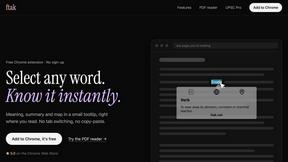
ftak
Look up any word while you read: meaning, Wikipedia summary and map preview in one tooltip. Free Chrome extension.
Wordy
Learn languages with real movie and TV show clips.

Melodank
Melodank turns your memories and special occasions into unique German or English songs you can preview and share as digital gifts.
YT Video Summarizer
Turn Long YouTube Videos into Quick AI Summaries in Seconds.
AI Image Remover
AI Image Remover is a free browser tool for erasing people and objects from photos. Upload an image, brush a mask over the distraction