
Sketch To
Transform your images into stunning sketches instantly with Sketch To's powerful AI conversion tool for every creator.
Visit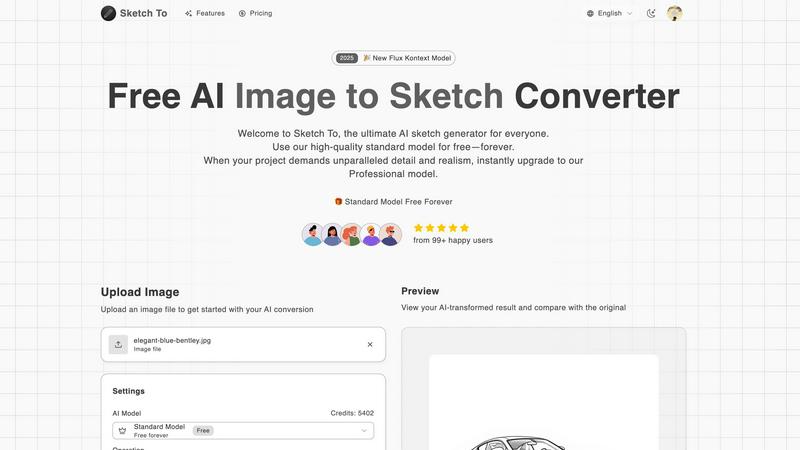
About Sketch To
Sketch To is an innovative AI tool that revolutionizes the way users interact with images and sketches. This powerful platform allows individuals to effortlessly convert their photographs into artistic sketches and vice versa, making it ideal for both casual users and professional artists. By harnessing cutting-edge AI technology, Sketch To breathes life into ordinary photos, transforming them into stunning, photorealistic images. This versatility caters to a wide array of creators, including artists, designers, and hobbyists, enabling them to enhance their creative projects with ease. With a commitment to accessibility, Sketch To provides a free standard model for new users, along with a professional model for those seeking unparalleled detail and realism. The user-friendly interface facilitates immediate image processing without the hassle of software installations or subscriptions, positioning Sketch To as an essential resource for anyone looking to elevate their creative output.
Features of Sketch To
Image to Sketch Conversion
Sketch To employs advanced AI technology to convert photos into breathtaking pencil sketches. This feature is perfect for artists and designers who wish to create unique artistic representations of their images, enhancing their creative portfolios effortlessly.
Sketch to Image AI
With the Professional model, users can transform their sketches into hyper-realistic images filled with intricate details and textures. This feature is particularly beneficial for professionals who require high-quality visuals for commercial projects.
Instant Processing
Sketch To's powerful cloud-based AI infrastructure ensures that users receive their transformed images almost instantly. This feature allows for seamless creativity without long wait times, making it an essential tool for efficient workflows.
High Resolution Output
All creations can be downloaded in high resolution, making them suitable for both print and digital use. This feature ensures that the final products maintain their quality, whether for personal projects or professional presentations.
Use Cases of Sketch To
Social Media Enhancements
Creators can utilize Sketch To to generate eye-catching content for their social media platforms. By converting images into artistic sketches, users can stand out from the crowd, boosting engagement and attracting followers.
Creative Hobbies
For hobbyists looking to explore their artistic side, Sketch To provides an easy way to transform everyday photos into sketches. This feature encourages creativity and experimentation, allowing users to produce personalized artwork.
Educational Projects
Students can leverage Sketch To to enhance their school projects, turning images into sketches for presentations or reports. This functionality adds a unique visual element, making projects more engaging and memorable.
Commercial Art and Design
Professionals in the art and design industry can take advantage of Sketch To to create high-quality visuals for their clients. Whether for branding, marketing, or portfolio development, the ability to convert images to sketches and vice versa offers endless possibilities.
Frequently Asked Questions
How does Sketch To work?
Sketch To utilizes advanced AI algorithms to analyze and transform images into sketches and sketches into images. Users simply upload their files, select a style, and the AI processes the request instantly.
Is there a free version of Sketch To?
Yes, Sketch To offers a free standard model that allows new users to explore its features with trial credits. This makes it accessible for casual users and hobbyists.
What are the benefits of the Professional model?
The Professional model unlocks superior detail, texture, and realism for users who require high-quality outputs for commercial use. It is designed for professionals needing advanced features for their creative projects.
Can I download my creations?
Absolutely! Users can download their transformed images in high resolution, making them suitable for both personal and professional use, ensuring quality is maintained for all applications.
Similar to Sketch To
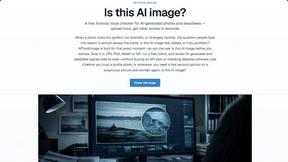
IsThisAIImage
Free AI image checker: upload a photo for AI-generated and deepfake scores, a clear verdict, and optional generator hints.
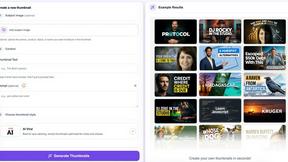
StopScroll
StopScroll is an AI thumbnail maker that generates YouTube thumbnail concepts from a URL, title, or prompt.

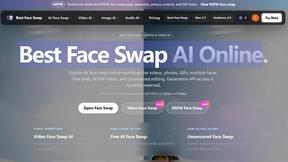
Best Face Swap
The essential AI tool for flawless face swaps in photos and videos, with dedicated workflows for video, free trials, and NSFW content.
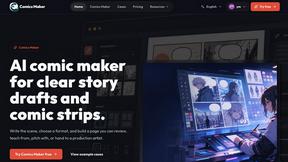
ComicsMaker
ComicsMaker is the essential AI tool you need to turn prompts into structured comic strips, manga panels, and export-ready drafts.
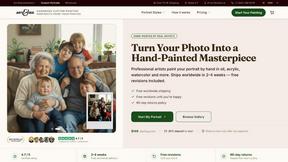
Art & See Custom Oil Painting Portraits
Transform cherished photos into stunning custom oil painting portraits, perfect for honoring loved ones with timeless art.
Nano Banana
Nano Banana is the essential AI tool that creates and edits stunning images through simple conversation.
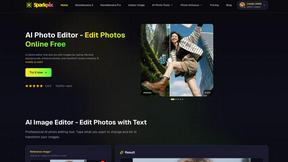
SparkPix
SparkPix is the essential AI photo editor that transforms any image instantly by simply typing your request.