Push My App
Push My App is the essential tool developers must have to instantly optimize, manage, and deploy ASO listings directly to both app stores from one.
Visit
About Push My App
Push My App is the essential all-in-one platform designed for indie developers and studios who need to prepare, optimize, and submit App Store and Play Store listings without the launch-week grind. This tool eliminates the days of tedious manual work required to get an app live on both major platforms. It is built specifically for developers who would rather spend their time coding than wrestling with store metadata, screenshot resizing, translation, and rejection risks. The core value proposition is simple: what used to take days by hand now takes minutes with Push My App, allowing you to ship your next release five times faster. The platform handles every critical step of the submission process from a single dashboard. It writes your search-optimized metadata using AI, designs and resizes your screenshots automatically, flags potential rejection risks before you submit, and pushes your build directly to App Store Connect and Google Play. You can drop your .ipa, .apk, or .aab file and the system extracts the bundle ID, version, and icon, validates compliance, and submits in one click. Additionally, you can generate a website and get a support mailbox for your app using the same metadata and screenshots. For any developer who needs to launch or update an app without the overhead, Push My App is a non-negotiable tool that streamlines the entire process from start to finish.
Features of Push My App
AI-Generated ASO Metadata
This feature is a necessity for any developer who wants their app discovered. Push My App uses AI to write your app name, subtitle, keywords, description, and release notes, all optimized for App Store Optimization (ASO) in seconds. The system scores your metadata against search algorithms, ensuring you achieve the highest possible discoverability. You no longer need to spend hours brainstorming keywords or crafting descriptions. The AI generates high-conversion copy that is ready to approve and submit, giving you a critical advantage in crowded marketplaces.
Pre-Flight Rejection Scanner
Before you submit your app, this feature is absolutely essential to prevent costly delays. The Pre-Flight Rejection Scanner checks your build and listing against over 80 known Apple and Google rejection reasons. It scans for blockers like missing privacy manifests, incorrect permissions, or metadata violations. This proactive scan identifies issues that would otherwise result in a rejection, saving you days or weeks of back-and-forth with app review teams. You get a clear score and a list of specific blockers to fix before you ever hit the submit button.
Screenshot Resizer and App Translator
These two features eliminate the most tedious manual tasks in the submission process. The Screenshot Resizer allows you to upload one set of screenshots, and the tool automatically generates every required device size for both the App Store and Play Store. No more manually resizing for different iPhone, iPad, and Android screen dimensions. The App Translator translates your full listing into 14 languages, with keywords re-optimized per locale. This ensures your app is fully localized for global audiences without the need for expensive translation services or manual keyword research for each market.
Direct Submission and App File Scanner
This feature is the final, critical piece that completes the workflow. You simply drop your .ipa, .apk, or .aab file into the platform. The App File Scanner instantly extracts the bundle ID, version number, and app icon, and validates compliance with store requirements. Then, with one click, you can submit directly to App Store Connect and Google Play. The system handles pre-submission validation, ensuring your file is ready. This removes the need to juggle multiple developer accounts, web consoles, and upload tools. It turns a multi-step process into a single, confident action.
Use Cases of Push My App
Indie Developer Launching a New App
For a solo developer with a new app ready to launch, this is the only tool you need. You can generate all your metadata, resize your screenshots, translate your listing, and submit your build in a single afternoon. This eliminates the typical two to three day launch prep, allowing you to focus on fixing bugs or building new features. The rejection scanner is critical here, as a first-time rejection can be devastating for a launch timeline. Push My App ensures your first submission has the highest chance of approval.
Studio Managing Multiple App Updates
A small development studio with multiple apps in their portfolio needs efficiency. Using Push My App, they can manage all their iOS and Android apps from one dashboard. When releasing an update, they can quickly generate new release notes, re-scan for rejection risks, and submit the new build with one click. The automatic version history tracking replaces messy spreadsheets, and the side-by-side diff view shows exactly what changed from the last submission. This saves hours per update across every app in their catalog.
Developer Needing Rapid Localization
A developer targeting international markets must localize their app listing to maximize downloads. With Push My App, they can translate their entire listing into 14 languages in seconds. The AI re-optimizes keywords for each locale, ensuring the app is found by users searching in their native language. Without this tool, localization would require hiring translators and manually researching keywords for each market, a process that could take weeks. Push My App makes global expansion accessible and fast.
Team Shipping via CI/CD Pipeline
Development teams using tools like Xcode, Android Studio, Expo, Fastlane, or GitHub Actions can integrate Push My App into their continuous integration and continuous deployment pipeline. The platform is built for teams shipping with these modern workflows. After a build is ready, the team can drop the file into Push My App, run the rejection scanner, and submit directly. This eliminates the manual handoff between developers and the person responsible for store submissions, reducing friction and accelerating release cycles.
Frequently Asked Questions
Do I need to provide my own API keys for App Store Connect and Google Play?
Yes, you must connect your own App Store Connect and Google Play Console accounts to Push My App for direct submission. The platform acts as a secure bridge to submit your build and metadata on your behalf. The setup process is straightforward and guided within the dashboard.
What file formats does Push My App accept for app uploads?
Push My App accepts .ipa files for iOS apps and .apk or .aab files for Android apps. When you drop your file into the platform, the App File Scanner automatically extracts the bundle ID, version number, and app icon, and validates that the file meets store compliance requirements before you attempt to submit.
Can I use Push My App if I already have existing app listings?
Absolutely. Push My App is designed for both new app launches and updates to existing listings. You can import your current app metadata and build on top of it. The platform tracks version history automatically, and the review and confirm step shows a diff against your last submission, so you always know what changed.
Is there a free trial available and do I need a credit card to start?
Yes, Push My App offers a free Starter plan with no credit card required. You also get a 30-day trial of the Growth plan, which unlocks more advanced features like unlimited translations and priority support. You can explore the full platform risk-free before committing to a paid plan.
Similar to Push My App
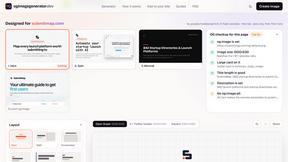
ogimagegenerator.dev
Paste a URL and AI designs on-brand Open Graph images from your page's colours, fonts and logo. Free, no sign-up.
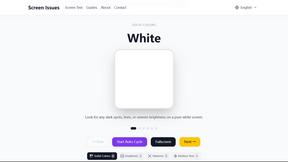
Screen Issues
Free Online Screen Test Tool - Instantly diagnose dead pixels, lines, color issues, and flickering. Multiple test modes, no download needed.
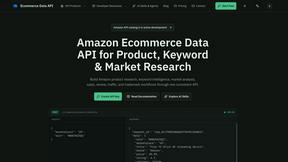
Ecommerce Data API
Amazon research data APIs for developers, sellers and AI agents. Integrate product, keyword and market research through REST APIs and MCP.
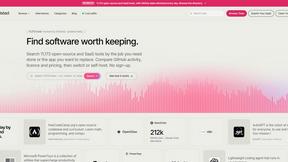
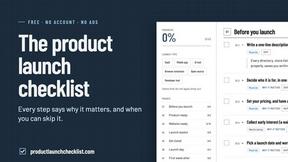
Product Launch Checklist
A free launch checklist for SaaS, apps, AI tools and more. Every step says why it matters and when you can skip it.