
Playwriter
Playwriter empowers agents to control their existing Chrome browser seamlessly with AI, utilizing full Playwright capabilities without extra overhead.
Visit
About Playwriter
Playwriter is a revolutionary tool designed to enhance the capabilities of AI agents by providing them direct access to your actual browser environment. Unlike conventional AI tools that operate in isolated or headless environments, Playwriter leverages your existing Chrome session. This means that all your logins, extensions, and cookies are readily available, allowing AI agents to function more efficiently and effectively. With features like a full automation API, accessibility snapshots, and a robust debugger, Playwriter is tailored for developers, QA engineers, and teams looking to streamline their workflows. Its unique collaboration features allow users to intervene in real-time, ensuring that complex tasks requiring human oversight can be easily managed. Overall, Playwriter transforms the way AI interacts with the web, making automation smoother and more reliable.
Features of Playwriter
Real Browser Access
Playwriter provides AI agents with direct access to your actual browser session, complete with all logins, extensions, and cookies. This eliminates issues with bot detection and redundancy, allowing for seamless automation in a familiar environment.
Comprehensive Automation API
The tool offers the full Playwright API through a single execute command, enabling any Playwright code to be run without cumbersome wrappers. This simplifies the development process, allowing users to focus on creating efficient scripts without worrying about context switching.
Debugger and Live Editing
Playwriter includes a powerful debugger with breakpoints and live code editing features. This allows for real-time adjustments and debugging as the agent operates in the browser, ensuring that any issues can be swiftly identified and resolved.
Accessibility Snapshots
With accessibility snapshots that are significantly smaller in size (5-20KB), Playwriter enhances performance and efficiency. These snapshots provide essential insights without the bloat of larger screenshots, making it easier to analyze and understand web content.
Use Cases of Playwriter
Streamlined Testing
QA teams can utilize Playwriter to automate the testing of web applications more effectively. By providing agents with direct access to the browser, they can execute tests using actual user sessions, leading to more accurate and reliable results.
Enhanced Collaboration
Development teams can work alongside AI agents in real-time. When an agent encounters obstacles such as captchas or consent walls, team members can intervene and assist, ensuring that the workflow remains uninterrupted and efficient.
Efficient Data Scraping
Playwriter is ideal for data scraping tasks, allowing users to automate the collection of information from websites without the risks associated with bot detection. The tool's access to real browser sessions ensures that data retrieval mimics human behavior.
Real-time Performance Monitoring
With the ability to intercept network requests and analyze performance on-the-fly, Playwriter aids developers in monitoring the efficiency of their web applications. This capability helps in identifying bottlenecks and optimizing user experience swiftly.
Frequently Asked Questions
How does Playwriter improve automation?
Playwriter enhances automation by allowing AI agents to operate directly within your existing browser session, utilizing all current logins and extensions, which reduces detection risks and increases operational efficiency.
Is Playwriter difficult to set up?
Not at all. Getting started with Playwriter involves simple steps: install the Chrome extension, set up the CLI, and connect your agent to the local WebSocket relay. This straightforward process ensures you can begin browsing in no time.
Can multiple agents use Playwriter simultaneously?
Yes, Playwriter supports multiplexed sessions, allowing multiple agents or CLI instances to work with the same browser concurrently. This feature is particularly beneficial for teams that need collaborative automation.
What security measures does Playwriter implement?
Playwriter operates entirely on your local machine, meaning no data is sent to remote servers. The connection is secured through a local WebSocket relay, ensuring that your browsing session remains private and secure.
Similar to Playwriter
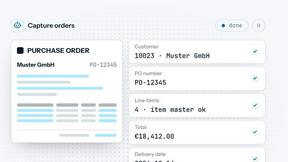

Capafy AI
Agent Skills marketplace: discover expert AI agents, run them online, or publish a Skill and earn from every sale.
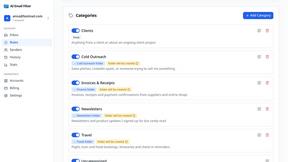
AI Email Filter
AI Email Filter sorts incoming mail into folders using plain-language prompts you write. Works with any IMAP mailbox; bring your own LLM if you want.


amaze.directory
Every AI tool here was opened and used on a real task before it went in. Free to submit.

benchmark.directory
We buy the tool, use it on real work for a week, then write down what the pricing page will not tell you. 146 listings so far.

saasgrow.ai
Growth software, filtered before you see it. Browse by problem, compare pricing, skip the twenty-tab research spiral.

Tools Network
Tools Network is a curated directory of the best AI tools across 25+ categories. Compare ratings, pricing, and features to find the right one, fast.To