
JustPDF
JustPDF is a privacy-first, browser-based PDF toolkit offering 17 essential tools for free, ensuring your files never leave your device.
Visit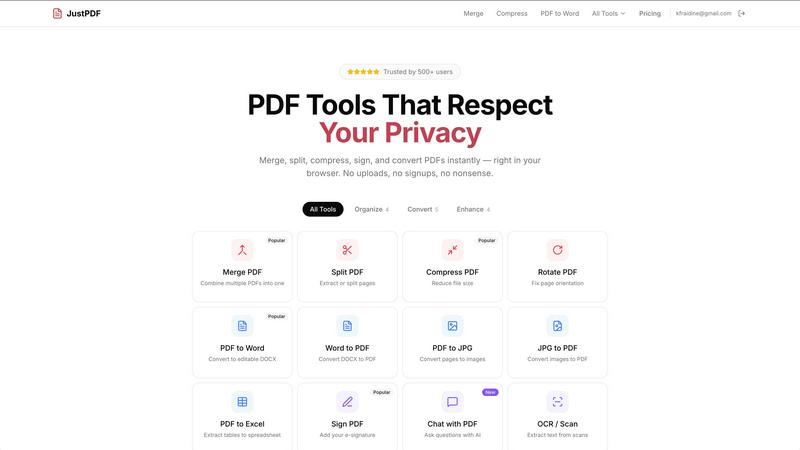
About JustPDF
JustPDF is a cutting-edge PDF processing tool designed to operate entirely within your browser, ensuring that user files remain secure and private. Unlike other online PDF services, such as Smallpdf and iLovePDF, JustPDF utilizes advanced JavaScript and WebAssembly technologies to perform all operations locally on your device. This means your documents never leave your browser, providing peace of mind regarding data privacy. Ideal for professionals, students, and anyone who works with PDF files, JustPDF offers 17 essential tools including merging, splitting, compressing, and converting PDFs. The platform is user-friendly, requiring no account creation for the free tier, which allows three operations per day. For those needing unlimited access, a Pro plan starts at just $4 per month. Additionally, JustPDF is FERPA-compliant, making it an excellent choice for educational institutions.
Features of JustPDF
Merge PDF
The Merge PDF feature allows users to seamlessly combine multiple PDF documents into a single cohesive file. This is particularly useful for consolidating reports, presentations, or any documents that need to be organized into one easy-to-manage PDF. Simply drag and drop your files into the designated area, and watch as JustPDF efficiently merges them without compromising quality.
Split PDF
With the Split PDF functionality, users can extract specific pages or segments from larger PDF files. This feature is essential for anyone looking to share only relevant information or to isolate specific sections for review. By selecting the pages you want to keep, you can create tailored documents that meet your precise needs.
Compress PDF
The Compress PDF tool enables rapid reduction of file sizes while maintaining document quality. This is crucial for users who need to share PDFs via email or online portals where size limits may apply. JustPDF makes it easy to compress your files in seconds, allowing for quick uploads and sharing without the hassle of excessive file sizes.
Chat with PDF (AI)
The innovative Chat with PDF feature harnesses artificial intelligence to allow users to ask questions about the content of their PDF documents. This interactive tool is perfect for researchers and students who need to quickly find specific information or clarify complex topics without manually sifting through pages of text. It provides an efficient way to extract valuable insights from your documents.
Use Cases of JustPDF
Academic Research
Students and researchers can benefit immensely from JustPDF’s tools, especially when handling multiple research papers. The ability to merge, split, and convert documents quickly allows for more organized and efficient study sessions, enabling users to focus on content rather than formatting.
Business Documentation
Professionals can streamline their workflows by using JustPDF to manage contracts, reports, and presentations. Whether merging multiple proposals into one document or converting PDFs to editable Word files, JustPDF simplifies the process, saving time and effort in document management.
Image to PDF Conversion
Photographers and designers can utilize JustPDF to convert images from formats like JPG or HEIC to PDF, ensuring that their portfolios are presented in a professional manner. This feature allows for easy sharing and printing of high-quality image documents.
Secure Signatures
With the Sign PDF feature, users can easily add electronic signatures to their documents, making it perfect for legal and business transactions. This eliminates the need for printing and scanning, facilitating faster approvals and contract finalizations while ensuring that all documents remain secure.
Frequently Asked Questions
Is JustPDF free to use?
Yes, JustPDF offers a free tier that allows users to perform up to three operations per day without the need to create an account. For unlimited access, users can opt for the Pro plan starting at $4 per month.
How does JustPDF ensure my files are secure?
JustPDF operates entirely within your browser, meaning that files are processed locally on your device and never uploaded to remote servers. This ensures your data remains private and secure at all times.
What types of files can I convert with JustPDF?
JustPDF supports a variety of file conversions, including PDF to Word, Word to PDF, JPG to PDF, PDF to Excel, and more. This versatility allows users to work with different file formats seamlessly.
Can educators use JustPDF for student documents?
Absolutely! JustPDF is FERPA-compliant, making it suitable for educational use. Educators can utilize its features to manage student documents securely and efficiently without compromising student privacy.
Similar to JustPDF
ftak
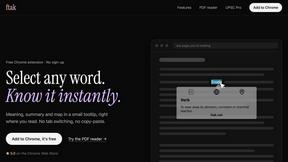
Look up any word while you read: meaning, Wikipedia summary and map preview in one tooltip. Free Chrome extension.
Filler
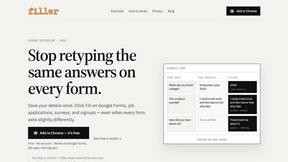
Chrome extension that fills web forms from your saved profile: Google Forms, job applications, surveys, signups. Free, no account.

Memorable Contact
Memorable Contact helps you remember people, save conversation details, find contacts using AI-powered search, and share digital business cards
AI Email Filter
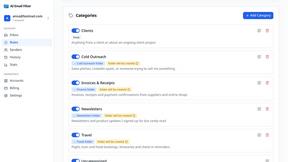
AI Email Filter sorts incoming mail into folders using plain-language prompts you write. Works with any IMAP mailbox; bring your own LLM if you want.
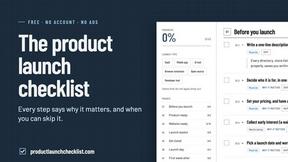
Product Launch Checklist
A free launch checklist for SaaS, apps, AI tools and more. Every step says why it matters and when you can skip it.
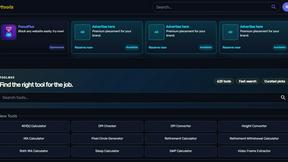
Kody Tools
Free collection of online developer utilities, code formatters, and digital converters designed to streamline your daily workflow.
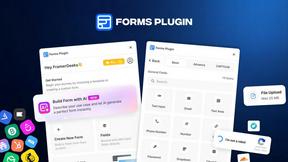
Forms Plugin
The #1 Native Form Builder Plugin for Framer - No Code, No Embeds, No External Platforms.
