
Img Editor
Create stunning AI-generated images in seconds with Img Editor's powerful and intuitive digital art technology.
Visit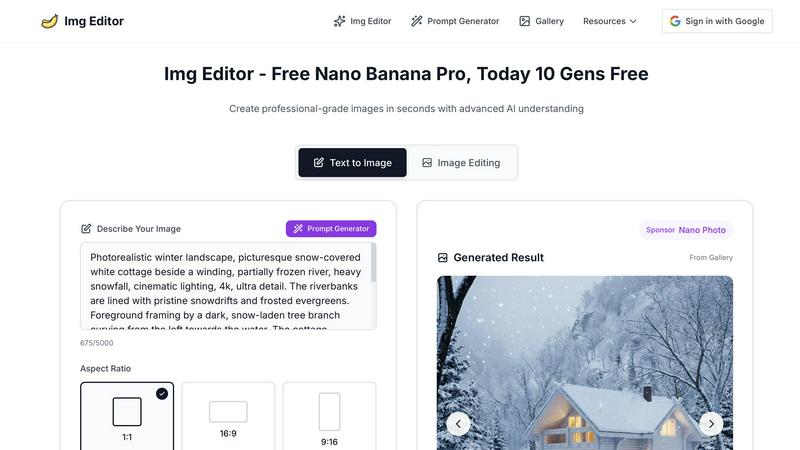
About Img Editor
Img Editor is a groundbreaking AI image generation platform that empowers users to unleash their creativity without financial barriers. Designed for artists, designers, marketers, and creative enthusiasts alike, Img Editor makes high-quality image generation accessible to everyone. With its advanced AI technology, users can create a diverse range of visuals, from intricate artistic representations to lifelike photographs. The platform's unique proposition includes offering ten free image generations daily, alongside the opportunity to earn unlimited bonus generations through community interactions. This model not only enhances accessibility but fosters a collaborative environment where users can share and inspire each other. Img Editor effectively transforms imaginative concepts into tangible artwork, making it an essential tool for anyone looking to produce stunning visuals for social media, websites, or personal projects.
Features of Img Editor
Advanced AI Image Generation
Img Editor harnesses the power of sophisticated artificial intelligence to produce high-quality images quickly and effortlessly. Users can input their ideas and receive professional-grade visuals tailored to their preferences, ensuring that creativity is no longer limited by technical skills.
Ten Free Daily Image Generations
One of the standout features of Img Editor is its commitment to accessibility. Users can generate up to ten images for free every day, allowing for continuous exploration and creativity without any financial commitment, making it ideal for casual users and professionals alike.
Community Engagement Rewards
Img Editor encourages collaboration and creativity within its user base by offering opportunities to earn unlimited bonus generations. By engaging with the community, users can submit their creations for review, fostering a sense of belonging and shared inspiration.
Flexible Image Customization Options
The platform offers numerous customization choices, including aspect ratio, image quality, and specific prompts. Users can select from various formats, such as square or widescreen, and choose high-resolution options, ensuring their images meet any project’s requirements.
Use Cases of Img Editor
Social Media Content Creation
Img Editor is a vital tool for social media managers and influencers looking to create eye-catching visuals. With the ability to generate stunning images quickly, users can enhance their posts and attract more engagement from their audience.
Marketing and Advertising
Marketers can utilize Img Editor to produce compelling graphics for campaigns, advertisements, and promotional materials. The platform allows for the rapid generation of visuals tailored to specific branding needs, driving effective marketing strategies.
Artistic Exploration and Inspiration
Artists seeking inspiration can leverage Img Editor to experiment with new styles and concepts. By generating various artistic interpretations, users can push their creative boundaries and explore artistic possibilities that they might not have considered.
Personal Projects and Gifts
Whether it's for a personal blog, custom gifts, or unique home decor, Img Editor serves as an excellent resource for individuals looking to create personalized visuals. Users can generate images that reflect their personal style or commemorate special occasions, making their projects truly one-of-a-kind.
Frequently Asked Questions
How many images can I generate for free each day?
Users can generate up to ten images for free every day, providing ample opportunity to explore creativity without any cost.
Can I earn more image generations through community engagement?
Yes, Img Editor encourages community participation by allowing users to submit their creations for review. Approved submissions can earn users additional free generations, promoting collaboration and shared creativity.
What types of images can I create with Img Editor?
Img Editor supports a wide variety of image types, including artistic renderings, realistic photographs, and abstract visuals. Users can customize their prompts to generate images that fit their specific needs and preferences.
Is Img Editor suitable for professional use?
Absolutely. Img Editor's advanced AI technology enables the creation of high-quality images suitable for professional use in marketing, advertising, and content creation, making it a valuable tool for both amateur and professional users.
Explore more in this category:
Similar to Img Editor
Rhinobird
AI video ads, UGC-style videos, and product visuals for cross-border sellers and e-commerce brands.

MyType FYI
Explore your visual type with ten free rounds of fictional faces, a base result and optional original portraits, posters or five-second videos.
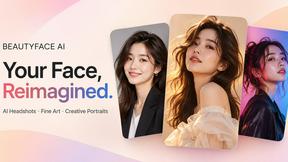
Beautyface
Beautyface AI is an online AI photo studio for creating professional headshots, fine art portraits, and creative photo transformations.
PavoAI
All-in-one AI video creation platform for text-to-video, image-to-video, editing, avatars, music, subtitles, and upscaling.

AI Object Remover
Browser-based AI photo cleanup: brush over people, objects, text or watermarks and AI rebuilds the background.
ImageAgent
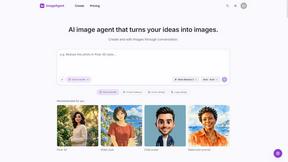
Create and edit AI images through conversation, using text or reference images and refining results in chat.
airapvideo
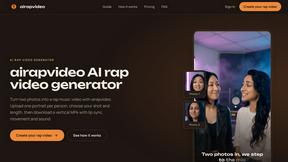
airapvideo is an AI rap video generator that transforms two portraits into a short vertical music video with lip-synced performance, movement, and sou

YIX
AI image and video generation, photo editing, restoration and product visuals in one browser studio.