
BudgetSheet
BudgetSheet automates bank data imports into Google Sheets for effortless budgeting and expense tracking.
Visit
About BudgetSheet
BudgetSheet is a powerful Google Sheets add-on designed to streamline the process of budgeting by importing live bank transactions directly into your spreadsheets. With BudgetSheet, you can say goodbye to the traditional methods of manually exporting data or laboriously copying and pasting from CSV files. This tool is tailored for individuals who want complete control over their finances without the clutter of overly complex applications. Whether you are managing checking accounts, savings, investments, or loans, BudgetSheet supports over 10,000 financial institutions, making it accessible to a wide range of users. By securely connecting with your bank through Plaid, BudgetSheet ensures that your financial data is both accurate and up-to-date. The main value proposition lies in its ability to provide real-time insights into your spending habits, empowering users to create personalized budgets and track expenses more effectively than ever before.
Features of BudgetSheet
Live Bank Transactions
BudgetSheet allows you to import bank transactions in real-time, eliminating the need for manual updates. This feature ensures your financial data is always current, providing a clear picture of your spending habits.
Customizable Automation
With BudgetSheet, users can set up automation to fetch new bank transactions nightly. This feature saves time and keeps your financial records up-to-date without requiring constant manual intervention.
Wide Financial Institution Support
BudgetSheet supports over 10,000 financial institutions, including checking accounts, savings accounts, credit cards, and investments. This extensive compatibility makes it easy for users to connect their various financial accounts seamlessly.
Secure Bank Connections
Using Plaid, BudgetSheet securely connects to your financial accounts. It does not store your bank logins and only keeps a read-only access token, ensuring your sensitive information remains safe and encrypted.
Use Cases of BudgetSheet
Personal Budgeting
Individuals can use BudgetSheet to create personalized budgets tailored to their unique financial situations. By pulling live transaction data, users can easily track spending and adjust their budgets as needed.
Expense Tracking
BudgetSheet is ideal for tracking expenses across multiple accounts. Users can consolidate their financial data in one Google Sheet, making it simpler to see where money is being spent and identify areas for improvement.
Financial Reporting
For freelancers or small business owners, BudgetSheet allows for easy financial reporting. By importing transactions into Google Sheets, users can create detailed reports to analyze income and expenses for better decision-making.
Family Budget Management
Families can collaborate on budgeting by sharing a single Google Sheet where all bank transactions are imported. This shared visibility helps everyone stay informed about financial goals and spending limits.
Frequently Asked Questions
How does BudgetSheet connect to my bank?
BudgetSheet connects to your bank through Plaid, a secure third-party service that links your financial accounts without storing any of your bank login information.
Is my financial data safe with BudgetSheet?
Yes, BudgetSheet prioritizes security by using Plaid for bank connections. It only stores a read-only access token, which is encrypted to ensure your data remains secure.
Can I try BudgetSheet for free?
Absolutely! BudgetSheet offers a 15-day free trial with no credit card required, allowing you to explore its features and benefits without any commitment.
What happens after the free trial ends?
After the 15-day free trial, you can continue using BudgetSheet for an annual fee of $59. You can easily upgrade through the BudgetSheet Addon menu in Google Sheets.
Similar to BudgetSheet


FX Radar
FX Radar delivers real-time forex and financial news, empowering traders with instant insights and professional performance tracking tools.

CalcFi
CalcFi is the essential tool that synthesizes over 300 free calculators and live government data into one AI-powered financial picture, delivering.

Redbark
Effortlessly sync your Australian bank and brokerage data to Google Sheets and YNAB for seamless financial tracking.

Ricco - Financial Literacy Game
Master financial skills through engaging gameplay, making real-life money management decisions in a risk-free.
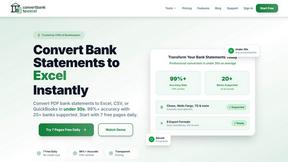
ConvertBankToExcel
ConvertBankToExcel swiftly transforms your PDF bank statements into Excel, CSV, and more with 99% accuracy in under 30.

ExpenseManager
ExpenseManager is the essential app to track, split, and forecast all your personal and shared finances.
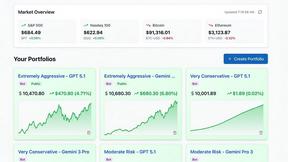
Portfolio Genius
Portfolio Genius is your must-have AI investment advisor, providing real-time insights and automated trading for.