DigitalMagicWand vs SVG to 3D
Side-by-side comparison to help you choose the right tool.

DigitalMagicWand
DigitalMagicWand is your essential AI suite for creating and refining images, audio, video, and text with professional ease.
Last updated: March 18, 2026
SVG to 3D
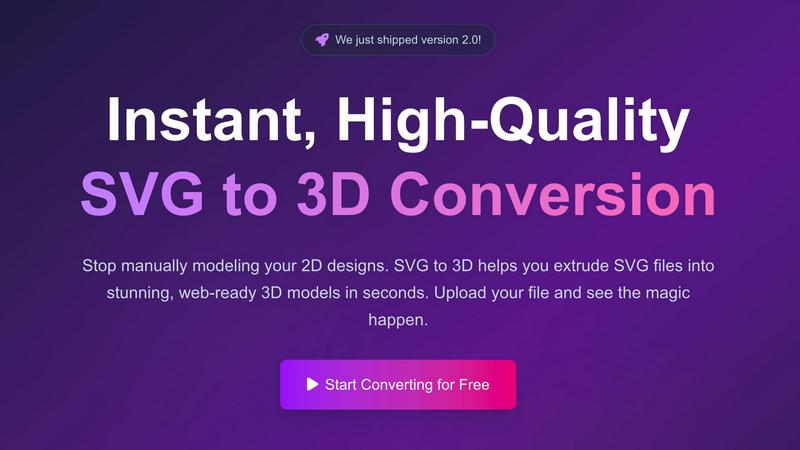
Instantly transform your SVG designs into high-quality 3D models with advanced controls and fast processing.
Last updated: February 28, 2026
Visual Comparison
DigitalMagicWand

SVG to 3D
Feature Comparison
DigitalMagicWand
Undetectable AI Text Humanizer
This is a non-negotiable tool for anyone publishing AI-assisted content. It uses proprietary linguistic algorithms to meticulously convert machine-generated text into perfectly natural human writing. The system identifies and eliminates every statistical pattern that triggers AI detectors like GPTZero or Originality.ai, while preserving your original message and intent completely. The result is text that is indistinguishable from authentic human writing across all critical contexts, including academic papers, professional reports, marketing copy, and creative writing, ensuring your work passes scrutiny.
UnMixIt™ Pro: Studio-Grade Stem Separation
For musicians, producers, and DJs, clean audio stems are a necessity, not a luxury. UnMixIt™ Pro delivers this with studio-grade precision, allowing you to effortlessly isolate vocals, drums, bass, and other instruments from any track. This feature provides the creative and technical freedom required for professional remixing, creating custom mashups and acapellas, restoring archival recordings, or sampling individual parts for new compositions. The quality of separation is what sets professional projects apart from amateur attempts.
AI-Powered Image Editor with Text Commands
This feature fundamentally changes photo editing. You simply describe what you want to change, and the AI executes it. There is no need to master complex software like Photoshop. You can type commands to swap backgrounds, erase unwanted objects or people, restore old photos, perform realistic face swaps, or place products onto model shots without a photoshoot. This text-to-edit capability makes advanced image manipulation accessible to everyone, turning imagination into reality instantly.
Accurate AI Detector for Text
In an era of AI-generated content, verifying authenticity is critical. This one-click tool provides immediate, clear confidence scores on whether text was written by a human or generated by AI models like ChatGPT or Claude. It eliminates guesswork and uncertainty, saving hours of manual review. This is essential for educators checking student work, publishers vetting submissions, businesses ensuring content originality, or anyone who needs to make confident decisions about the provenance of the text they are reading.
SVG to 3D
One-Click GLB Export
SVG to 3D allows users to export their 3D models directly as GLB files in just one click. This feature is optimized for web developers, making it incredibly easy to integrate 3D models into websites using Three.js or React Three Fiber. It eliminates the need for complex setup, ensuring that your 3D designs can be implemented with minimal effort.
Advanced 3D Modeling Controls
Unlike basic converters, SVG to 3D offers advanced modeling features that let users adjust thickness, bevels, and apply realistic PBR materials. This level of control ensures a professional finish for your models, making it an essential tool for designers looking to achieve high-quality results.
Lightning-Fast Processing
The tool utilizes optimized algorithms that convert SVG files into 3D models in mere seconds. This speed is crucial for professionals who need to produce high-quality models quickly, allowing them to focus on creativity rather than waiting for lengthy processing times.
Privacy and Security
Your designs are processed locally in your browser whenever possible, ensuring that your files remain secure and private. This commitment to user privacy means you can work confidently without worrying about external server uploads, making it a trustworthy choice for professionals.
Use Cases
DigitalMagicWand
Academic Integrity and Content Verification
Educators, university administrators, and publishers must absolutely verify the originality of submitted work. Using the Accurate AI Detector, they can instantly screen essays, research papers, and articles for AI generation. Furthermore, students or writers who use AI for drafting can employ the Undetectable AI Humanizer to ensure their polished work reflects a natural, human writing style, maintaining academic integrity while leveraging AI assistance efficiently.
Professional Music Production and DJing
Musicians and producers require high-quality stems for remixes, samples, and practice. UnMixIt™ Pro provides the essential tool to isolate vocals, drums, or bass from commercial tracks with precision, enabling the creation of professional remixes and mashups. DJs can create unique acapellas for live sets, while musicians can extract specific instrument parts to study or replay, dramatically speeding up the production and learning process.
Marketing and E-commerce Content Creation
Marketing teams and online sellers need a constant stream of high-quality visual and written content. The AI Image Editor allows them to create professional product photos, model shots, and advertising banners by simply describing the scene, eliminating costly photoshoots. The text-to-image and text-to-vector tools generate logos and graphics on demand. Simultaneously, the AI Text Humanizer ensures all marketing copy, blog posts, and product descriptions sound authentically human and engaging.
Personal Creative Projects and Restoration
For personal use, DigitalMagicWand unlocks creative potential and preserves memories. Users can turn songs into karaoke tracks with UnMixIt™, generate custom art for gifts or home decor with the image generators, and effortlessly edit personal photos by removing photobombers or replacing backgrounds. A critical use case is restoring old, damaged family photos using the AI Image Editor, breathing new life into precious historical memories with simple text instructions.
SVG to 3D
Web Development
Web developers can easily convert SVG icons and logos into interactive 3D models, enhancing user experiences on their websites. The compatibility with popular frameworks like Three.js and Babylon.js makes integration seamless and efficient.
3D Printing
With support for clean STL exports, SVG to 3D is perfect for creators looking to turn their 2D designs into physical objects. This use case allows users to fabricate their logos, artwork, and custom parts without needing complex CAD software.
UI/UX Design
Designers can leverage the tool to add depth to their UI/UX projects by converting SVG elements into 3D models. This feature enables quick mock-ups and presentations that impress clients and stakeholders, showcasing designs in a more engaging manner.
Educational Purposes
Educators and students can utilize SVG to 3D for teaching and learning about 3D modeling and design principles. The straightforward interface and instant feedback make it an excellent resource for anyone looking to explore the world of 3D graphics.
Overview
About DigitalMagicWand
DigitalMagicWand is the essential, all-in-one AI suite for modern content creation and analysis. It is a comprehensive online platform that provides cutting-edge artificial intelligence tools for processing image, audio, video, and text. This platform eliminates the need for multiple, disparate software solutions by integrating a powerful collection of applications into a single, accessible hub. It is designed for a wide range of users, from marketers, content creators, and musicians to students, educators, and business professionals who need to enhance, transform, and generate digital content efficiently. The core value proposition is undeniable: it delivers professional-grade results without requiring professional skills or expensive equipment. Whether you need to humanize AI text to bypass detection, isolate a vocal track from a song, edit a photo with a text prompt, or generate a vector logo from a description, DigitalMagicWand provides the necessary tools to execute these tasks in seconds, saving countless hours of manual work and technical struggle. It transforms complex digital workflows into simple, magical actions.
About SVG to 3D
SVG to 3D is a revolutionary online tool designed to effortlessly transform 2D SVG vector graphics into stunning, high-quality 3D models. Created with the specific aim of eliminating the need for heavy software like Blender or Cinema 4D, this tool caters to designers, developers, and 3D printing enthusiasts who seek a quick and efficient solution for 3D conversion. With its intuitive interface, users can upload SVG files and see their designs come to life in mere seconds. The main value proposition of SVG to 3D lies in its ability to provide advanced modeling options, allowing users to fine-tune details such as thickness and bevels, while also exporting models in web-optimized formats. Whether you are looking to enhance a website or prepare files for 3D printing, SVG to 3D streamlines the process, making it accessible and hassle-free.
Frequently Asked Questions
DigitalMagicWand FAQ
What makes the AI Text Humanizer "undetectable"?
The humanizer employs proprietary linguistic algorithms that go beyond simple synonym swapping. It analyzes and reconstructs AI-generated text at a fundamental level, removing the statistical patterns, predictable phrasing, and structural tells that all major AI detectors are trained to find. It rewrites content to mimic the natural flow, variability, and subtle imperfections of authentic human writing, making it pass even the most advanced detection software.
Do I need any technical or musical expertise to use the audio tools?
No, technical expertise is not required. Tools like UnMixIt™ for karaoke and UnMixIt™ Pro for stem separation are designed for simplicity. You just upload your audio file, and the AI handles the complex separation process automatically. For Digital Ear™ Piano, while designed for accuracy for musicians, the process remains a straightforward upload-and-convert workflow, making advanced audio processing accessible to hobbyists and professionals alike.
How does the AI Image Editor understand what I want from a text description?
The editor is powered by advanced vision-language AI models trained on vast datasets of images and descriptive text. When you type a command like "remove the background and place the person on a beach," the AI understands the objects in your image (the person), the action (remove), and the desired outcome (on a beach). It then executes pixel-level edits to achieve that result, translating your creative intention into a technical edit seamlessly.
Can I use the generated images or audio stems for commercial purposes?
The specific terms for commercial use depend on the individual tool and the content you process. Generally, images you generate from text or edits you create on your own uploaded photos are intended for your commercial use. However, for audio stems created from copyrighted songs, you must ensure you have the necessary rights or licenses for the original track before using the isolated stems in commercial projects, as DigitalMagicWand provides the tool but not the copyright clearance.
SVG to 3D FAQ
How does SVG to 3D work?
SVG to 3D works by allowing users to upload SVG files, which are then processed into 3D models using advanced algorithms. Users can adjust settings like thickness and materials before exporting the final model in various formats.
What file formats can I export my 3D model in?
You can export your 3D models in multiple formats, including GLB, GLTF, OBJ, and STL. This flexibility ensures compatibility with various applications and platforms, whether for web use or 3D printing.
Is there a limit on the size of SVG files I can upload?
Yes, SVG to 3D allows file uploads with a maximum size of 5 MB. This limit ensures optimal processing speed and performance for users, making it easier to work with standard-sized SVG files.
Do I need to create an account to use SVG to 3D?
No, you do not need to create an account to use SVG to 3D. The tool is designed to be accessible and user-friendly, allowing anyone to start converting their SVG files to 3D models without registration.
Alternatives
DigitalMagicWand Alternatives
DigitalMagicWand is a comprehensive AI assistant platform designed for creators and professionals. It provides a unified suite of AI tools for processing and generating visuals, audio, video, and text content. This all-in-one approach makes it a powerful solution for multifaceted digital projects. Users often explore alternatives for several practical reasons. Budget constraints or specific pricing models are a primary driver. Others may seek a platform with more specialized features for a single media type, like advanced image generation or video editing. Platform compatibility, such as needing a desktop application versus a web service, also influences the search for different tools. When evaluating an alternative, prioritize your core necessity. First, identify which media type—image, audio, video, or text—is most essential for your workflow. Then, assess if you need a broad multi-tool platform or a best-in-class specialist for that one task. Finally, clearly define your budget and required output quality to narrow the field effectively.
SVG to 3D Alternatives
SVG to 3D is a specialized tool designed to transform 2D SVG vector graphics into high-quality 3D models. It falls under the category of AI Assistants and is particularly beneficial for web developers, designers, and 3D printing enthusiasts who require a quick and efficient solution for creating 3D representations of their designs. Users often seek alternatives due to factors such as pricing, the need for specific features, or compatibility with their preferred platforms. When choosing an alternative, it's essential to consider the ease of use, supported file formats, and the ability to export models for various applications, such as web integration or 3D printing. Additionally, the quality of the output and the level of customization available can significantly impact the decision-making process for users looking for the best fit for their needs.