
Postproxy vs SimpleDraw
Side-by-side comparison to help you choose the right tool.

Postproxy
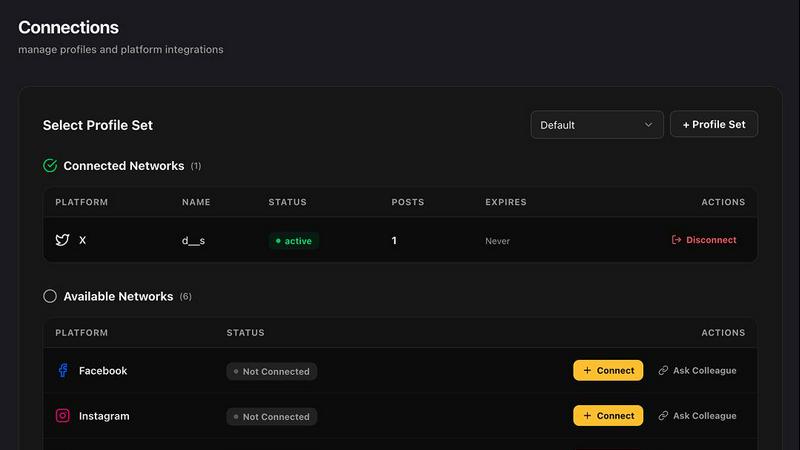
Postproxy streamlines social media publishing by unifying multiple networks into one simple API integration.
Last updated: February 28, 2026

SimpleDraw
Create precise floor plans and scale drawings easily online with SimpleDraw's intuitive and powerful web tool.
Last updated: March 1, 2026
Visual Comparison
Postproxy
SimpleDraw
Feature Comparison
Postproxy
Unified API
Postproxy offers a single API endpoint that replaces the need for multiple platform-specific integrations. This feature simplifies the publishing process by handling all the complexities of different social media platforms in one go.
Automatic Content Adaptation
The API automatically transforms content to meet the specific requirements of each social media platform. This includes format conversions, media limits, and text validation, ensuring that content remains consistent and compliant.
Robust Error Handling
Postproxy includes advanced error handling capabilities, such as automatic retries and rate limit management. This means that publishing failures are proactively addressed, enhancing the reliability of your publishing efforts.
Clear Publish State Reporting
With Postproxy, users receive explicit updates on the status of their publish requests. You'll always know what succeeded, what failed, and why, eliminating the guesswork that often accompanies social media publishing.
SimpleDraw
Floor Plan Mode
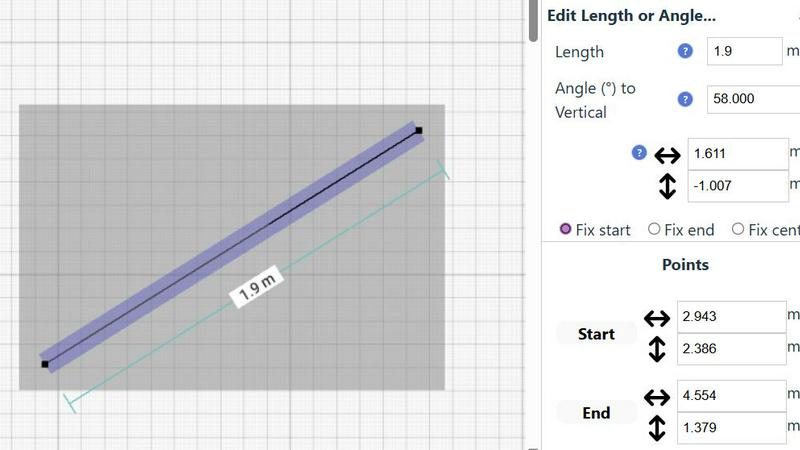
SimpleDraw offers a dedicated Floor Plan Mode designed specifically for creating accurate floor plans of various spaces. Users can effortlessly draw walls, add windows and doors with a single click, and view real-time measurements as they make adjustments, ensuring precision at every step.
Smart Alignment System
The Smart Alignment System assists users in placing points and lines exactly where they want them. By simply positioning the mouse in the desired area, SimpleDraw helps to accurately position elements with clear visual indications, allowing for precise adjustments when necessary.
Flexible Zoom and Variable Precision
SimpleDraw provides a flexible zoom feature that enables users to zoom in and out easily, targeting any part of their drawing. The precision of the alignment system adapts to the zoom level, while users can also control precision independently, giving them complete control over their drawings.
Comprehensive Measurement System
The Comprehensive Measurement System allows users to choose between metric or standard US units while providing fine controls over which measurements are displayed. Dynamic contextual measurements appear as users work, aiding in the creation of drawings that meet their exact specifications.
Use Cases
Postproxy
Automated Content Distribution
Postproxy is ideal for businesses that need to publish content across multiple social media channels simultaneously. Automate your publishing process while ensuring all posts are compliant with platform requirements.
Campaign Management
Marketers can leverage Postproxy to manage large-scale campaigns efficiently. By integrating with automation tools, they can schedule posts, monitor performance, and adjust strategies in real-time based on analytics.
Content Generation with LLMs
For companies utilizing AI to generate content, Postproxy serves as a critical link in the publishing pipeline. It allows for seamless dissemination of AI-generated content across various social media platforms without manual intervention.
Simplified Compliance and Permissions
Postproxy significantly reduces the complexity of managing permissions across different social platforms. It automatically handles OAuth flows and token storage, making it easier for users to comply with platform policies.
SimpleDraw
Kitchen and Bathroom Renovations
Homeowners planning kitchen or bathroom renovations can utilize SimpleDraw to create accurate plans that visualize layouts before starting any work. This helps in making informed decisions about design and functionality.
Room Layouts and Furniture Planning
Whether designing a bedroom, living room, or office space, SimpleDraw makes it easy to plan furniture layouts. Users can visualize how furniture will fit in a room, preventing costly mistakes when purchasing.
House and Apartment Plans
Real estate professionals and homeowners can create complete floor plans for houses and apartments. SimpleDraw’s features enable detailed planning for home projects, rental listings, or space optimization.
Community-Driven Development
SimpleDraw is constantly evolving based on user feedback. Those who join the SimpleDraw community can influence future features, ensuring the tool continues to meet the needs of its users effectively.
Overview
About Postproxy
Postproxy is a revolutionary API designed to streamline social media publishing across multiple platforms including Instagram, Facebook, YouTube, LinkedIn, and X. It aims to simplify the complexities of social media integration by providing a unified endpoint that automates OAuth, rate limits, content adaptation, and analytics. This product is specifically built for developers and automators leveraging tools like n8n, Zapier, or CI/CD pipelines. It transforms the chaotic world of platform-specific publishing into a predictable and reliable infrastructure. With Postproxy, users can generate AI-driven content, apply routing rules, and publish at scale without the need for manual intervention. The free plan allows users to start without financial commitment, paving the way for growth as their publishing needs expand. The inclusion of the Minimum Competitive Pricing (MCP) ensures that users receive the best value for their investment.
About SimpleDraw
SimpleDraw is an innovative online tool specifically designed for individuals who need to create precise and accurate scale drawings without the complexities associated with traditional drafting tools. It serves a diverse audience, including DIY enthusiasts, homeowners planning renovations, and professionals seeking to draft technical drawings. With its user-friendly interface, SimpleDraw allows users to dive right into their projects without the need for registrations or software downloads, making it accessible directly through web browsers. The core value proposition of SimpleDraw is its ability to combine simplicity with powerful drawing capabilities. Users can leverage a limited yet intuitive set of tools to produce high-quality drawings, ensuring that their visions are not only realized but done so with efficiency and effectiveness. Whether you are designing floor plans, planning room layouts, or creating architectural drawings, SimpleDraw equips you with the necessary tools to make your projects a success.
Frequently Asked Questions
Postproxy FAQ
How does Postproxy handle platform-specific rules?
Postproxy automatically manages the unique requirements of each social media platform, including format conversions and media limits, ensuring that your content is always compliant.
Is there a free plan available for Postproxy?
Yes, Postproxy offers a free plan that allows users to get started without any financial commitment. As your needs grow, you can easily scale to paid plans.
What happens if a publish request fails?
Postproxy includes automatic retries and rate limit management, meaning that failures are proactively handled. You will also receive clear reporting on publish states to understand what went wrong.
Can I integrate Postproxy with other automation tools?
Absolutely! Postproxy is designed for developers and automators, making it compatible with tools like n8n and Zapier, allowing you to build seamless workflows in your existing systems.
SimpleDraw FAQ
How can I start using SimpleDraw?
You can start using SimpleDraw immediately in your web browser without the need for any software installation or account registration. Just visit the website and begin drawing.
Is SimpleDraw completely free to use?
Yes, SimpleDraw is a completely free tool that allows users to create accurate scale drawings without any hidden fees or subscription costs.
What types of measurements can I use in SimpleDraw?
SimpleDraw offers a comprehensive measurement system that allows users to choose between metric and standard US units, providing flexibility based on personal preferences or project requirements.
Can I collaborate with others using SimpleDraw?
While SimpleDraw is primarily designed for individual use, users are encouraged to join the community on Discord, where they can share ideas, seek assistance, and provide feedback to shape future developments of the tool.
Alternatives
Postproxy Alternatives
Postproxy is an innovative platform that offers a unified API for seamless social media publishing across various networks, including Instagram, Facebook, YouTube, LinkedIn, and X. Designed specifically for developers and automators, it simplifies the chaotic process of managing multiple social media accounts by automating tasks like OAuth management, rate limiting, and content adaptation. By doing so, Postproxy transforms social media publishing into a reliable and predictable infrastructure. Users often seek alternatives to Postproxy for several reasons, including pricing concerns, the need for additional features, or specific platform requirements that may not be met by the service. When evaluating alternatives, it is crucial to consider factors such as ease of integration, scalability, available features, and the specific needs of the social media strategies being employed. A suitable alternative should not only match the functionality of Postproxy but also align with the unique demands of the user's workflow.
SimpleDraw Alternatives
SimpleDraw is an innovative online tool that falls under the category of design tools, specifically for creating precise scale drawings and floor plans. This user-friendly web application caters to a wide range of users, from DIY enthusiasts to professionals, allowing them to draft technical drawings without the complexities of traditional drafting tools. Users commonly seek alternatives to SimpleDraw for various reasons, including pricing, feature sets, and platform compatibility. Some may desire more advanced functionalities, while others might be looking for tools that better suit their specific project needs. When choosing an alternative, it is essential to consider factors such as ease of use, the availability of specialized features, customer support, and the capability to work seamlessly on different devices or operating systems.