Looktara vs poseup
Side-by-side comparison to help you choose the right tool.

Looktara
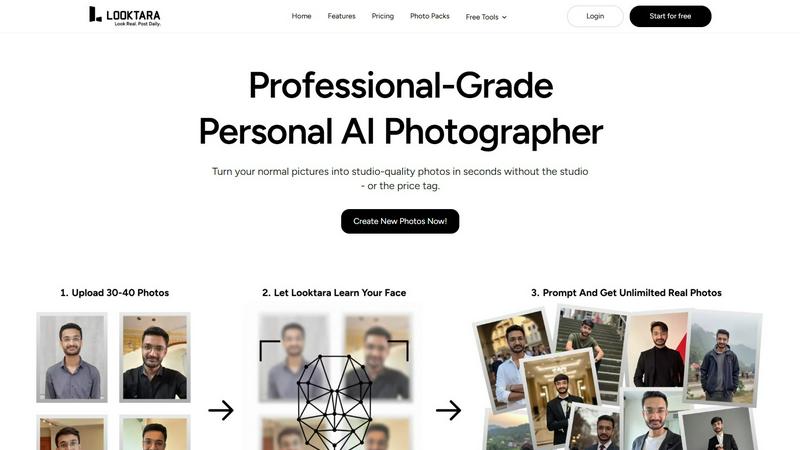
Looktara creates professional, personalized AI-generated photos that authentically reflect your unique style and.
Last updated: February 28, 2026

poseup
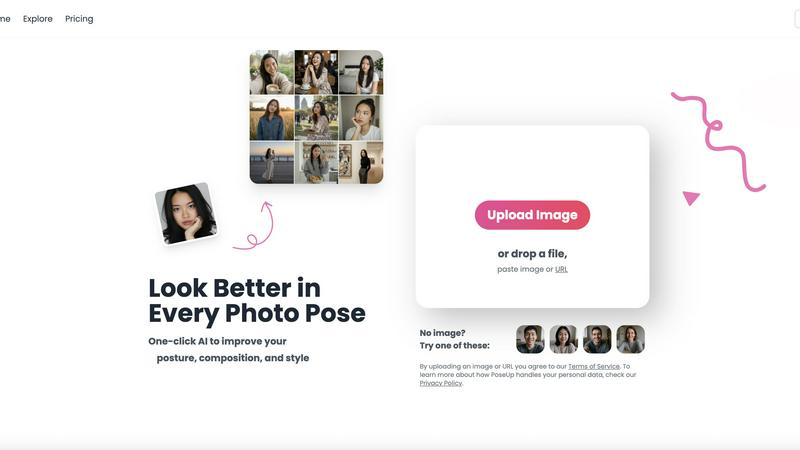
Enhance your photos in seconds with PoseUp's AI for perfect posture, composition, and style at the click of a button.
Last updated: March 1, 2026
Visual Comparison
Looktara
poseup
Feature Comparison
Looktara
Personalized AI Model
Looktara creates a unique, encrypted AI model for each user, ensuring that generated images reflect your personal style and characteristics. This bespoke approach guarantees that the photos you receive are unmistakably you, enhancing your professional image without compromising authenticity.
Rapid Image Generation
In just 5 seconds, users can generate high-quality images by providing a simple text prompt. This speed not only saves valuable time but also allows for greater flexibility in creating images that align perfectly with current projects or social media needs.
Customizable Output
Unlike most AI photo generators, Looktara allows you to specify the tone and style of your images. Whether you need a professional headshot or a warm, approachable photo for social media, you can tailor the output to fit your brand's message seamlessly.
Consistent Quality and Style
Looktara maintains a high standard of quality across all generated images. With the ability to create professional-grade photos that reflect your personal brand, you can be confident that every image will contribute positively to your online presence.
poseup
One-Click AI Enhancement
PoseUp simplifies the photo enhancement process with its one-click AI technology. Just upload your image, and the tool automatically analyzes and improves your photo's pose, posture, and composition instantly, making professional results accessible to everyone.
Intelligent Posture Correction
The AI posture correction feature of PoseUp intelligently assesses your images and suggests adjustments for better positioning. This ensures that your photos convey confidence and poise, enhancing the overall visual appeal without requiring any special skills.
Versatile Use Case Support
PoseUp caters to a diverse range of photography needs, whether it’s for casual lifestyle shots, outdoor adventures, professional headshots, or fitness and wellness imagery. This versatility makes it a must-have tool for anyone looking to enhance their photography across different scenarios.
User-Friendly Interface
The intuitive user interface of PoseUp makes it easy for anyone to navigate and use the tool effectively. With support for various file formats (JPG, PNG, WEBP, HEIC) and a file size limit of 5MB, users can quickly upload and enhance their photos without any hassle.
Use Cases
Looktara
Personal Branding for Entrepreneurs
Entrepreneurs can leverage Looktara to create a diverse array of professional images that showcase their brand. With custom photos tailored to their unique style, they can enhance their online presence across various platforms.
Social Media Content Creation
Content creators can utilize Looktara to generate eye-catching images for their social media profiles. The rapid generation process allows for frequent updates and fresh content that resonates with their audience.
Online Networking and Professional Profiles
Professionals can use Looktara to create polished images for platforms like LinkedIn. By customizing their images to convey authority and professionalism, they can enhance their networking efforts and make lasting impressions.
Marketing Campaigns
Businesses can employ Looktara to produce high-quality images for marketing materials. With the ability to generate tailored images in moments, marketing teams can respond quickly to promotional needs and maintain brand consistency.
poseup
Social Media Influencer Posts
Social media influencers can leverage PoseUp to improve their selfies and lifestyle photos effortlessly. With one-click enhancements, influencers can maintain a polished and professional online presence, attracting more followers and engagement.
Family Portraits
Families can use PoseUp to enhance their group photos, ensuring everyone looks their best. The tool helps correct poses and optimize compositions, making family memories even more cherished and visually appealing.
Professional Headshots
Individuals seeking professional headshots can benefit from PoseUp's intelligent enhancements. The tool provides corrections for posture and composition, resulting in headshots that convey professionalism and confidence, perfect for LinkedIn or other professional settings.
Fitness and Wellness Imagery
Fitness enthusiasts can utilize PoseUp to enhance their workout photos. By correcting posture and improving composition, the tool helps showcase the effort and dedication in a visually stunning manner, motivating others in their fitness journeys.
Overview
About Looktara
Looktara is your essential, on-demand personal AI photographer, designed to address the critical challenge of professional image scarcity. In today's digital age, the need for consistent, high-quality personal photos for professional branding, social media, and marketing is paramount. However, traditional photoshoots often involve high costs, lengthy scheduling, and rigid frameworks that can hinder creativity. Looktara revolutionizes this process by allowing users to upload approximately 30 photos of themselves. Within about 10 minutes, it creates a secure, personalized AI model tailored specifically for you. This unique digital twin is the heart of Looktara's value, enabling you to generate studio-quality solo images in approximately 5 seconds by simply entering a text prompt. The resulting images are strikingly authentic, free from the artificial traits often found in generic AI-generated visuals. With Looktara, professionals, entrepreneurs, and creators can maintain a polished, versatile, and authentic visual presence anytime, anywhere, making it an indispensable tool for personal branding.
About poseup
PoseUp is an essential AI-powered photo enhancement tool that revolutionizes the way you capture and present images. It is designed to improve poses, correct posture, and optimize composition with a simple one-click solution. This tool is ideal for everyone—from social media influencers and casual photographers to families wanting to preserve precious memories in the best light. PoseUp's main value proposition is its ability to transform ordinary photographs into visually stunning works of art without the need for professional photography skills. By harnessing advanced algorithms, PoseUp analyzes your images and provides intelligent enhancement suggestions, ensuring you look your best in every shot. Whether you are taking selfies, family portraits, or professional headshots, PoseUp empowers you to capture and share memorable moments with confidence and ease, elevating your photography game to new heights.
Frequently Asked Questions
Looktara FAQ
How does Looktara ensure the authenticity of generated images?
Looktara uses a personalized AI model created from your uploaded photos, ensuring that the images generated are uniquely tailored to reflect your individual characteristics and style.
Can I customize the style of my photos?
Yes, Looktara allows you to specify the tone and style of your images, enabling you to create photos that align perfectly with your branding needs, whether they require a professional or casual touch.
How long does it take to generate a new image?
Once your personalized AI model is ready, generating a new image takes only about 5 seconds through a simple text prompt, making it a quick solution for your imaging needs.
Is Looktara suitable for all types of professionals?
Absolutely! Looktara is designed for anyone seeking to enhance their personal brand, including entrepreneurs, content creators, and professionals across various industries, making it an essential tool for all.
poseup FAQ
How does PoseUp work?
PoseUp uses advanced AI algorithms to analyze your uploaded photos. It suggests enhancements for posture, pose, and composition, allowing you to achieve professional-quality results with minimal effort.
What file formats does PoseUp support?
PoseUp supports various image formats, including JPG, PNG, WEBP, and HEIC. This flexibility ensures that users can upload their photos easily without compatibility issues.
Is there a limit on image size for uploads?
Yes, PoseUp allows uploads of images up to 5MB in size. This ensures that the images can be processed quickly while maintaining quality for enhancements.
Can anyone use PoseUp, or do I need photography skills?
PoseUp is designed for everyone, regardless of their photography skills. It simplifies the enhancement process, making it accessible for casual photographers, families, and professionals alike, ensuring everyone can look their best in photos.
Alternatives
Looktara Alternatives
Looktara is an innovative solution in the realm of generative art, specifically designed to serve as a personal AI photographer. By allowing users to train a private AI model on their own photos, Looktara addresses the growing demand for high-quality, professional images that reflect an individual's unique identity. Users often seek alternatives to Looktara for various reasons, including pricing, specific feature sets, or compatibility with diverse platform needs. When searching for alternatives, it's essential to consider factors such as privacy and security, the quality of image generation, and the ease of use of the platform. A good alternative should also offer a personalized experience while ensuring that the generated images maintain authenticity and meet professional standards.
poseup Alternatives
PoseUp is an innovative AI-powered photo enhancement tool that elevates your photography by improving poses, correcting posture, and optimizing composition with just one click. It belongs to the Image & Photo category, catering to a diverse range of users from casual photographers to social media influencers. As users explore the market, they often seek alternatives for various reasons such as pricing, specific features, or compatibility with their preferred platforms. When searching for an alternative to PoseUp, it's essential to consider factors such as ease of use, the quality of enhancements, and the variety of supported image formats. Users should also evaluate whether the alternative offers the same level of AI-driven enhancements and whether it aligns with their specific photography needs. Ultimately, finding the right tool can significantly impact the quality of your images and your overall photography experience.