
LinkedInPro vs Never Drop
Side-by-side comparison to help you choose the right tool.
LinkedInPro
Elevate your LinkedIn profile instantly with professional headshots created from your casual photos using our AI tool.
Last updated: February 28, 2026

Never Drop
NeverDrop instantly captures event leads and drafts personalized follow-ups to close deals faster.
Last updated: February 28, 2026
Visual Comparison
LinkedInPro
Never Drop

Feature Comparison
LinkedInPro
AI-Powered Enhancement
LinkedInPro utilizes advanced artificial intelligence algorithms to analyze and enhance the uploaded images, ensuring that users receive the best possible results. This feature not only improves image quality but also highlights professional traits, making the headshot more appealing and engaging.
Quick Turnaround Time
With LinkedInPro, users can expect their professional headshots in mere seconds. This rapid processing time allows busy professionals to update their profiles quickly, making it ideal for those who need to make a swift impact in their careers or networking opportunities.
User-Friendly Interface
The platform boasts an intuitive and user-friendly design that simplifies the headshot creation process. Users can easily navigate through the upload and editing steps, ensuring a seamless experience, even for those who may not be tech-savvy.
High-Quality Output
LinkedInPro guarantees high-resolution images in JPEG or PNG formats, with a file size limit of up to 50 MB. This ensures that the headshots maintain their quality across different platforms and uses, from online profiles to printed materials.
Never Drop
Instant AI-Powered Card Scanning
Snap a photo of any business card with your smartphone. Never Drop's advanced AI-powered Optical Character Recognition (OCR) technology instantly and accurately extracts every critical detail: name, company, title, phone number, and email. This eliminates the tedious, error-prone manual entry and ensures you capture the data perfectly in seconds, right at the booth.
Smart Contact Enrichment & Email Finding
Business cards often lack direct contact information. Never Drop automatically finds and verifies professional work emails using just the contact's name and company. This eliminates the guesswork and manual LinkedIn searches, delivering a complete, enriched contact profile that is ready for your CRM and immediate follow-up, ensuring you always have the right point of contact.
AI-Drafted Personalized Follow-Up Emails
This is the core advantage. Based on the specific context from your voice notes and conversation, Never Drop's AI generates a unique, personalized follow-up email draft in under two minutes. It is not a generic template; it reflects your actual discussion. You can review, tweak, and send it directly from your phone before you even walk to your next meeting.
Centralized Team Workspace & CRM Sync
Manage your entire event strategy from one dashboard. Organize scans by event, reassign leads between team members, and track collective activity. Never Drop seamlessly integrates with HubSpot to push enriched contact data directly into your sales pipeline, keeping your CRM clean and ensuring every captured lead is accounted for and ready for action.
Use Cases
LinkedInPro
Job Seekers
For job seekers, having a compelling professional headshot can significantly enhance their profiles on platforms like LinkedIn. A polished image can make a strong first impression on recruiters and increase the chances of landing interviews.
Entrepreneurs
Entrepreneurs looking to establish their personal brand can benefit immensely from LinkedInPro. A professional headshot can help convey credibility and trustworthiness, essential traits for attracting clients and investors.
Networking Events
Professionals attending networking events can use LinkedInPro to quickly generate high-quality headshots to share on business cards or social media. This ensures they present themselves in the best light, enhancing their networking opportunities.
Social Media Presence
In an era where personal branding is crucial, LinkedInPro allows users to create standout images for various social media platforms. A professional headshot can help differentiate individuals in crowded fields, further establishing their online presence.
Never Drop
High-Volume Trade Show Lead Capture
For sales reps at bustling trade shows, speed is everything. Never Drop allows you to capture a lead's information and the context of your conversation in under 30 seconds. By drafting the follow-up email before you leave their booth, you ensure you are the first responder, dramatically increasing your conversion rate while the interaction is still fresh in both your minds.
Conference and Networking Event Follow-Up
After a day of back-to-back meetings at a conference, recalling specific details for dozens of new contacts is impossible. With Never Drop, you record a quick voice memo after each conversation. The AI uses this context to craft personalized emails that reference your specific talk, making your follow-up stand out in a sea of generic "nice to meet you" messages.
Streamlining Team-Based Event Operations
For sales managers, ensuring no lead is missed by the team is critical. Never Drop's shared workspace lets you organize all captured leads by event, see which rep captured which contact, and reassign leads for follow-up. This provides full visibility and accountability, guaranteeing seamless handoffs and that every potential deal is pursued.
Enhancing CRM Data Quality and Hygiene
Manually entering business card data into a CRM is slow and leads to errors, missing fields, and duplicate entries. Never Drop automates this by scanning cards, enriching the data with verified emails, and syncing clean, complete contact profiles directly to HubSpot. This saves administrative time and ensures your CRM is a reliable source of truth.
Overview
About LinkedInPro
LinkedInPro is an innovative AI-driven tool specifically designed to convert everyday photos into exceptional studio-quality professional headshots in just seconds. Perfectly tailored for job seekers, entrepreneurs, and professionals, LinkedInPro offers a cost-effective alternative to traditional photography. Users can simply upload a clear, well-lit, front-facing image, and the platform expertly transforms it into a polished headshot that reflects their professionalism and unique personality. The core value proposition of LinkedInPro lies in its ability to provide authentic and visually appealing images that help users stand out in a highly competitive job market. Whether you are applying for jobs or expanding your professional network, LinkedInPro is more than a photo editor; it is an essential tool for creating a lasting impression that resonates with recruiters and peers alike.
About Never Drop
Never Drop is the essential lead-capture weapon for sales teams operating in high-velocity environments. It is built for the critical moments at trade shows, conferences, and networking events where deals are won or lost. The core problem is universal: leads are captured but then die in spreadsheets or get lost in a pile of business cards, resulting in missed opportunities and wasted investment. Never Drop solves this by transforming the entire post-meeting workflow into a seamless, two-minute process. You simply scan a business card with your phone, enrich the data with a quick voice note about your conversation, and the app's AI instantly drafts a personalized, context-rich follow-up email. It is not just a scanner; it is a complete system that ensures no lead is ever forgotten. By automatically finding verified work emails and syncing enriched profiles directly to CRMs like HubSpot, Never Drop guarantees your pipeline is always actionable. In a world where speed wins deals, this tool is not an option; it is a necessity for any sales professional who cannot afford to let a single handshake go cold.
Frequently Asked Questions
LinkedInPro FAQ
How do I use LinkedInPro?
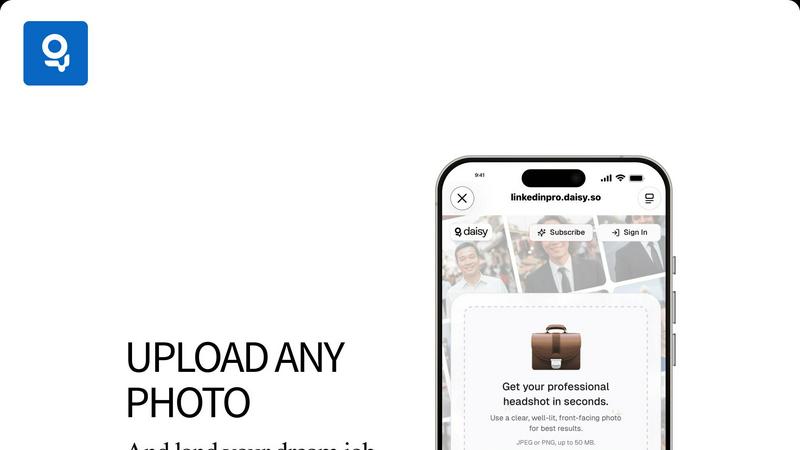
To use LinkedInPro, simply upload a clear and well-lit front-facing photograph. The AI will process the image and return a professionally enhanced headshot within seconds.
What file formats can I upload?
You can upload images in either JPEG or PNG formats, with a maximum file size of 50 MB. This allows for flexibility and ensures high-quality output.
Is there a limit to how many headshots I can create?
LinkedInPro does not specify a limit on the number of headshots you can create. Users can upload and enhance as many images as they need for their professional endeavors.
Is my data safe with LinkedInPro?
Yes, LinkedInPro prioritizes user privacy and security. All uploaded images are treated with strict confidentiality, ensuring that your personal data remains protected throughout the process.
Never Drop FAQ
How does Never Drop's business card scanning work?
You use the Never Drop mobile app to take a photo of any business card. Our proprietary AI-powered OCR technology instantly analyzes the image and accurately extracts the contact's name, company, title, phone number, and email address. The process takes seconds and requires no manual typing, ensuring perfect data capture every time.
What types of events is Never Drop designed for?
Never Drop is built for any fast-paced, in-person business development scenario. This includes trade shows, industry conferences, networking mixers, meetups, and even business dinners. Any event where you exchange business cards and need to follow up quickly and personally is the perfect use case for Never Drop.
Do I need both the mobile app and the web dashboard?
Yes, both are essential for the full functionality. The mobile app is your on-the-go tool for scanning business cards, recording voice context, and sending follow-up emails immediately. The web dashboard is your management hub for organizing leads by event, managing your team, reviewing all captured data, and configuring settings like CRM integrations.
Is my data secure with Never Drop?
Absolutely. Never Drop is developed by SCOPEO, a French company. All user data is hosted in the European Union in compliance with strict GDPR regulations. Data is encrypted both in transit and at rest. Images of business cards are used solely for the purpose of contact extraction via our AI and are not shared with or sold to any third parties.
Alternatives
LinkedInPro Alternatives
LinkedInPro is an innovative AI-powered tool that transforms everyday photos into professional LinkedIn headshots, positioning it in the productivity and management category. Users often seek alternatives to LinkedInPro due to various factors such as pricing, specific feature sets, or unique platform needs that may not be fully addressed by this service. When choosing an alternative, it’s essential to consider ease of use, customization options, and the quality of the final output to ensure it aligns with your professional branding requirements. --- [{"question": "What is LinkedInPro?", "answer": "LinkedInPro is an AI-powered tool that transforms casual photos into professional-quality LinkedIn headshots in seconds."}, {"question": "Who is LinkedInPro for?", "answer": "LinkedInPro is ideal for job seekers, entrepreneurs, and professionals looking to enhance their LinkedIn presence."}, {"question": "Is LinkedInPro free?", "answer": "The pricing details for LinkedInPro are not mentioned, but it offers a cost-effective alternative to traditional photography."}, {"question": "What are the main features of LinkedInPro?", "answer": "LinkedInPro features instant photo transformation, multiple style options, and an easy-to-use interface."}]
Never Drop Alternatives
Never Drop is a productivity and management tool designed to streamline lead capture and follow-up for sales professionals. It belongs to the category of sales enablement and contact management software, specifically targeting the chaotic environment of in-person networking. Users often explore alternatives for various reasons, including budget constraints, the need for different feature sets like broader CRM capabilities or offline functionality, or compatibility with their existing tech stack and preferred platforms. Finding the right fit is crucial for maintaining a smooth sales workflow. When evaluating other options, prioritize solutions that address your core pain points: seamless contact capture, efficient data enrichment, and automated, personalized follow-up generation. Ensure any alternative integrates with your CRM and offers the reliability necessary to never let a valuable connection drop.