
ChatIMG.io vs Shrinkpad
Side-by-side comparison to help you choose the right tool.

ChatIMG.io
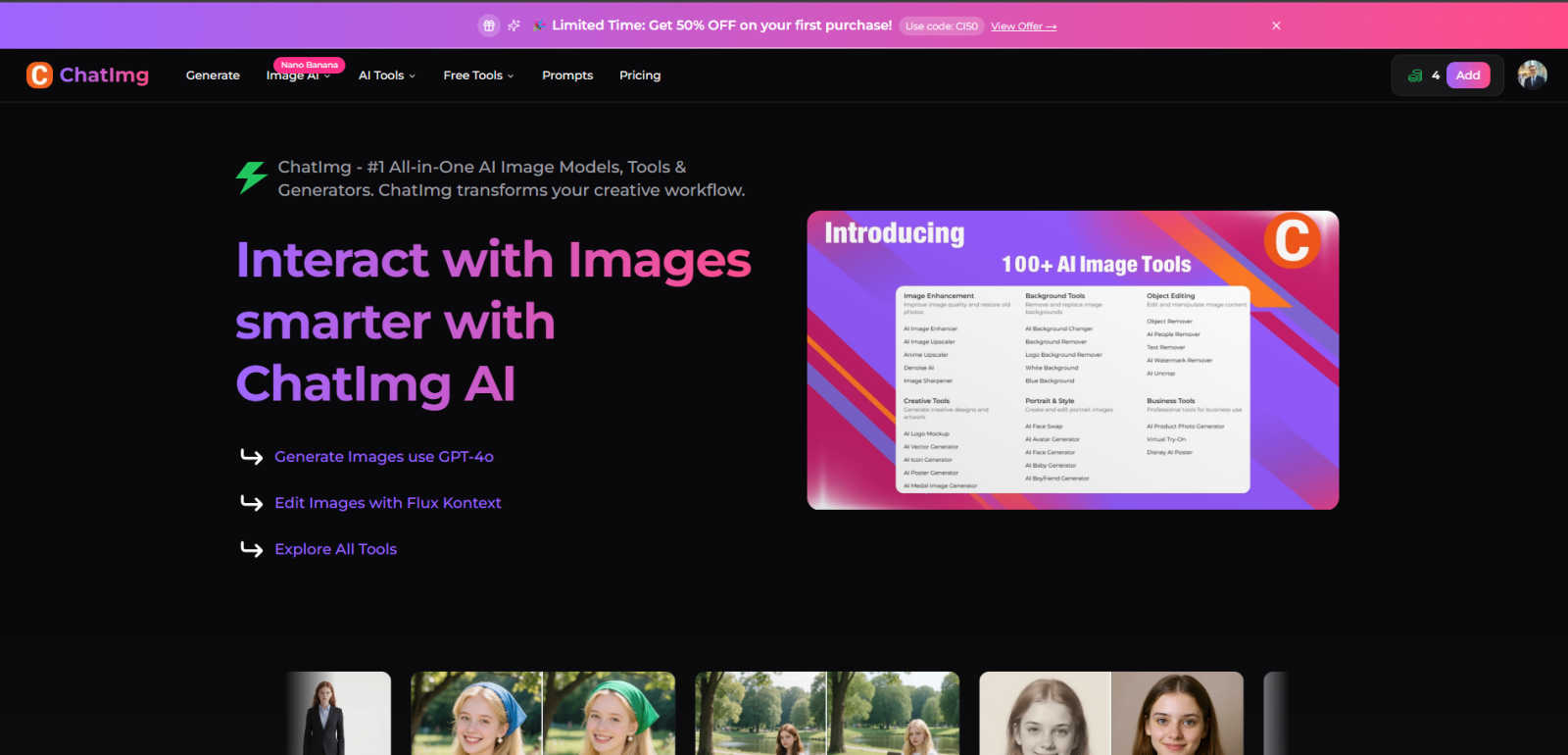
ChatIMG.io is your essential all-in-one AI toolkit for generating, enhancing, and editing images.
Last updated: March 1, 2026

Shrinkpad
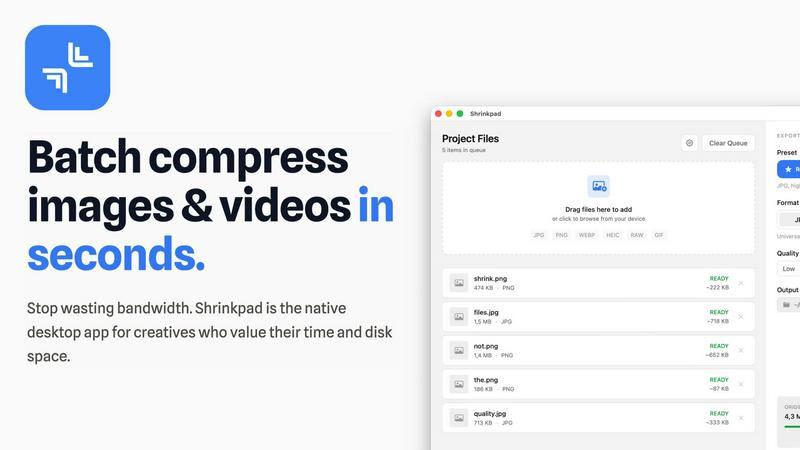
Shrinkpad compresses images and videos in bulk on your Mac, saving space and optimizing performance effortlessly.
Last updated: February 28, 2026
Visual Comparison
ChatIMG.io
Shrinkpad
Feature Comparison
ChatIMG.io
Multi-Model AI Generation Hub
ChatIMG.io provides essential access to the world's most advanced AI image models in one place. You are not limited to one style or capability. Generate photorealistic images with GPT-4o, create artistic visuals with Flux 1.1 Pro, or craft precise vector graphics with Recraft V3. This diversity is critical for matching any project requirement or client brief without needing multiple subscriptions, making it a necessary hub for versatile, high-quality output.
Intelligent Image Editing with Natural Language
The platform's Flux Kontext editor is a game-changing necessity. You must be able to edit images as easily as you describe them. Simply instruct the AI with natural language to modify objects, change backgrounds, adjust styles, or combine elements. This eliminates the steep learning curve of traditional software like Photoshop, making complex, professional edits accessible to anyone and dramatically speeding up the revision process.
Specialized AI-Powered Tools
Beyond generation, ChatIMG.io includes a suite of specialized tools that address specific, high-priority tasks. You can instantly remove backgrounds or unwanted objects, swap faces, restore old photos, change hairstyles, and create professional headshots. Each tool is designed to perform a task that would typically require separate, expensive software or services, consolidating your essential editing needs into one efficient platform.
Advanced Translation & Localization Suite
For global reach, the integrated translation tools are indispensable. You can translate video audio, document text, and even extract and translate text embedded within images. This capability is vital for businesses and creators aiming to localize content for different markets quickly and accurately, breaking down language barriers that would otherwise hinder expansion and audience engagement.
Shrinkpad
Batch Compression
Shrinkpad allows users to batch compress images and videos simultaneously, processing thousands of files in seconds. This feature is particularly beneficial for creatives who need to optimize large libraries efficiently without the hassle of manual exports.
Intelligent Quality Preservation
The application automatically analyzes the visual complexity of each file to apply the optimal compression ratio, ensuring high-quality results without artifacts. This means you can trust Shrinkpad to maintain the integrity of your visuals while achieving significant size reductions.
Folder Mode
With Shrinkpad's Folder Mode, users can simply drag and drop entire folders containing media files for compression. The app automatically detects and processes all supported files within that folder, saving time and effort by eliminating the need to select files individually.
Privacy-First Approach
Shrinkpad prioritizes user privacy by performing all processing locally on the user's device. Unlike web-based tools, there are no cloud uploads, ensuring your sensitive files remain on your Mac, thus protecting your creative assets from potential exposure.
Use Cases
ChatIMG.io
Rapid Social Media & Marketing Content Creation
Marketing teams and content creators must produce a high volume of engaging visuals daily. ChatIMG.io is essential for generating unique social media graphics, ad banners, and promotional artwork in seconds. The ability to quickly iterate on concepts and maintain a consistent, professional quality across all platforms is not just convenient; it's a necessity for staying competitive and meeting tight content calendars.
E-commerce Product Visualization
For e-commerce businesses, high-quality product images are non-negotiable for driving sales. ChatIMG.io allows you to generate lifelike product photos, create lifestyle mockups, and remove or change backgrounds instantly. This eliminates the need for expensive photoshoots for every product variant or concept, making it a critical tool for scaling product listings and A/B testing visuals efficiently.
Professional Design & Concept Art
Designers and illustrators must rapidly prototype ideas and explore creative concepts. ChatIMG.io acts as an essential brainstorming partner, generating concept art, illustrations, and design motifs from brief text descriptions. Using models like GPT-4o for realism or Flux for artistic flair, professionals can overcome creative blocks and present multiple visual directions to clients faster than ever before.
Personal Photo Enhancement & Restoration
For personal use, ChatIMG.io provides necessary tools that were once only available to professionals. You can restore and colorize old, damaged family photos, create professional headshots from casual selfies, or simply enhance everyday pictures. These capabilities make preserving memories and upgrading personal digital presence not just possible, but straightforward and accessible for everyone.
Shrinkpad
Photographers Optimizing Portfolios
Photographers can utilize Shrinkpad to compress and optimize their portfolios, reducing file sizes significantly without sacrificing quality. This ensures faster loading times for online galleries, making their work more accessible to potential clients.
Designers Preparing Assets
Graphic designers can streamline their workflow by using Shrinkpad to batch process images and graphics before final export. By compressing assets for web use, designers can ensure that their projects load quickly and efficiently without compromising on visual fidelity.
Content Creators Managing Media Libraries
Content creators who manage extensive video libraries can benefit from Shrinkpad’s ability to compress large video files. This not only saves storage space but also enhances upload speeds to platforms, allowing for quicker content dissemination.
Developers Reducing App Bundle Sizes
Software developers can leverage Shrinkpad to minimize app bundle sizes by compressing images and videos used in applications. This not only improves application performance but also enhances user experience by reducing download times.
Overview
About ChatIMG.io
ChatIMG.io is the essential, all-in-one AI image platform you need to transform your creative workflow. It is not just another image generator; it is a comprehensive suite of professional-grade AI tools designed to meet every visual content demand with unmatched speed and quality. By integrating multiple cutting-edge AI models like GPT-4o and Flux Kontext, ChatIMG.io empowers marketers, designers, content creators, and businesses to generate, edit, enhance, and translate images and videos instantly. The core necessity of ChatIMG.io is to eliminate creative bottlenecks, complex software, and high costs. Whether you need to generate a stunning product visual from a text prompt, professionally edit a photo with simple instructions, restore an old family picture, or create a batch of social media graphics, this platform delivers studio-quality results in seconds. With a thriving community of over 2 million creators and enterprise-grade security, ChatIMG.io is the non-negotiable tool for anyone serious about scaling their visual content production without compromising on professionalism or privacy.
About Shrinkpad
Shrinkpad is the essential tool for Mac users grappling with oversized media files. This powerful native macOS application is engineered to batch compress images and videos quickly and efficiently, allowing users to reclaim precious storage space without compromising on quality. Whether you're a photographer, designer, content creator, or developer, Shrinkpad streamlines your workflow by enabling the processing of hundreds or even thousands of files in mere seconds. Its core value proposition centers on privacy; all operations are performed locally on your device, meaning your files never leave your Mac. This eliminates reliance on internet connections or cloud services, ensuring your sensitive assets remain secure. Supporting over 50 formats and featuring intelligent quality preservation, Shrinkpad helps you reduce file sizes by up to 90% while maintaining the visual integrity crucial for your projects.
Frequently Asked Questions
ChatIMG.io FAQ
What AI models are available on ChatIMG.io?
ChatIMG.io provides access to a powerful suite of leading AI models to cater to diverse needs. This includes OpenAI's GPT-4o for highly detailed and realistic imagery, Stability AI's Flux 1.1 Pro for artistic and conceptual generation, and Recraft V3 for vector graphics and illustration-style images. This multi-model approach is essential for ensuring you have the right tool for any specific creative task or style requirement.
Is my data and generated content private and secure?
Absolutely. Privacy and security are fundamental priorities at ChatIMG.io. The platform employs enterprise-grade encryption for all data transfers and secure processing. Your uploaded images, generated content, and prompts are kept private and are not used to train public AI models. This secure environment is critical for professionals and businesses working with sensitive or proprietary visual concepts.
How fast does ChatIMG.io generate images?
Speed is a core necessity of the platform. ChatIMG.io generates high-resolution, studio-quality images in under 10 seconds on average. This is achieved through a GPU-optimized cloud infrastructure designed for maximum performance. This rapid turnaround is essential for maintaining workflow efficiency, allowing for quick iterations and meeting tight deadlines without sacrificing output quality.
Can I use the images created for commercial purposes?
Yes, you own the rights to the images you create on ChatIMG.io. The generated visuals are suitable for commercial use, including in marketing materials, product designs, social media, and client projects. This commercial license is a vital feature for businesses, freelancers, and creators who need to produce assets for monetization, branding, and professional publication without legal concerns.
Shrinkpad FAQ
Can I use Shrinkpad for free?
Yes, Shrinkpad offers a Free Starter plan that includes essential tools for casual use, allowing you to process up to 10 files per batch with standard compression.
What file formats does Shrinkpad support?
Shrinkpad supports a wide range of formats, including JPG, PNG, WEBP, AVIF, MP4, MOV, and various other native formats, making it a versatile tool for all your media compression needs.
Does Shrinkpad support video compression?
Absolutely. Shrinkpad not only compresses images but also efficiently handles video files, allowing users to optimize their entire media library in a single batch process.
How many files can I process at once?
With Shrinkpad, users can process thousands of files in one go, making it an ideal solution for those with large volumes of media to optimize quickly and efficiently.
Alternatives
ChatIMG.io Alternatives
ChatIMG.io is an essential AI-powered platform in the generative art and image editing category. It transforms text prompts into high-quality visuals, making professional image creation accessible to everyone without requiring design expertise. Users often seek alternatives for various reasons. These can include budget constraints, the need for different or more specialized features, compatibility with specific workflows, or simply a desire to explore other tools that might better align with their unique creative process and output requirements. When evaluating an alternative, it is crucial to prioritize core needs. Key considerations must include the quality and speed of image generation, the intuitiveness of the editing interface, the diversity of available AI models, and the overall value relative to cost. The right tool should seamlessly integrate into your workflow and become a necessary asset for your projects.
Shrinkpad Alternatives
Shrinkpad is an essential tool for Mac users, designed specifically for batch compressing images and videos. By utilizing local processing on macOS, it enables users to efficiently save space without compromising privacy or quality. As users become more aware of their storage needs, they often seek alternatives due to factors such as pricing, desired features, or compatibility with different platforms. When searching for an alternative to Shrinkpad, it is crucial to consider aspects like local processing capabilities, batch compression efficiency, file format support, and user privacy. A solution that prioritizes these elements will ensure that users maintain control over their media files while optimizing their workflows.