ChatIMG.io vs RemoveTexts
Side-by-side comparison to help you choose the right tool.

ChatIMG.io
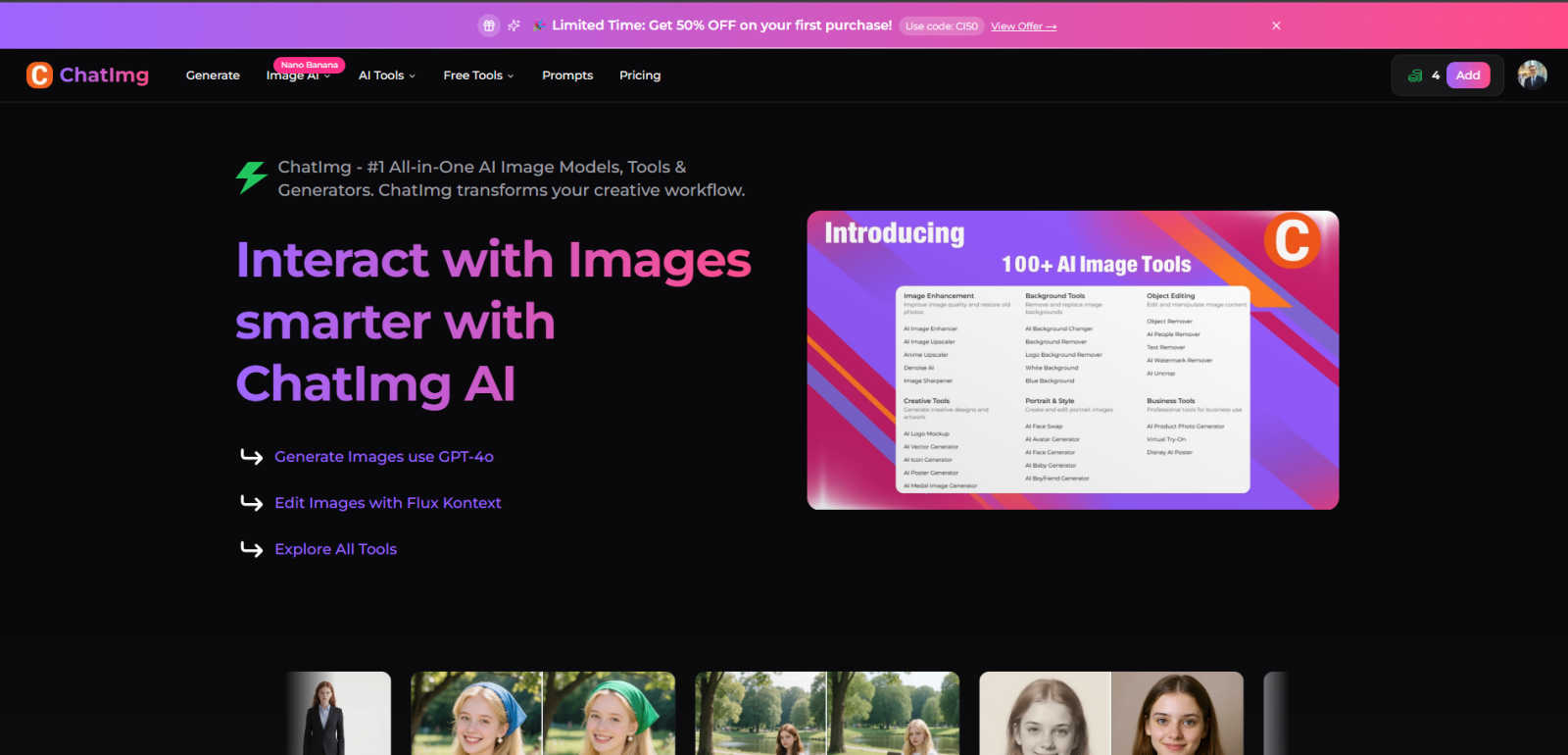
ChatIMG.io is your essential all-in-one AI toolkit for generating, enhancing, and editing images.
Last updated: March 1, 2026

RemoveTexts
RemoveTexts is the essential AI tool that instantly erases any text from your images without needing Photoshop.
Last updated: March 11, 2026
Visual Comparison
ChatIMG.io
RemoveTexts

Feature Comparison
ChatIMG.io
Multi-Model AI Generation Hub
ChatIMG.io provides essential access to the world's most advanced AI image models in one place. You are not limited to one style or capability. Generate photorealistic images with GPT-4o, create artistic visuals with Flux 1.1 Pro, or craft precise vector graphics with Recraft V3. This diversity is critical for matching any project requirement or client brief without needing multiple subscriptions, making it a necessary hub for versatile, high-quality output.
Intelligent Image Editing with Natural Language
The platform's Flux Kontext editor is a game-changing necessity. You must be able to edit images as easily as you describe them. Simply instruct the AI with natural language to modify objects, change backgrounds, adjust styles, or combine elements. This eliminates the steep learning curve of traditional software like Photoshop, making complex, professional edits accessible to anyone and dramatically speeding up the revision process.
Specialized AI-Powered Tools
Beyond generation, ChatIMG.io includes a suite of specialized tools that address specific, high-priority tasks. You can instantly remove backgrounds or unwanted objects, swap faces, restore old photos, change hairstyles, and create professional headshots. Each tool is designed to perform a task that would typically require separate, expensive software or services, consolidating your essential editing needs into one efficient platform.
Advanced Translation & Localization Suite
For global reach, the integrated translation tools are indispensable. You can translate video audio, document text, and even extract and translate text embedded within images. This capability is vital for businesses and creators aiming to localize content for different markets quickly and accurately, breaking down language barriers that would otherwise hinder expansion and audience engagement.
RemoveTexts
Paint to Remove
This feature provides essential, precise control for targeted editing. Simply upload your image and use the brush tool to paint directly over the specific text or element you want gone. The AI then erases only the painted areas, leaving the rest of your image completely untouched. This is absolutely necessary for complex images where you need to remove a single watermark or caption while preserving other important text or details, giving you surgical precision without any manual selection skills.
Auto Remove All Text
When you need every piece of text cleaned from an image instantly, this one-click feature is indispensable. The AI automatically detects and identifies every text element--including watermarks, subtitles, captions, and date stamps--and removes them all simultaneously. It seamlessly reconstructs the background for each removed area, saving you countless hours. This is the priority feature for quickly cleaning screenshots, meme templates, or any image cluttered with multiple text overlays.
Edit & Replace Text
Beyond simple removal, this critical feature allows you to actively edit your image's content. You can change existing text to something new, and the advanced AI will match the original font style, size, and color as closely as possible. This is a necessity for correcting typos, updating information in an infographic, or localizing content without having to recreate the entire image from scratch, merging powerful editing with seamless integration.
Remove Objects and Watermarks
This essential capability extends the tool's power beyond text. You can erase unwanted objects, people, logos, and visual elements from your photos with the same ease. Using the brush tool, you paint over any undesirable object, and the AI fills in the space by intelligently generating a background that blends with the surroundings. This feature is a must-have for cleaning product photos, removing photobombers, or deleting branded elements from stock imagery.
Use Cases
ChatIMG.io
Rapid Social Media & Marketing Content Creation
Marketing teams and content creators must produce a high volume of engaging visuals daily. ChatIMG.io is essential for generating unique social media graphics, ad banners, and promotional artwork in seconds. The ability to quickly iterate on concepts and maintain a consistent, professional quality across all platforms is not just convenient; it's a necessity for staying competitive and meeting tight content calendars.
E-commerce Product Visualization
For e-commerce businesses, high-quality product images are non-negotiable for driving sales. ChatIMG.io allows you to generate lifelike product photos, create lifestyle mockups, and remove or change backgrounds instantly. This eliminates the need for expensive photoshoots for every product variant or concept, making it a critical tool for scaling product listings and A/B testing visuals efficiently.
Professional Design & Concept Art
Designers and illustrators must rapidly prototype ideas and explore creative concepts. ChatIMG.io acts as an essential brainstorming partner, generating concept art, illustrations, and design motifs from brief text descriptions. Using models like GPT-4o for realism or Flux for artistic flair, professionals can overcome creative blocks and present multiple visual directions to clients faster than ever before.
Personal Photo Enhancement & Restoration
For personal use, ChatIMG.io provides necessary tools that were once only available to professionals. You can restore and colorize old, damaged family photos, create professional headshots from casual selfies, or simply enhance everyday pictures. These capabilities make preserving memories and upgrading personal digital presence not just possible, but straightforward and accessible for everyone.
RemoveTexts
Cleaning Product Photos for E-Commerce
Online sellers absolutely must have clean, professional product images to drive sales. RemoveTexts is essential for erasing distracting watermarks from supplier photos, removing promotional text overlays, or deleting price tags and labels from product shots. This ensures your listings look pristine and trustworthy, directly impacting conversion rates without requiring a graphic designer.
Preparing Professional Presentations and Documents
For business professionals, clean visuals are non-negotiable. RemoveTexts is a priority tool for quickly cleaning screenshots for reports, erasing confidential information or names from documents, and removing unwanted subtitles or logos from images before inserting them into slideshows. It guarantees your materials look polished and distraction-free in minutes.
Enhancing Social Media and Marketing Content
Creators and marketers need to produce high-volume, engaging content rapidly. This tool is essential for repurposing images by removing old campaign text, erasing watermarks from stock photos or templates, and cleaning up memes or quote graphics. It enables the fast creation of fresh, on-brand visuals that capture attention without any visual clutter.
Redacting Sensitive Information
Legal, real estate, and administrative professionals frequently need to share images while protecting privacy. RemoveTexts provides a necessary, efficient solution for redacting personal information like names, addresses, or license plate numbers from documents and photographs. It ensures sensitive data is permanently and seamlessly removed, maintaining document integrity.
Overview
About ChatIMG.io
ChatIMG.io is the essential, all-in-one AI image platform you need to transform your creative workflow. It is not just another image generator; it is a comprehensive suite of professional-grade AI tools designed to meet every visual content demand with unmatched speed and quality. By integrating multiple cutting-edge AI models like GPT-4o and Flux Kontext, ChatIMG.io empowers marketers, designers, content creators, and businesses to generate, edit, enhance, and translate images and videos instantly. The core necessity of ChatIMG.io is to eliminate creative bottlenecks, complex software, and high costs. Whether you need to generate a stunning product visual from a text prompt, professionally edit a photo with simple instructions, restore an old family picture, or create a batch of social media graphics, this platform delivers studio-quality results in seconds. With a thriving community of over 2 million creators and enterprise-grade security, ChatIMG.io is the non-negotiable tool for anyone serious about scaling their visual content production without compromising on professionalism or privacy.
About RemoveTexts
RemoveTexts is the essential, non-negotiable tool for anyone who works with images. It is an AI-powered online platform designed to instantly and seamlessly remove unwanted text, watermarks, and objects from any picture. The core necessity it addresses is the universal frustration of having a perfect image ruined by distracting text overlays, logos, date stamps, or subtitles. You no longer need expensive, complex software like Photoshop or hours of manual editing skill. RemoveTexts delivers professional, traceless results in under 30 seconds through state-of-the-art generative AI. It intelligently analyzes the surrounding pixels to reconstruct the background so perfectly that no one can tell anything was ever removed. This tool is a must-have for creators, marketers, e-commerce sellers, social media managers, and professionals who need clean, presentation-ready visuals without the hassle. Trusted by over 100,000 users worldwide, it processes images in over 50 languages and outputs in 4K quality, making it the indispensable solution for modern image editing.
Frequently Asked Questions
ChatIMG.io FAQ
What AI models are available on ChatIMG.io?
ChatIMG.io provides access to a powerful suite of leading AI models to cater to diverse needs. This includes OpenAI's GPT-4o for highly detailed and realistic imagery, Stability AI's Flux 1.1 Pro for artistic and conceptual generation, and Recraft V3 for vector graphics and illustration-style images. This multi-model approach is essential for ensuring you have the right tool for any specific creative task or style requirement.
Is my data and generated content private and secure?
Absolutely. Privacy and security are fundamental priorities at ChatIMG.io. The platform employs enterprise-grade encryption for all data transfers and secure processing. Your uploaded images, generated content, and prompts are kept private and are not used to train public AI models. This secure environment is critical for professionals and businesses working with sensitive or proprietary visual concepts.
How fast does ChatIMG.io generate images?
Speed is a core necessity of the platform. ChatIMG.io generates high-resolution, studio-quality images in under 10 seconds on average. This is achieved through a GPU-optimized cloud infrastructure designed for maximum performance. This rapid turnaround is essential for maintaining workflow efficiency, allowing for quick iterations and meeting tight deadlines without sacrificing output quality.
Can I use the images created for commercial purposes?
Yes, you own the rights to the images you create on ChatIMG.io. The generated visuals are suitable for commercial use, including in marketing materials, product designs, social media, and client projects. This commercial license is a vital feature for businesses, freelancers, and creators who need to produce assets for monetization, branding, and professional publication without legal concerns.
RemoveTexts FAQ
How does RemoveTexts work?
RemoveTexts uses advanced deep learning inpainting technology, a class of neural network architecture pioneered by leading AI research. When you paint over text or use auto-remove, the AI analyzes the pixels surrounding the selected area. It then intelligently reconstructs the background by generating new pixels that match the texture, color, and patterns of the original image, resulting in a seamless, traceless fill where the text once was.
What image formats and sizes are supported?
The tool supports essential, common image formats including JPG, PNG, and WebP. You can upload files up to 10 MB in size. This covers the vast majority of images from cameras, screenshots, and the web, ensuring compatibility for nearly all user needs without requiring pre-editing or conversion.
Is RemoveTexts really free to use?
Yes, the core text removal functionality is available to use for free online. You can upload your image, paint over text, and download the cleaned result without any cost or watermarks on your output image. This makes professional-grade editing accessible to everyone as a fundamental tool.
What are the limitations of the tool?
The AI is designed for removing text and objects from general images. It does not support the removal of logos or trademarks for copyright infringement purposes, and it cannot process NSFW (Not Safe For Work) content. For extremely complex backgrounds with intricate patterns, some manual touch-up might be needed for perfect results, though the AI handles most common scenarios flawlessly.
Alternatives
ChatIMG.io Alternatives
ChatIMG.io is an essential AI-powered platform in the generative art and image editing category. It transforms text prompts into high-quality visuals, making professional image creation accessible to everyone without requiring design expertise. Users often seek alternatives for various reasons. These can include budget constraints, the need for different or more specialized features, compatibility with specific workflows, or simply a desire to explore other tools that might better align with their unique creative process and output requirements. When evaluating an alternative, it is crucial to prioritize core needs. Key considerations must include the quality and speed of image generation, the intuitiveness of the editing interface, the diversity of available AI models, and the overall value relative to cost. The right tool should seamlessly integrate into your workflow and become a necessary asset for your projects.
RemoveTexts Alternatives
RemoveTexts is an AI-powered image editing tool designed to instantly remove text from any image. It belongs to the category of automated, AI-driven photo editors that simplify complex tasks like watermark removal and background reconstruction, making it accessible to users without professional design software. Users often explore alternatives for various reasons. Common factors include budget constraints, as some seek free or lower-cost options. Others may require specific features not offered, such as batch processing or integration with other platforms. The need for a different user experience, like a desktop application versus a web tool, also drives the search for other solutions. When evaluating an alternative, consider the core AI capability for clean, seamless text removal and background inpainting. Assess the output quality, speed, and ease of use. Also, review the pricing model, platform availability, and any additional features like object removal or text replacement to ensure the tool meets your specific editing needs.