Ask Weather vs Prompt Builder
Side-by-side comparison to help you choose the right tool.

Ask Weather
Get precise, ad-free weather updates instantly and ask tailored questions for hassle-free daily planning with Ask.
Last updated: February 28, 2026

Prompt Builder
Generate, optimize, test, and manage AI prompts in one place. Turn an idea into a ready-to-use prompt in seconds.
Visual Comparison
Ask Weather

Prompt Builder
Overview
About Ask Weather
Ask Weather is an innovative, ad-free weather platform tailored for individuals who demand quick, reliable, and precise weather information. Designed with simplicity at its core, Ask Weather eliminates the clutter typically found in traditional weather services. With a user-friendly interface, users are immediately welcomed by "The Glance," which provides a concise overview of the daily weather outlook. For those seeking deeper insights, "The Details" section offers high-fidelity weather data on demand. The platform harnesses the power of AI, allowing users to pose natural language questions like "What’s the best window for a run today?" and receive prompt, personalized responses. With a firm commitment to user privacy, Ask Weather does not track history or sell data, enabling users to concentrate solely on the insights necessary for effective planning. Whether you are an outdoor enthusiast, a traveler, or someone who simply wants to stay informed, Ask Weather is the essential tool to help you navigate the elements confidently.
About Prompt Builder
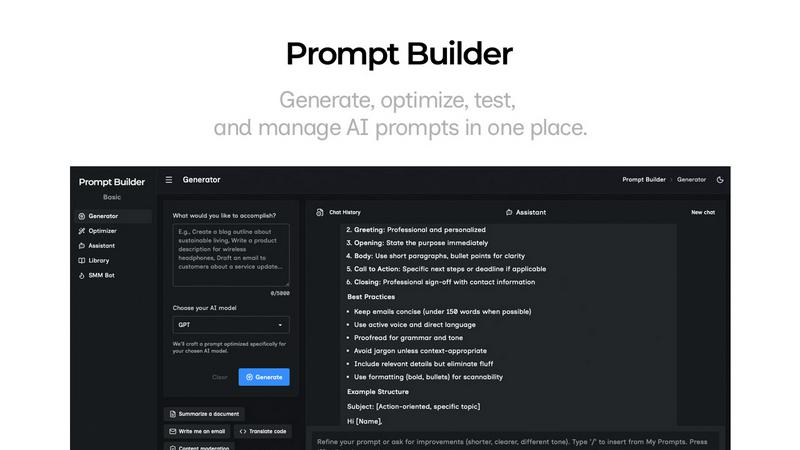
Prompt Builder is a prompt engineering workspace for writing, testing, and saving prompts. Describe the task in plain English, and it helps you create a prompt that matches the model you choose. Start with a draft, refine it in chat, save or pin versions, then run them when you are ready. It works with GPT, Claude, Gemini, Llama, Mistral, DeepSeek, Grok, Perplexity, and more. You also get an Optimizer, an assistant for quick tests, and a library of reusable prompts and templates from the community. Turn an idea into a ready-to-use prompt in seconds. Refine it in chat, save it to your Library, and run it anytime.