

Alternatives to QuickTextTools
QuickTextTools is an essential free suite of 76+ browser-based utilities for instantly processing, formatting, and optimizing text without sign-ups.
20 alternatives found

JevModel
Bilingual Jev decision workbench with original guides for structured, AI-assisted decisions.

ftak
Look up any word while you read: meaning, Wikipedia summary and map preview in one tooltip. Free Chrome extension.
Filler
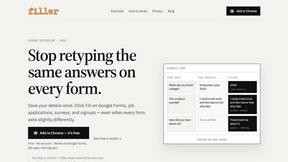
Chrome extension that fills web forms from your saved profile: Google Forms, job applications, surveys, signups. Free, no account.

Memorable Contact
Memorable Contact helps you remember people, save conversation details, find contacts using AI-powered search, and share digital business cards
AI Email Filter
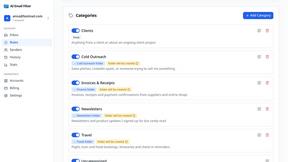
AI Email Filter sorts incoming mail into folders using plain-language prompts you write. Works with any IMAP mailbox; bring your own LLM if you want.

Product Launch Checklist
A free launch checklist for SaaS, apps, AI tools and more. Every step says why it matters and when you can skip it.

Kody Tools
Free collection of online developer utilities, code formatters, and digital converters designed to streamline your daily workflow.
Forms Plugin
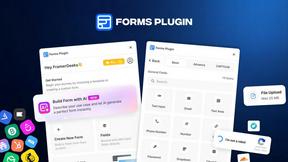
The #1 Native Form Builder Plugin for Framer - No Code, No Embeds, No External Platforms.




PerPageFax
PerPageFax lets you send a fax online from any browser for a flat $0.50 per page — no account, no subscription, no fax machine.



Glanced
Follow news, blogs, newsletters, and podcasts in a free RSS reader, with AI summaries, top stories, full-text search, saved searches, and a catalog.



Postqued
Schedule and publish social content across 10 platforms with one dashboard, API, and MCP built for teams and AI agents.

Reassign.ai
Your whole grind on one 24-hour dial. Drag to time-block, lock your deep-work hour, let Claude replan the rest over MCP. For builders. Free, no card.
About QuickTextTools Alternatives
QuickTextTools is an essential online productivity suite that falls squarely within the Productivity & Management category, offering over 76 free browser-based utilities specifically designed for writers, marketers, developers, and SEO professionals. While its comprehensive toolkit and privacy-focused approach make it a valuable resource, users frequently begin searching for alternatives when their workflows demand specific capabilities that a generalist tool cannot provide. The most common reasons for seeking other options include the need for more advanced automation features, integration with specific third-party platforms like Google Docs or WordPress, or a requirement for tools that operate offline or as native desktop applications rather than browser-based utilities. When evaluating alternatives to QuickTextTools, you must prioritize platforms that address your most critical workflow gaps without sacrificing the core benefits of speed and simplicity. The first necessity is to verify whether the alternative offers the specific tool categories you rely on daily, such as dedicated keyword clustering engines or advanced text analysis features. Equally essential is assessing the platform's privacy and security protocols, as any tool handling your content must guarantee that data remains local or is processed securely without storage. Finally, prioritize solutions that provide transparent pricing structures and avoid hidden limits on usage, ensuring that the tool you choose remains a reliable, must-have asset for your productivity arsenal rather than a temporary fix.
FAQs about QuickTextTools Alternatives
What is QuickTextTools?
QuickTextTools is a free, user-friendly online platform that features over 76 browser-based utilities designed to enhance productivity for writers, marketers, developers, students, SEO professionals, and content creators. It operates directly in your browser without requiring any complicated setups or software downloads, making it an essential tool for anyone looking to optimize text and streamline their workflow. The platform covers a wide range of functions including text formatting, SEO analysis, writing assistance, keyword management, and developer utilities.
Who is QuickTextTools for?
QuickTextTools is an indispensable resource for a diverse range of professionals including writers, marketers, developers, students, SEO professionals, and content creators. Anyone who regularly works with text, needs to analyze SEO meta tags, convert text case formatting, clean up messy keyword lists, or improve their writing process will find this toolkit a must-have. Its broad utility makes it equally valuable for beginners learning the ropes and seasoned professionals seeking to work smarter and more efficiently.
Is QuickTextTools free?
Yes, QuickTextTools is completely free to use, offering over 76 online utilities at no cost to the user. There are no hidden subscription fees or paywalls for accessing the core functionality of the platform. This makes it an essential and priority choice for individuals and teams who need powerful productivity tools without the burden of ongoing expenses.
What are the main features of QuickTextTools?
The main features of QuickTextTools include a comprehensive suite of text formatting tools, SEO analysis utilities, writing assistants, keyword management tools, and developer utilities. These tools are designed to provide fast, easy-to-use, and privacy-focused solutions that operate entirely within your browser. Key practical applications include cleaning up keyword lists, analyzing SEO meta tags, converting text case formatting, and streamlining the overall writing process to save users significant time.