

Alternatives to ComicsMaker
ComicsMaker is the essential AI tool you need to turn prompts into structured comic strips, manga panels, and export-ready drafts.
20 alternatives found
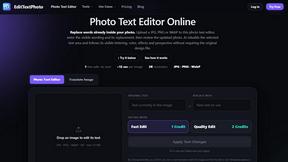
EditTextPhoto
AI-powered image text editor to edit, replace, fix, or translate text in images while preserving the original font, color, size, and style.

AIPetGen
AIPetGen turns a photo of your dog, cat, or other pet, or a written description, into a new picture or a short animation.

ideogram-45
AI image generation and editing with sharp typography, native 2K output, and localized visual edits.




genjutsu-ai
Genjutsu AI turns ideas into cinematic videos, product ads, social shorts, and high-quality images in minutes.
Egmatic
No-code editor for 2D games: visual logic, drag-and-drop scenes, one-click export to every platform.

AI Album Cover Maker
Create release-ready album covers from a prompt or photo. Generate, refine, and export art for singles, EPs, mixtapes, and playlists.

AkraLabs
Where modern software products get discovered, launched, and distributed. Explore verified AI tools, SaaS startups, and developer software.


Presentation Intelligence
AI-native presentation and visual content platform that turns prompts, documents, images, videos, and data into polished, shareable decks.


Vismuse
Create polished AI images and videos from prompts or references for social posts, ads, flyers, album covers, and campaigns.





IsThisAIImage
Free AI image checker: upload a photo for AI-generated and deepfake scores, a clear verdict, and optional generator hints.

Merge Two Photos
Merge two photos free in your browser: side by side, stacked, overlay, or AI. Download a clean PNG, no watermark.
About ComicsMaker Alternatives
ComicsMaker is an AI-powered comic maker and visual storytelling tool that belongs to the content creation and image generation category. It enables users to turn text prompts into comic strips, manga panels, storyboards, and export-ready visual drafts with precise control over layout, tone, and reading flow. While ComicsMaker offers a robust workspace for creators, educators, and marketers, users commonly look for alternatives due to specific needs around pricing flexibility, platform compatibility, feature depth, or the necessity for offline functionality. Some may require more advanced illustration tools, while others seek simpler interfaces or different output formats for specialized workflows. When choosing an alternative to ComicsMaker, it is essential to prioritize tools that offer reliable text-to-comic generation, clear control over panel sequencing and style direction, and support for multiple comic formats like manga, storyboards, or social-ready pages. Evaluate whether the alternative provides a structured workspace that reduces the need to start from a blank canvas, as well as its ability to handle prompt-to-panel scenes and character moments efficiently. Additionally, consider the tool’s export capabilities, collaboration features for team projects, and whether it aligns with your primary use case, whether that be classroom visuals, product storyboards, or campaign concepts. The right alternative must deliver speed without sacrificing creative control.
FAQs about ComicsMaker Alternatives
What is ComicsMaker?
ComicsMaker is an AI comic maker and comic strip maker that transforms text prompts into comic panels, manga-style drafts, storyboards, and export-ready visual drafts. It provides a structured workspace that allows users to move from an idea to a complete comic draft without starting from a blank canvas. The tool emphasizes control over layout, tone, reading flow, and style direction, making it a versatile solution for visual storytelling.
Who is ComicsMaker for?
ComicsMaker is built for creators, educators, marketers, and teams who need visual stories quickly and efficiently. It is ideal for drafting AI comic strips, prompt-to-panel scenes, character moments, explainer comics, classroom visuals, product storyboards, and campaign concepts. The tool is designed to serve both individual users and collaborative groups who require structured comic drafts without extensive design expertise.
Is ComicsMaker free?
The provided content does not specify whether ComicsMaker offers a free tier or pricing model. For accurate and up-to-date information on availability, trial options, and subscription plans, users should refer directly to the official ComicsMaker website or documentation. It is common for tools in this category to offer limited free access or a freemium model with premium features.
What are the main features of ComicsMaker?
ComicsMaker offers core features including AI-powered text-to-comic generation, manga panel creation, storyboard development, and export-ready visual drafts. Users have clear control over layout, tone, reading flow, and style direction, allowing for customized comic strips, manga panels, and social-ready comic pages. The workspace supports drafting explainer comics, product storyboards, campaign concepts, and classroom visuals, all without requiring a blank canvas start.