

Alternatives to Anime Maker
Turn your text or photo into stunning anime images, characters, and short videos with AI precision.
20 alternatives found
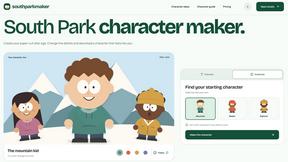
southparkmaker
Create original paper-cut cartoon avatars in your browser, then download your custom character as PNG or SVG.

AI Rap Video
Turn one photo into an AI rap video. Pick a stage and get a 9:16 video with an original song in minutes. 10 credits a video, packs from $4.99.
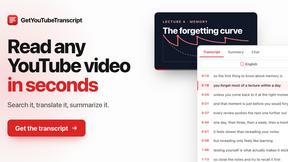
GetYouTubeTranscript
Timestamped YouTube transcripts in about a second, with AI summaries, exports, a browser extension, an API and an MCP server.

My Tools Suite Pro
Discover the best free online tools with ToolSuite Pro. Explore AI, productivity, marketing, SEO, writing, business, and software tools in one place.

VidSyndicate
VidSyndicate simplifies video publishing across YouTube, TikTok, Facebook, Instagram, and more with automated distribution and scheduling.
White Screen Checker
Check your screen display for dead pixels using White screen or black screen checkers.
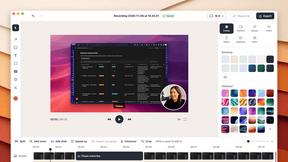
ScreenOtter
A Mac app for screen recordings and screenshots. A zoom on every click, captions made on your Mac, and eight camera layouts. Free to use, pay once.
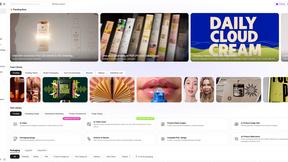
Rhinobird
AI video ads, UGC-style videos, and product visuals for cross-border sellers and e-commerce brands.

MyType FYI
Explore your visual type with ten free rounds of fictional faces, a base result and optional original portraits, posters or five-second videos.

Beautyface
Beautyface AI is an online AI photo studio for creating professional headshots, fine art portraits, and creative photo transformations.

Bicep Heart
Turn one photo into a 7-second bicep heart video with outdoor, standing or seated scenes and a silent vertical MP4.

AI Tiny Desk
Make a 19-second desk-concert video with lead and sax, full band, Halloween or pet-band modes; audio and silent MP4.

Outstanding Tiny Desk AI
Upload photos of you and your friends and get a 15-second Outstanding Tiny Desk AI video with AI-generated sound, in 9:16 for TikTok and Reels.

Tip Toeing in My Jordans
Upload a photo and get a 12-second Tip Toeing in My Jordans video: you play the AI Rumpelstiltskin, a friend can play the woman in the hay.
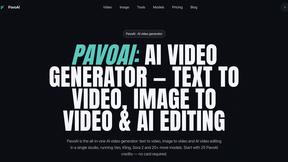
PavoAI
All-in-one AI video creation platform for text-to-video, image-to-video, editing, avatars, music, subtitles, and upscaling.

Crazy Frog AI
Turn 1–2 photos into the viral Crazy Frog invisible-moped chase video in seconds.
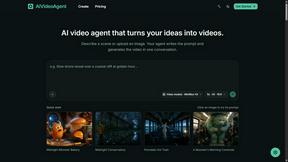
AIVideoAgent
Turn text ideas or reference images into videos through conversation, with agent-assisted prompts and a choice of video models.
Adobe Alternatives
Explore open-source creative software by workflow, platform and development stage, with comparisons and official project links.
About Anime Maker Alternatives
Anime Maker is a specialized AI creative platform that belongs to the essential categories of content creation, design tools, video production, and image generation. It allows users to generate anime-style images, original characters, logos, filters, and even image-to-video concepts directly from text prompts or uploaded photos, making it a focused browser-based workflow for artists, game teams, and marketers. However, users commonly seek alternatives due to specific needs such as different pricing structures, the desire for offline functionality, platform compatibility issues, or the requirement for more advanced customization and export options not fully covered by a single tool. When choosing an alternative, it is critical to prioritize platforms that offer robust generation modes, high export resolution, secure data handling, and the specific creative flexibility required for your project, whether that be character design, social media content, or professional animation assets. The right alternative must deliver the same level of priority and necessity in output quality while addressing your unique workflow demands.
FAQs about Anime Maker Alternatives
What is Anime Maker?
Anime Maker is an AI-powered creative platform that enables users to generate anime-style images, original characters, logos, filters, and image-to-video concepts. It operates through a focused browser workflow, allowing creators to turn text prompts and photos into export-ready results. The tool is designed for rapid visual exploration, making it a must-have for artists, game teams, and marketers who need high-quality anime assets on demand.
Who is Anime Maker for?
Anime Maker is essential for artists, creators, game development teams, marketers, and anime fans who require a quick and efficient way to generate anime-style visuals. It prioritizes the needs of professionals who need multiple generation modes, from character design to logo creation and image-to-video concepts. Whether you are prototyping a game character or producing social media filters, this tool is built for those who demand speed and export-ready results without sacrificing creative control.
Is Anime Maker free?
Anime Maker typically operates on a freemium model, offering limited free access to its core generation features while reserving advanced capabilities, higher resolution exports, and commercial usage rights for paid subscription tiers. The free tier is ideal for initial exploration and testing, but for priority projects requiring professional output and full feature access, a paid plan is necessary. Users should review the current pricing page for the most accurate and up-to-date information on free credits and subscription options.
What are the main features of Anime Maker?
The main features of Anime Maker include AI-driven text-to-image and photo-to-anime generation, character and logo creation, customizable anime filters, and image-to-video concept animation. It provides multiple generation modes that cater to different creative needs, allowing users to produce export-ready assets directly from their browser. These capabilities make it an indispensable tool for rapidly iterating visual ideas, ensuring that every output meets the high standards required for professional content creation and design work.