
Ultimate Forms
Build essential no-code SharePoint forms and automation to solve business problems faster.
Visit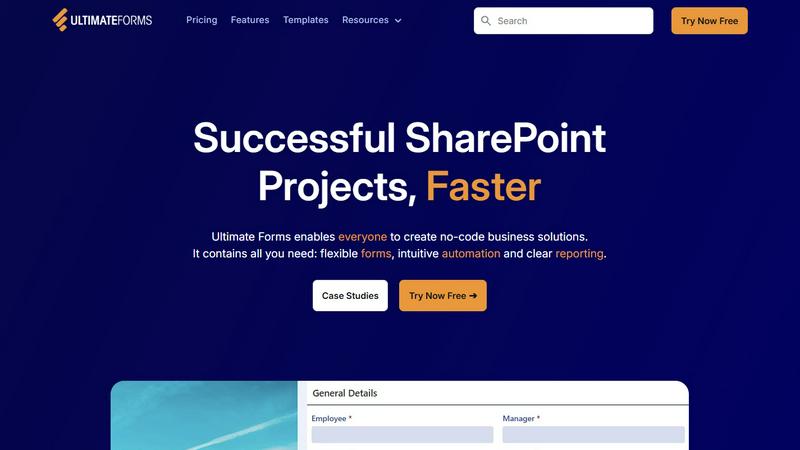
About Ultimate Forms
Ultimate Forms is the essential no-code forms and automation platform built exclusively for the Microsoft 365 ecosystem, with deep integration into SharePoint. It is an absolute necessity for any organization that relies on SharePoint but finds its native form and workflow capabilities severely limiting. This platform is specifically designed for business users, process owners, and SharePoint administrators who must move beyond basic lists to create powerful, custom business applications without writing a single line of code. Its core mission is to deliver successful SharePoint projects faster by eliminating IT bottlenecks and technical complexity. Ultimate Forms consolidates all critical components—highly flexible forms, intuitive automation, and clear reporting—into one integrated, easy-to-manage solution. By keeping all data securely inside your existing SharePoint infrastructure while seamlessly connecting to other systems like Exchange, Teams, and SQL Server, it removes vendor lock-in and empowers entire teams to build, maintain, and evolve solutions. For companies committed to digital transformation, Ultimate Forms is not just a tool; it is the mandatory foundation for streamlining operations, improving data quality, and accelerating responsiveness to ever-changing business needs.
Features of Ultimate Forms
Flexible, Responsive Forms
Ultimate Forms provides modern, responsive form design that goes far beyond SharePoint's default experience. It features advanced capabilities like tabs, sections, column permissions, dynamic rules, repeating sections, electronic signatures, and robust input validation. These smart forms deliver an exceptional user experience, drastically improve data quality at the point of entry, and simplify complex business processes. Crucially, all data submitted through these forms remains securely stored inside your SharePoint lists and libraries, maintaining your existing security and governance model while offering a vastly superior interface.
Intuitive No-Code Automation
Replace complex and often cumbersome SharePoint Designer or Power Automate workflows with Ultimate Forms' simple yet powerful "Actions." This intuitive automation engine allows you to create, update, and manage data not only within SharePoint but also across a variety of integrated applications like Microsoft Exchange, SQL Server, and Teams. By dramatically reducing the technical learning curve, this feature empowers more people in your organization to create and manage automated business solutions, effectively removing IT bottlenecks and enabling rapid process improvement without developer dependency.
Clear Reporting and Dashboards
Transform raw SharePoint list data into actionable business intelligence with Ultimate Forms' comprehensive reporting suite. This feature enables users to present data as detailed, shareable reports, interactive dashboards, KPIs, calendars, and charts. Everyone in the organization, from executives to frontline staff, can visualize critical information in an accessible and understandable fashion. This clarity improves organizational responsiveness, enhances accountability, and ensures that data-driven decisions can be made quickly and confidently based on real-time insights.
Pre-built Solution Templates
Accelerate solution deployment with a vast library of pre-built, automation-enhanced business solution templates. These templates cover common scenarios like Project Management, HR Recruitment, and Leave Requests, allowing you to easily replicate and distribute proven solutions. You can also create your own custom templates. This "build once, deploy anywhere" capability saves immense time and effort, enabling rapid rollout of standardized solutions across multiple sites and even tenants, ensuring consistency and best practices throughout your organization.
Use Cases of Ultimate Forms
Streamlined HR and Recruitment Processes
Create a multi-stage recruitment portal to manage the entire hiring lifecycle within SharePoint. Ultimate Forms allows HR teams to build custom forms for job applications, candidate evaluation, interview scheduling, and offer management. Intuitive automation can route applications, send notifications via Teams or email, update candidate statuses, and populate reports for hiring managers. This use case centralizes all recruitment data, eliminates manual tracking, and significantly speeds up time-to-hire while keeping all sensitive information secure inside your Microsoft 365 environment.
Comprehensive Project and Task Management
Build a fully-featured project management solution to track customers, projects, tasks, and work hours directly on your SharePoint intranet. Ultimate Forms enables the creation of dynamic forms for project initiation, task assignment, and time logging. Automation can trigger alerts for deadlines, update project timelines, and generate performance dashboards. This use case provides complete visibility into project health, improves resource allocation, and enhances team accountability, all without requiring separate, expensive project management software.
Automated Employee Leave and Approval Workflows
Replace error-prone email or paper-based leave request systems with a streamlined digital process. Employees can submit requests through a user-friendly form that automatically checks against company policy and available leave balances. The system then routes the request through a configurable approval chain via managers, with automatic notifications in Teams or Outlook. Upon approval, it can update a central calendar and sync with payroll systems. This use case reduces administrative overhead, minimizes errors, and provides clear audit trails for all leave transactions.
Efficient IT Asset and Inventory Tracking
Manage company assets, from hardware to software licenses, with a custom SharePoint-based tracking system. Using Ultimate Forms, you can create forms for checking equipment in/out, scheduling maintenance, and recording depreciation. Barcode scanning integration can streamline audits. Automation can send alerts for warranty expirations or scheduled maintenance, and generate reports on asset location, status, and value. This essential use case ensures accurate inventory control, reduces loss, and supports compliance and financial reporting requirements.
Frequently Asked Questions
Is Ultimate Forms a standalone product or does it require SharePoint?
Ultimate Forms is not a standalone product; it is an essential add-on platform built specifically for and deeply integrated with Microsoft SharePoint and the broader Microsoft 365 suite. It requires an existing SharePoint Online or SharePoint Server environment to function. Its primary value is extending and enhancing SharePoint's native capabilities, keeping all your data and security within the Microsoft ecosystem you already own and manage.
Can non-technical business users really build applications with Ultimate Forms?
Absolutely. Ultimate Forms is designed as a true no-code platform, making it an essential tool for business users and process owners. Its intuitive form designer, drag-and-drop automation "Actions," and pre-built templates allow users with no programming experience to create sophisticated forms, workflows, and reports. This democratization of solution-building is core to its value, empowering teams to address their own needs quickly without waiting for overburdened IT departments.
How does Ultimate Forms handle data security and compliance?
Security is paramount. Ultimate Forms stores all data directly within your SharePoint lists and libraries, meaning it inherits the full security, compliance, and governance policies of your Microsoft 365 tenant or SharePoint farm. It utilizes SharePoint's native permission models, auditing, and data loss prevention features. No form data is stored in external databases, ensuring you maintain complete control and compliance with regulations like GDPR, HIPAA, or FINRA within your existing infrastructure.
What kind of support and resources are available for new users?
Ultimate Forms provides extensive resources to ensure user success. This includes detailed documentation, video tutorials, and a library of webinars. Most critically, they are known for providing ultra-responsive and knowledgeable technical support. Furthermore, the vast collection of pre-built solution templates allows users to deploy proven business applications immediately, providing a practical starting point that can be customized to fit specific needs, greatly accelerating the learning and implementation process.