
MultiMMR vs StatPecker
Side-by-side comparison to help you choose the right tool.

MultiMMR
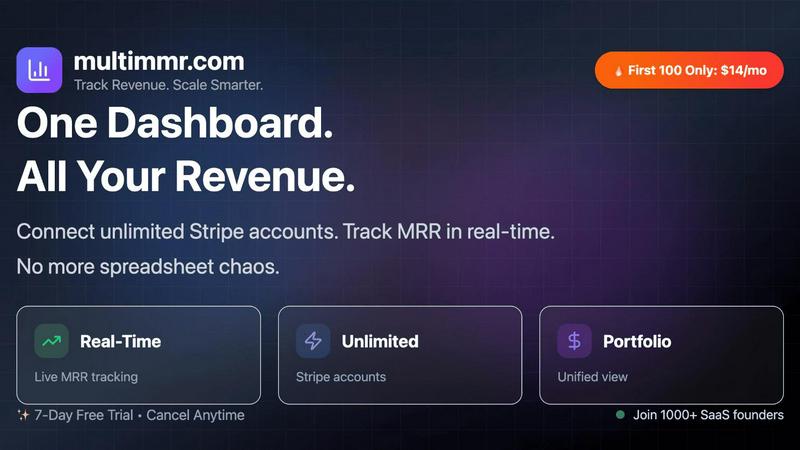
MultiMMR unifies all your Stripe revenue into one essential real-time dashboard.

StatPecker
StatPecker gives leaders secure AI insights from company data without leaks.
Last updated: March 1, 2026
Visual Comparison
MultiMMR
StatPecker

Feature Comparison
MultiMMR
Unified Multi-Account Dashboard
This is the core, essential feature. MultiMMR allows you to connect an unlimited number of Stripe accounts, instantly aggregating all your disparate revenue streams into one comprehensive, real-time dashboard. You must have this holistic view to understand your true business performance without the inefficiency and risk of manual data consolidation. It completely eradicates the need to jump between multiple tabs and tools, providing the singular financial overview that is critical for strategic oversight.
Real-Time MRR Tracking & Analytics
You cannot afford to make decisions on stale data. MultiMMR provides live tracking of your most vital metric: Monthly Recurring Revenue. The platform delivers beautiful, actionable charts that visualize MRR trends, growth, and composition in real-time. This immediate insight is not just convenient; it is a necessity for identifying opportunities, spotting concerning dips, and understanding the direct impact of your business actions without any delay.
Smart Alerts & Goal Tracking
Proactive management is non-negotiable for sustainable growth. MultiMMR's Smart Alerts provide instant notifications for critical events like MRR spikes, drops, or high-value customer churn, ensuring you are never caught off guard. Furthermore, the Goal Tracking feature allows you to set specific MRR targets and monitor your daily progress with clear "on track" indicators. This combination is essential for maintaining focus and momentum toward your key business objectives.
Secure Social Sharing & Reporting
Communicating your success is a fundamental part of building credibility and momentum. MultiMMR enables you to create beautiful, share-ready screenshots of your key metrics directly from the dashboard to post on social media. Beyond promotion, this feature simplifies your internal and investor reporting workflow, turning complex data into clear, visually appealing snapshots. This eliminates hours of manual report generation, making it an essential tool for efficient communication.
StatPecker
Local SQL Agent for Private CSV Analysis
This is a critical feature for data security and immediate insight. You can upload a CSV file up to 50 MB, and StatPecker's local engine processes everything directly on your device. This guarantees your sensitive business data remains completely private. You can then explore your data with simple questions and receive answers as clean, ready-to-share charts and visuals, eliminating the hassle and risk of using external spreadsheets or cloud services for preliminary analysis.
AI-Powered Query for Instant Insights
Stop wrestling with complex data tools. StatPecker's core functionality allows you to get instant insights by simply asking questions in plain language. The AI queries validated sources and generates clear, credible answers, transforming your curiosity into professional visuals without any need for coding, complex formulas, or data science expertise. This feature is essential for rapid analysis and decision-making.
Publish & Embed Interactive Visuals
Your data stories need to live where your audience is. StatPecker enables you to seamlessly publish your generated infographics and make them interactive. You can embed these visuals directly into blogs, articles, websites, or internal wikis, providing dynamic and engaging content that enhances your narrative and keeps readers engaged with the data, a must-have for content creators and modern reporting.
Download & Use Anywhere
Flexibility is non-negotiable. Once your visual is created, you are not locked into the platform. StatPecker allows you to export your infographics as high-quality images for immediate use in reports, presentations, social media, or print materials. This ensures your compelling data visuals can be integrated into any workflow or medium, maximizing the utility and reach of your analysis.
Use Cases
MultiMMR
SaaS Portfolio Managers & Indie Hackers
For individuals or small teams managing multiple SaaS products or micro-SaaS projects, MultiMMR is indispensable. It consolidates revenue from all ventures into one dashboard, providing a clear picture of total portfolio health, identifying which products are performing, and which require attention. This unified view is critical for allocating resources effectively and making strategic decisions about where to focus development and marketing efforts for maximum growth.
Agencies Managing Client Subscriptions
Agencies that handle billing and subscriptions for their clients through separate Stripe accounts absolutely require MultiMMR. It provides a secure, centralized platform to monitor the MRR and financial health of all client accounts simultaneously. This is essential for accurate reporting to clients, identifying churn risks across the portfolio, and demonstrating tangible value, all without compromising security or data isolation between accounts.
Startups Scaling with Multiple Revenue Streams
Fast-growing startups often launch different pricing tiers, add-ons, or even new products, each potentially on a separate Stripe account. MultiMMR is a necessity to track the combined and individual performance of these streams in real-time. Leadership can instantly see how new initiatives contribute to overall MRR, measure the success of experiments, and make rapid, data-informed decisions crucial for scaling operations efficiently.
Investors & Advisors Monitoring Portfolio Companies
Investors and board members need a clear, aggregated view of key SaaS metrics from the companies they support. MultiMMR serves as an essential reporting tool, allowing founders to provide secure, read-only access to a live dashboard. This eliminates the back-and-forth of manual report requests and spreadsheets, giving stakeholders the real-time transparency they need to offer timely, informed guidance and track portfolio performance.
StatPecker
Content Creators & Bloggers
For creators, compelling visuals are essential for engagement and authority. StatPecker is a necessity for transforming research data, surveys, or industry statistics into stunning, embeddable infographics that elevate blog posts and articles. It allows them to quickly create credible, shareable content that explains complex topics simply, saving hours of design work and making their content more persuasive and professional.
Business Analysts & Data Teams
Analysts under constant pressure to deliver reports need to communicate findings effectively. StatPecker is critical for rapidly converting CSV exports and SQL query results into clear charts and visuals for stakeholder presentations. It automates the tedious visualization step, allowing analysts to focus on insight generation and ensuring their messages are understood and acted upon quickly.
Marketing Professionals
Marketers must prove campaign ROI and present market research persuasively. StatPecker is indispensable for creating impactful charts and infographics from performance data (like sales figures or engagement metrics) for reports, client decks, and social media content. It turns dry numbers into compelling visual stories that demonstrate value and drive strategic decisions.
Educators & Trainers
Explaining data-driven concepts requires clarity. Educators and trainers can use StatPecker as an essential tool to create easy-to-understand visual aids and infographics from educational data or historical trends. This enhances learning materials, presentations, and coursework, helping students grasp complex information through clear, professional visuals without needing design skills.
Pricing Comparison
MultiMMR
MultiMMR offers simple, transparent pricing with two plans designed for businesses at any stage. Both plans include all core features: Unlimited Stripe Accounts, Real-time MRR Tracking, Smart Alerts & Notifications, Goal Tracking & Progress, and Priority Email & Chat Support.
Monthly Plan: Priced at $19 per month (a limited-time offer from $29). This is perfect for flexibility, allowing you to cancel anytime.
Yearly Plan (MOST POPULAR): Priced at $99 per year (a limited-time offer from $199). This plan saves you $129 annually and is the essential, cost-effective choice for users committed to mastering their SaaS portfolio long-term.
Both plans start with a full 7-day free trial, requiring no credit card to begin.
StatPecker
StatPecker offers a straightforward, transparent pricing model designed to provide immediate value. The Free Tier ($0) is robust, offering unlimited projects, unlimited embeds with manual edits, 25 AI queries, and 10 CSV uploads, making it a powerful starting point. For professionals and teams requiring unlimited access, the Lifetime Access plan is available for a one-time payment of $150 (currently at a 25% discount). This plan grants lifetime access to all features, including unlimited AI queries, unlimited CSV uploads, unlimited projects and embeds, priority feature requests, and is backed by a 10-day, no-questions-asked refund policy.
Overview
About MultiMMR
MultiMMR is the essential, non-negotiable dashboard for any SaaS founder, indie hacker, or portfolio manager who operates multiple revenue streams. If you are tired of the chaotic, error-prone process of manually toggling between different Stripe accounts and wrestling with endless, outdated spreadsheets, this tool is your mandatory solution. It delivers a unified, real-time financial command center that instantly syncs every project, product, or Stripe account into one centralized view. This is not a luxury; it is a critical necessity for making informed, data-driven decisions to scale your business effectively. MultiMMR transforms raw transactional data into beautiful, actionable charts and enterprise-grade analytics, with a core focus on Monthly Recurring Revenue (MRR). It eliminates the reporting workflow nightmare, allowing you to stop managing data and start leveraging it. For anyone serious about growth, clarity, and operational efficiency, MultiMMR is the indispensable platform that provides the single source of truth for your entire SaaS portfolio's financial health.
About StatPecker
StatPecker is an essential, non-negotiable tool for anyone who needs to communicate data with clarity and impact. It solves the critical, time-draining problem of manual data reporting and the prohibitive cost of hiring professional designers by automating the entire data storytelling process. This AI-powered platform transforms raw, complex data into professional, publication-ready visuals and infographics in seconds. It is an absolute necessity for creators, analysts, marketers, and educators who must turn spreadsheets and numbers into engaging, persuasive, and easy-to-understand narratives without any technical expertise. The core value proposition is undeniable: save significant time, cut costs dramatically, and boost the impact of your communications by making data visually compelling and instantly shareable. From analyzing uploaded CSV files with its private, on-device Local SQL Agent to generating insights through simple AI queries, StatPecker delivers credible answers as stunning visuals you can embed, download, and use anywhere, making it the indispensable solution for modern data-driven communication.
Frequently Asked Questions
MultiMMR FAQ
How many Stripe accounts can I connect?
You can connect an unlimited number of Stripe accounts on both the Monthly and Yearly plans. This is essential for true portfolio management, whether you have two projects or twenty, ensuring the platform scales with your business without restrictive per-account fees.
Is my financial data secure with MultiMMR?
Absolutely. Security is a fundamental priority. MultiMMR uses advanced security protocols and strong encryption to keep your analytics data safe. We connect via Stripe's secure API using read-only keys, meaning we can never initiate charges or move money—only view the transactional data necessary to power your dashboard.
What is the difference between the Monthly and Yearly plan?
The core features are identical: both include unlimited Stripe accounts, real-time MRR tracking, Smart Alerts, Goal Tracking, and priority support. The only difference is the billing period and significant savings. The Yearly plan offers a substantial discount, saving you $129 annually compared to the monthly subscription, making it the essential, cost-effective choice for committed users.
How does the 7-day free trial work?
The free trial provides full, unrestricted access to all MultiMMR features for 7 days. You must connect at least one Stripe account to experience the platform's true value. No credit card is required to start the trial, allowing you to verify that it is the essential tool for your workflow before any financial commitment.
StatPecker FAQ
How does the Local SQL Agent ensure my data is private?
Privacy is the foundational principle of the Local SQL Agent. When you upload a CSV file, the entire processing and analysis engine runs locally on your own device. Your data is never sent to or stored on StatPecker's servers. The system prepares the data, generates SQL queries, and creates the visuals entirely on your machine, ensuring complete confidentiality for sensitive business or personal information.
What kind of questions can I ask the AI to get insights?
You can ask a wide range of practical, business-oriented questions in plain English. For example, you can ask for trends over time ("Show sales growth last quarter"), comparisons ("Which product category has the highest revenue?"), summarizations ("What is the average customer spend?"), or rankings ("List the top 5 regions by performance"). The AI interprets your intent and generates the appropriate query to return a clear visual answer.
Can I edit the visuals after StatPecker generates them?
Yes, maintaining control over your final output is essential. StatPecker provides options for manual edits on your generated visuals, especially for embeds. This allows you to adjust colors, and labels, or tweak the design to ensure the visual perfectly aligns with your brand guidelines or presentation style before publishing or sharing it widely.
What are the limits of the Free Tier?
The Free Tier is designed for essential, regular use. It includes unlimited projects and embeds, 25 AI queries, and 10 CSV uploads. This is sufficient for individuals or small teams to start creating impactful data stories immediately. For high-volume needs with unlimited AI queries and CSV uploads, the Lifetime Access plan provides a complete, one-time solution.