
LuxSign vs Quickfix AI
Side-by-side comparison to help you choose the right tool.

LuxSign enables fast, secure, and legally valid electronic signatures for all your documents across the EU.
Last updated: February 28, 2026

Quickfix AI
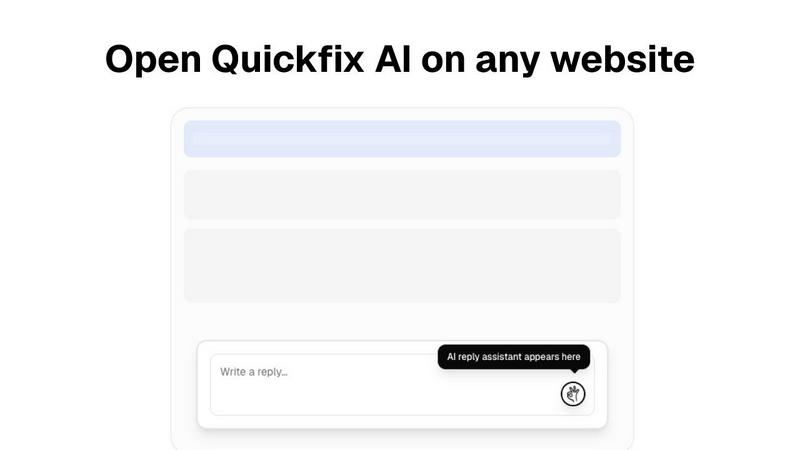
Quickfix AI is a vital browser extension that delivers instant AI replies and comprehensive system diagnostics.
Last updated: February 28, 2026
Visual Comparison
LuxSign

Quickfix AI
Feature Comparison
LuxSign
Multiple Signature Methods
LuxSign offers versatile signing methods, allowing users to draw their signature, type their name, or upload an image. This flexibility caters to different preferences, ensuring a quick and efficient signing experience.
End-to-End Encryption
Every document uploaded and processed through LuxSign is secured with industry-standard encryption. This means that your sensitive data remains protected throughout the entire lifecycle, from upload to storage and transmission.
Collaboration Workspaces
With LuxSign's collaboration workspaces, teams can create shared environments for managing documents. This feature enables organized document storage, member access management, and seamless collaboration on signing workflows, making teamwork more effective.
Complete Audit Trail
LuxSign provides a comprehensive audit trail that logs every action taken on a document. This includes timestamps, IP addresses, and signer information, which are crucial for compliance and verification, ensuring transparency throughout the signing process.
Quickfix AI
Instant Reply Generation
Quickfix AI's standout feature is its ability to generate instant replies tailored to ongoing conversations. Users can click once to receive contextually relevant responses, streamlining communication and saving considerable time.
Multi-Platform Support
This extension is compatible with a wide range of platforms including Gmail, LinkedIn, Slack, and Zendesk. It integrates effortlessly into any text field, making it incredibly versatile for users managing multiple communication channels.
Multi-Language Capabilities
With support for various languages, Quickfix AI ensures that users from different linguistic backgrounds can communicate effectively. This feature makes it a vital tool for professionals working in global teams or with international clients.
User-Friendly Interface
Quickfix AI boasts an intuitive interface that allows users to navigate its features effortlessly. The simple design ensures that individuals can start using the tool immediately, regardless of their technical expertise.
Use Cases
LuxSign
Contract Signatures for Businesses
Businesses can utilize LuxSign to streamline contract signing processes, allowing for quick turnaround times and ensuring that all documents are legally binding under EU regulations.
Real Estate Transactions
Real estate agents can use LuxSign for property transactions, facilitating secure and quick signatures on agreements and contracts, leading to faster closings and improved client satisfaction.
HR Onboarding Processes
Human resources departments can simplify their onboarding processes by using LuxSign to send and collect signed employment contracts and policy documents, ensuring that all new hires are legally compliant from day one.
Financial Document Management
Banks and financial institutions can leverage LuxSign for managing loan agreements, account openings, and other financial documents, ensuring compliance with regulatory standards while enhancing operational efficiency.
Quickfix AI
Professional Communication
Quickfix AI is perfect for busy professionals who need to respond quickly to emails, messages, and social media inquiries. It allows them to maintain prompt communication without the burden of typing lengthy responses.
Customer Support Efficiency
Customer support teams can utilize Quickfix AI to handle inquiries more effectively. The tool enables support agents to provide instant, relevant replies, enhancing customer satisfaction and reducing response times.
Social Media Engagement
For individuals and brands engaged in social media, Quickfix AI offers a way to respond to comments and messages swiftly. This enhances engagement and helps maintain a positive online presence.
Collaboration in Teams
In collaborative environments, team members can use Quickfix AI to streamline discussions in platforms like Slack. This ensures that conversations remain focused and productive, as responses are generated without delay.
Overview
About LuxSign
LuxSign is a secure, cloud-based electronic signature platform designed specifically for businesses that demand high compliance standards. Founded in Luxembourg, the platform prioritizes user security by ensuring that all documents are encrypted end-to-end and stored exclusively within the country, thereby guaranteeing full adherence to GDPR regulations. LuxSign supports the eIDAS SES standards, which provide legal validity for contracts throughout the European Union. This makes it an essential tool for businesses aiming to streamline their signing processes while maintaining legal compliance. With user-friendly features such as drag-and-drop signature field placement and automated email notifications, LuxSign simplifies document management. Its advanced tiers offer powerful functionalities like document templates, audit trails, bulk signing, collaboration workspaces, and a full REST API with an embeddable SDK for seamless system integrations.
About Quickfix AI
Quickfix AI is an essential browser extension that leverages cutting-edge AI technology to revolutionize how individuals and professionals manage their communications. Designed for users who juggle multiple conversations across platforms such as Gmail, LinkedIn, Reddit, Slack, Zendesk, and social media, Quickfix AI stands out for its ability to generate instant, contextually relevant replies with just a single click. This innovative tool saves users valuable time by eliminating the tedious task of typing responses while ensuring that each reply is perfectly crafted to fit the specific conversation. With its multi-language support, Quickfix AI caters to a diverse global audience, allowing professionals everywhere to significantly boost their productivity and communication efficiency. By seamlessly integrating into any text box on any website, Quickfix AI provides a hassle-free experience that eliminates the need for window switching or copy-pasting, making it an indispensable tool for anyone looking to enhance their communication workflow.
Frequently Asked Questions
LuxSign FAQ
How does LuxSign ensure document security?
LuxSign ensures document security through end-to-end encryption during the upload, storage, and transmission processes, alongside secure data hosting in Luxembourg, compliant with GDPR.
What types of documents can I sign with LuxSign?
You can sign various document formats, including PDF, DOC, and DOCX. LuxSign also supports automatic conversion and allows for uploading files up to 10MB.
Can multiple signers be included in a single document?
Yes, LuxSign allows up to four signers per document. You can choose between parallel or sequential signing workflows to suit your needs.
Is LuxSign compliant with EU regulations?
Absolutely. LuxSign is compliant with the eIDAS SES standards, which means that signatures made through the platform are legally valid across all EU member states.
Quickfix AI FAQ
Is Quickfix AI free?
Quickfix AI offers a free download, allowing users to experience its features without any initial cost. However, additional premium features may be available for a fee.
Is my data secure?
Yes, Quickfix AI prioritizes user data security. The extension complies with industry standards to ensure that all user information is protected and kept confidential.
Do I need technical knowledge to use Quickfix AI?
No technical knowledge is required to use Quickfix AI. The extension is designed to be user-friendly, making it accessible for individuals with varying levels of technical expertise.
What platforms are supported by Quickfix AI?
Quickfix AI supports a variety of platforms including Gmail, LinkedIn, Reddit, Slack, Zendesk, and various social media networks. This broad compatibility allows users to enhance communication across multiple channels.
Alternatives
LuxSign Alternatives
LuxSign is an electronic signature platform based in Luxembourg, designed for businesses needing a secure, compliant solution for document signing. As an eIDAS SES compliant service, it guarantees that signatures are legally valid across all EU member states. Users often seek alternatives to LuxSign due to concerns about pricing, specific feature sets, or compatibility with their unique platform requirements. When searching for a suitable alternative, it's essential to consider factors such as compliance with relevant regulations, security measures, ease of use, and the availability of features that align with your business processes. When evaluating alternatives, prioritize platforms that offer robust security and compliance features, particularly if your business operates within regulated industries. Look for user-friendly interfaces that facilitate efficient workflows and ensure that the solution can be tailored to meet your specific operational needs. Additionally, consider the level of customer support and integration capabilities with existing systems, as these factors can significantly impact your overall experience and satisfaction with the electronic signature solution.
Quickfix AI Alternatives
Quickfix AI is a cutting-edge browser extension that falls under the category of productivity and management tools. It leverages advanced AI technology to generate instant replies and conduct full system diagnostics, making it an essential asset for anyone engaged in frequent online communication across various platforms like Gmail, LinkedIn, and social media. Users often seek alternatives to Quickfix AI due to factors such as pricing, specific feature offerings, or compatibility with different platforms. When selecting an alternative, it is crucial to consider elements such as ease of use, contextual understanding, multilingual support, and overall integration capabilities to ensure that the tool meets individual needs and enhances productivity effectively.