
Decode This Text vs Quickfix AI
Side-by-side comparison to help you choose the right tool.

Decode This Text
Decode This Text delivers quick, insightful analyses of confusing conversations in just 30 seconds for total clarity.
Last updated: February 28, 2026

Quickfix AI
Quickfix AI is a vital browser extension that delivers instant AI replies and comprehensive system diagnostics.
Last updated: February 28, 2026
Visual Comparison
Decode This Text

Quickfix AI
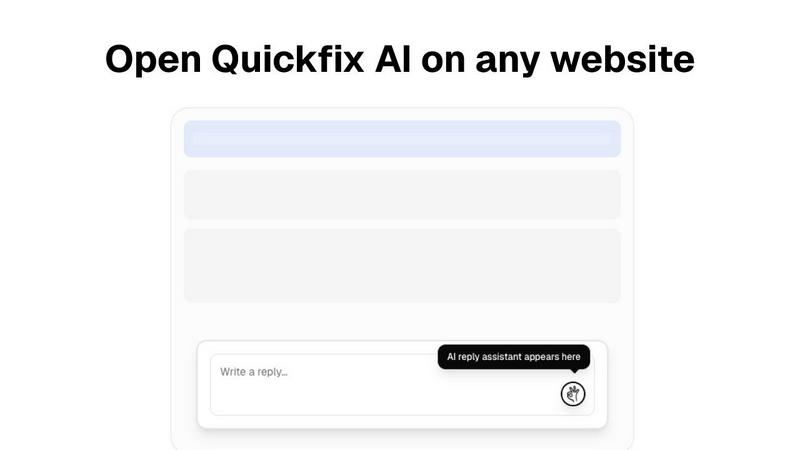
Feature Comparison
Decode This Text
Comprehensive Analysis
Receive an in-depth analysis of the context behind any conversation you provide. The tool evaluates emotional tones, intentions, and patterns within the messages to provide you with clarity and understanding.
User-Friendly Interface
With a simple and intuitive design, Decode This Text allows users to easily paste messages, upload screenshots, or describe scenarios without any technical hassle. This ensures that users can quickly access the insights they need.
Emotional Tone Detection
Decode This Text goes beyond mere words to assess the emotional temperature of messages. It identifies whether the tone is friendly, sarcastic, or cold, helping you interpret the underlying sentiment effectively.
Customized Response Suggestions
Stuck on how to reply? Decode This Text offers three tailored response options—calm, direct, or firm—allowing you to communicate confidently and appropriately based on the analysis provided.
Quickfix AI
Instant Reply Generation
Quickfix AI's standout feature is its ability to generate instant replies tailored to ongoing conversations. Users can click once to receive contextually relevant responses, streamlining communication and saving considerable time.
Multi-Platform Support
This extension is compatible with a wide range of platforms including Gmail, LinkedIn, Slack, and Zendesk. It integrates effortlessly into any text field, making it incredibly versatile for users managing multiple communication channels.
Multi-Language Capabilities
With support for various languages, Quickfix AI ensures that users from different linguistic backgrounds can communicate effectively. This feature makes it a vital tool for professionals working in global teams or with international clients.
User-Friendly Interface
Quickfix AI boasts an intuitive interface that allows users to navigate its features effortlessly. The simple design ensures that individuals can start using the tool immediately, regardless of their technical expertise.
Use Cases
Decode This Text
Understanding Ambiguous Messages
When you receive a vague text from a friend or colleague, Decode This Text helps clarify their true intentions, ensuring you respond in a way that fosters positive communication and understanding.
Professional Communication Clarity
For work-related messages, such as terse emails from your boss, Decode This Text interprets the nuances that dictate the emotional state behind the words, helping you respond appropriately without misinterpretation.
Navigating Relationships
In personal relationships, when silence or short responses become the norm, this tool aids in understanding whether someone is losing interest or simply busy, providing insights that can help you navigate your interactions more effectively.
Conflict Resolution
Decode This Text can assist in conflict situations by analyzing the emotional undertones of messages exchanged between parties. By understanding these dynamics, you can address issues more constructively and with greater empathy.
Quickfix AI
Professional Communication
Quickfix AI is perfect for busy professionals who need to respond quickly to emails, messages, and social media inquiries. It allows them to maintain prompt communication without the burden of typing lengthy responses.
Customer Support Efficiency
Customer support teams can utilize Quickfix AI to handle inquiries more effectively. The tool enables support agents to provide instant, relevant replies, enhancing customer satisfaction and reducing response times.
Social Media Engagement
For individuals and brands engaged in social media, Quickfix AI offers a way to respond to comments and messages swiftly. This enhances engagement and helps maintain a positive online presence.
Collaboration in Teams
In collaborative environments, team members can use Quickfix AI to streamline discussions in platforms like Slack. This ensures that conversations remain focused and productive, as responses are generated without delay.
Overview
About Decode This Text
Decode This Text is a groundbreaking tool that empowers users to unravel the complexities of communication, making it an essential asset for anyone navigating the often confusing landscape of interpersonal messages. Whether you find yourself puzzled by an ambiguous email from your boss, a vague text from a friend, or a perplexing message from a client, this tool offers invaluable clarity. By simply pasting the conversation or describing the context, users receive a detailed analysis that highlights underlying intentions, emotional tones, and effective responses. Ideal for professionals, friends, and families alike, Decode This Text enhances communication skills and fosters better relationships, eliminating misunderstandings. Its user-friendly interface and rapid response time allow you to engage confidently in interactions, alleviating the stress of overanalyzing every word. Experience the transformative power of clear communication with Decode This Text.
About Quickfix AI
Quickfix AI is an essential browser extension that leverages cutting-edge AI technology to revolutionize how individuals and professionals manage their communications. Designed for users who juggle multiple conversations across platforms such as Gmail, LinkedIn, Reddit, Slack, Zendesk, and social media, Quickfix AI stands out for its ability to generate instant, contextually relevant replies with just a single click. This innovative tool saves users valuable time by eliminating the tedious task of typing responses while ensuring that each reply is perfectly crafted to fit the specific conversation. With its multi-language support, Quickfix AI caters to a diverse global audience, allowing professionals everywhere to significantly boost their productivity and communication efficiency. By seamlessly integrating into any text box on any website, Quickfix AI provides a hassle-free experience that eliminates the need for window switching or copy-pasting, making it an indispensable tool for anyone looking to enhance their communication workflow.
Frequently Asked Questions
Decode This Text FAQ
How does Decode This Text ensure privacy?
Your privacy is paramount. Decode This Text operates on a 100% anonymous basis, meaning no human reviews your messages, ensuring complete confidentiality while you seek clarity.
Can I use Decode This Text for professional communication?
Absolutely! Decode This Text is designed for both personal and professional contexts. It helps users decode ambiguous emails, messages from clients, and more, providing clarity in various communication scenarios.
What types of messages can I analyze?
You can analyze any type of message, whether it's a text message, email, or social media conversation. Just paste the text or upload a screenshot, and Decode This Text will give you insights.
Is there a limit to how much text I can input?
Currently, there are no strict limits on the size of the text you can input. However, it's recommended to keep messages concise for more focused analysis and quicker response times.
Quickfix AI FAQ
Is Quickfix AI free?
Quickfix AI offers a free download, allowing users to experience its features without any initial cost. However, additional premium features may be available for a fee.
Is my data secure?
Yes, Quickfix AI prioritizes user data security. The extension complies with industry standards to ensure that all user information is protected and kept confidential.
Do I need technical knowledge to use Quickfix AI?
No technical knowledge is required to use Quickfix AI. The extension is designed to be user-friendly, making it accessible for individuals with varying levels of technical expertise.
What platforms are supported by Quickfix AI?
Quickfix AI supports a variety of platforms including Gmail, LinkedIn, Reddit, Slack, Zendesk, and various social media networks. This broad compatibility allows users to enhance communication across multiple channels.
Alternatives
Decode This Text Alternatives
Decode This Text is an essential tool in the Productivity & Management category, specifically designed to help users unravel the complexities of confusing conversations. With its quick and human-like analyses, it provides clarity in just 30 seconds, enabling smoother communication in both personal and professional settings. Users often seek alternatives to Decode This Text for various reasons, including pricing, specific features, or compatibility with their preferred platforms. When choosing an alternative, it’s crucial to consider aspects such as ease of use, the depth of analysis provided, and the ability to adapt to different communication styles to ensure effective understanding and response.
Quickfix AI Alternatives
Quickfix AI is a cutting-edge browser extension that falls under the category of productivity and management tools. It leverages advanced AI technology to generate instant replies and conduct full system diagnostics, making it an essential asset for anyone engaged in frequent online communication across various platforms like Gmail, LinkedIn, and social media. Users often seek alternatives to Quickfix AI due to factors such as pricing, specific feature offerings, or compatibility with different platforms. When selecting an alternative, it is crucial to consider elements such as ease of use, contextual understanding, multilingual support, and overall integration capabilities to ensure that the tool meets individual needs and enhances productivity effectively.