
Hush Touch | Voice-to-Text for MacOS vs QuickImg
Side-by-side comparison to help you choose the right tool.

Hush Touch | Voice-to-Text for MacOS
Hush Touch offers seamless offline voice-to-text dictation for Mac, learning your vocabulary for precise, efficient.
Last updated: February 28, 2026

QuickImg
QuickImg is the essential AI platform for generating, enhancing, and editing all your images.
Last updated: February 28, 2026
Visual Comparison
Hush Touch | Voice-to-Text for MacOS

QuickImg
Feature Comparison
Hush Touch | Voice-to-Text for MacOS
Dual-Engine Recognition
Hush Touch utilizes two sophisticated Apple dictation engines to provide an unparalleled dictation experience. The DictationTranscriber engine captures natural flow and punctuation, while the SFSpeechRecognizer enhances custom vocabulary recognition. This powerful combination ensures that your spoken words are transcribed accurately, making it ideal for professional environments where precision is crucial.
Custom Vocabulary
With the ability to store up to 500 custom terms, Hush Touch adapts to your unique language needs. It learns from your corrections and recognizes specialized jargon, brand names, and technical terms, making it perfect for professionals in fields like medicine, technology, and law. This feature ensures that the app evolves with you, improving its accuracy over time.
Smart Text Processing
Hush Touch incorporates intelligent text processing capabilities, including filler word removal, auto-correction for common mistakes, and formatting options for lists and snippets. This ensures that your transcriptions are not only accurate but also polished and professional, saving you time in the editing process.
Context Modes & Hands-Free Operation
Switch between different context modes like General, Email, Code, and Notes to tailor the dictation experience to your needs. With hands-free operation available through Siri, you can initiate dictation simply by voice, allowing for a truly seamless and efficient workflow.
QuickImg
Multiple Cutting-Edge AI Models in One Place
QuickImg provides indispensable access to a curated selection of the world's most advanced AI image models within a single platform. You no longer need separate subscriptions for different capabilities. Choose from specialized models like Nano Banana Pro for high-resolution output, GPT Image 1 for superior text rendering, Seedream 4 for ultra-fast 4K generation, and Flux Kontext for precise, consistent edits. This feature is critical for selecting the perfect engine for your specific task, ensuring you always achieve the optimal result without technical guesswork.
Natural Language-Driven Creation and Editing
This is the cornerstone feature that makes professional image creation accessible to everyone. You must describe what you want in plain English, and QuickImg's AI handles the complex technical execution. There is no need for professional-grade prompts or coding knowledge. Simply tell the platform to "create a serene mountain landscape at sunset" or "edit this photo to change the shirt color to blue and remove the background." This intuitive command system is essential for streamlining your workflow and unlocking creative potential instantly.
Comprehensive Suite of One-Click AI Tools
Beyond generation, QuickImg includes a vital arsenal of specialized, one-click editing tools that automate complex processes. These are non-negotiable for efficient content production. Instantly remove backgrounds or watermarks, upscale images to 4K, convert photos to PNG, change clothing in portraits, or apply artistic filters like "Photo to Anime." Each tool is designed to perform a sophisticated task with a single click, saving you hours of manual labor in traditional editing software.
Ready-to-Use Templates and Professional Workflow
QuickImg accelerates project kickoff with a library of professionally designed templates for common scenarios like social media posts, ads, and product photos. This feature is a must-have for maintaining brand consistency and speeding up production. Combined with an intuitive three-step workflow (Describe/Upload, Generate, View Results), the platform ensures that anyone can move from concept to polished, high-quality visual in moments, making professional results an absolute necessity for daily tasks.
Use Cases
Hush Touch | Voice-to-Text for MacOS
Drafting Emails
Hush Touch is perfect for busy professionals who need to draft emails quickly and efficiently. Simply dictate your message, and the app will handle punctuation and formatting, allowing you to focus on your content rather than typing.
Taking Notes
Students and researchers can benefit immensely from Hush Touch by dictating lecture notes or ideas on the go. The app's ability to recognize specialized vocabulary makes it a valuable tool for capturing complex concepts accurately.
Document Creation
Whether you are writing reports, articles, or creative content, Hush Touch enables you to create documents hands-free. The adaptive learning feature allows it to learn your writing style, ensuring your documents maintain a consistent voice.
Coding and Technical Documentation
For software developers and engineers, Hush Touch offers a unique advantage by accurately recognizing technical terms and jargon. This helps streamline the creation of code comments and technical documentation, enhancing productivity.
QuickImg
Social Media Content Creation
For marketers and influencers, creating a constant stream of engaging, original visuals is a mandatory task. QuickImg is essential for rapidly generating unique images, designing branded posts using templates, and editing photos to perfection. You can create eye-catching graphics for Instagram, Facebook, or Twitter in minutes, transform selfies into anime avatars, or produce cohesive ad imagery without needing a designer, ensuring your social presence remains vibrant and professional.
Professional Design and Marketing Material
Designers and small business owners must produce high-quality marketing assets like website banners, presentation graphics, product mockups, and promotional flyers. QuickImg is a necessary tool in this workflow for quickly ideating concepts, generating placeholder images, upscaling product photos, and removing backgrounds for clean cutouts. It significantly reduces production time and cost, allowing professionals to focus on strategy and client interaction instead of tedious manual editing.
Personal Creative Projects and Entertainment
For hobbyists, artists, and individuals, exploring creativity is a fundamental desire. QuickImg makes this exploration accessible and fun. You can bring your imaginative stories to life by generating characters and scenes, transform personal pet photos into humorous human versions with "Pet to Human," or create custom artwork for personal gifts. This use case highlights the platform's necessity as a gateway to unleashing personal creativity without any technical barriers.
E-commerce and Product Photography
Online sellers absolutely require high-quality, consistent product images to drive sales. QuickImg provides vital tools for this demanding environment. You can generate lifestyle images of products in different settings, use the AI Background Changer to create uniform white-background photos, remove watermarks from supplier images, and upscale low-quality product shots. This streamlines the catalog creation process, making professional-looking product listings a necessity that is easily achievable.
Overview
About Hush Touch | Voice-to-Text for MacOS
Hush Touch is a cutting-edge voice-to-text application designed specifically for macOS users who seek a fast, natural, and private dictation experience. This essential tool operates entirely on-device, ensuring that your voice data remains secure and offline, eliminating the need for cloud dependency. With a lightweight footprint of just 5.5 MB, Hush Touch integrates seamlessly into your daily writing routines, allowing users to draft emails, messages, notes, documents, and more hands-free. By harnessing the power of dual Apple transcription engines and an advanced Apple Intelligence final processing pass, Hush Touch delivers remarkably accurate and polished text. Whether you are a professional or a casual user, this app enhances your productivity by learning your vocabulary over time, improving punctuation, and helping you maintain a clear tone while respecting your privacy. With a one-time purchase of just $20 for a lifetime license, Hush Touch is an indispensable tool for anyone looking to elevate their dictation experience on Mac.
About QuickImg
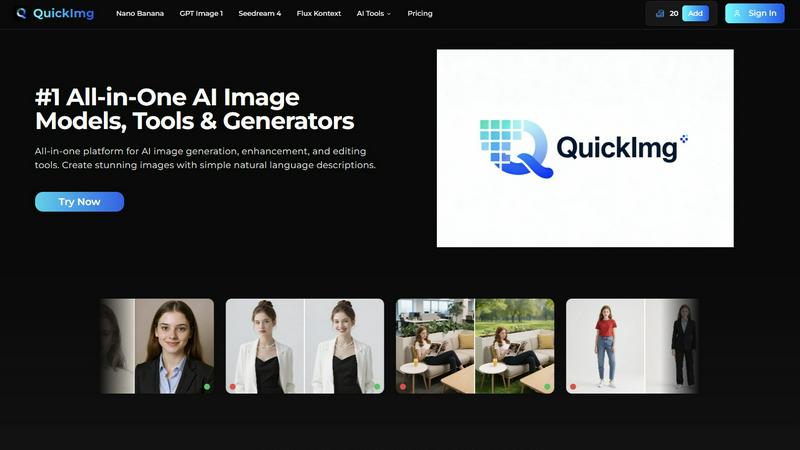
QuickImg is the essential, all-in-one platform you need for every aspect of AI-powered visual creation. It consolidates the most advanced AI image generation, enhancement, and editing tools into a single, intuitive interface, eliminating the hassle of switching between multiple, disparate services. This platform is a necessity for anyone who requires high-quality visuals, from professional graphic designers and marketers to social media managers, content creators, and complete beginners. Its core value proposition is profound simplicity paired with professional-grade power. You are no longer required to master complex prompt engineering or intricate software. By simply describing your vision in natural language, QuickImg's suite of cutting-edge AI models, including Nano Banana, GPT Image 1, and Seedream 4, brings it to life. Whether you are generating original artwork from a text description, upscaling a low-resolution photo to 4K, removing an unwanted background, or transforming a photo into an anime style, QuickImg provides the comprehensive toolset to do it all efficiently and effectively. It is not merely a tool; it is a fundamental upgrade to your creative workflow, designed to save you significant time and money while dramatically expanding your creative capabilities.
Frequently Asked Questions
Hush Touch | Voice-to-Text for MacOS FAQ
How does Hush Touch ensure privacy?
Hush Touch processes all voice data entirely on your Mac, with zero reliance on cloud services. This means your information remains secure and private, providing peace of mind as you dictate.
Can I customize the vocabulary?
Yes, Hush Touch allows you to store up to 500 custom terms and learns from your corrections, adapting to your specific vocabulary needs over time.
Is there a trial version available?
Absolutely! Hush Touch offers a 7-day free trial with no credit card required, allowing you to experience its features firsthand before making a purchase.
What happens if I need support or assistance?
Hush Touch provides comprehensive support resources, including FAQs and a user guide, ensuring you have all the assistance you need to make the most of the app.
QuickImg FAQ
What makes QuickImg different from other AI image generators?
QuickImg is fundamentally different because it is not a single-model tool. It is an essential, unified platform that aggregates multiple top-tier AI models (like Nano Banana, GPT Image 1, Seedream 4) and a full suite of one-click editing tools. This means you get the best model for each specific task—generation, editing, upscaling—in one place. You avoid the hassle and extra cost of managing multiple subscriptions, making it the necessary all-in-one solution for comprehensive image workflow.
Do I need any design experience or technical skills to use QuickImg?
No, and this is a core necessity of the platform. QuickImg is explicitly designed for users of all skill levels. The entire process is driven by natural language descriptions. You simply type what you want to create or edit in plain English. The complex AI handles the technical execution. The intuitive three-step interface and one-click tools eliminate any steep learning curve, making professional-grade image creation an accessible necessity for everyone.
What kind of image quality and resolution can I expect?
QuickImg is built for professional-quality output, which is a non-negotiable requirement. Depending on the model you select, you can generate and upscale images up to 4K resolution with exceptional detail and clarity. Models like Nano Banana Pro and Seedream 4 are specifically optimized for high-fidelity 2K/4K output. The AI Image Upscaler tool further allows you to enhance existing low-res images to 4K while preserving quality, ensuring your visuals are always ready for any professional application.
Can I use QuickImg for commercial purposes?
Yes, images created with QuickImg can typically be used for commercial purposes, including in marketing materials, on websites, and in products you sell. However, it is your absolute responsibility to review and comply with QuickImg's specific Terms of Service regarding licensing and usage rights for the AI-generated content. Always ensure your use case aligns with the platform's policies, especially regarding the depiction of trademarks, logos, or recognizable individuals.
Alternatives
Hush Touch | Voice-to-Text for MacOS Alternatives
Hush Touch | Voice-to-Text for MacOS is a cutting-edge dictation app designed specifically for macOS users who prioritize privacy and efficiency. As part of the AI Assistants category, it offers a reliable and natural voice-to-text experience by leveraging advanced on-device technology. Users often seek alternatives to Hush Touch due to various reasons, including pricing, specific feature requirements, or compatibility with different platforms. When choosing an alternative, consider factors such as offline functionality, accuracy of transcription, ease of use, and the overall integration with your writing workflow. A good alternative should also provide a balance of privacy and performance while fitting within your budget and meeting your dictation needs.
QuickImg Alternatives
QuickImg is an essential all-in-one AI assistant for image generation, enhancement, and editing. It empowers users to create stunning visuals from simple text descriptions, streamlining the creative process for professionals and beginners alike. Users often seek alternatives for various reasons. Common drivers include budget constraints, the need for a different pricing model, or specific features not covered by one platform. Others may require compatibility with a different operating system or seek a tool with a more specialized focus for their unique workflow. When evaluating an alternative, prioritize your non-negotiable needs. Consider the core AI capabilities, the quality and style of image output, and the ease of use. Essential factors also include the cost structure, available export options, and the platform's ability to handle your specific project scale and privacy requirements.